


“An unmatched writing slate, above all else.”
- Excellent writing experience
- Adequately light weight
- Stunning battery life
- Ease of repairs
- Performance gain
- No front or back light
- Features are paywalled
- No keyboard input
- Display could've been sharper
- Missing essential tools
Quick Review
I bought into the reMarkable dream years ago and tried multiple slates, but the Paper Pure is the version I keep coming back to. At $399, it’s the entry-level E Ink tablet from the brand that finally retires the aging reMarkable 2, and it does so by stripping away almost everything you’d expect from a 2026 gadget.
There’s no color screen, no front light, no keyboard. All you get is a pad and a pen, taken about as seriously as anyone has ever taken them. Underneath, a faster dual-core processor, 2GB of RAM, and 32GB of storage make it noticeably snappier than the device it replaces. The move from an aluminum body to textured plastic drops the weight to a feathery 360g, which your arms will thank you for. The 10.3-inch Canvas display serves up gorgeous, paper-crisp black-and-white contrast.
On the darker side of the value debate, the deliberate absence of a backlight kneecaps it in low light, and the missing keyboard support locks it into handwriting alone. Several of the smartest software tricks, such as calendar sync and handwriting-to-text, sit behind the Connect subscription, which stings. And yet, for students, writers, and professionals who want a flawlessly executed minimalist notebook with an unbeatable note-taking feel, the Paper Pure is still the best place to start.
reMarkable Paper Pure specs: What’s fitted inside the shell?
| Size and weight | 228.1 x 187.1 x 6.0 mm (8.9 x 7.4 x 0.24 inches); Approximately 360 g (0.79 lb) |
| Display | Built-in rechargeable/replaceable Li-ion battery (3,820 mAh), USB-C charging |
| Processor | 1.7 GHz dual-core Cortex-A55 |
| Storage and RAM | 32 GB internal storage, 2 GB LPDDR4 RAM |
| Battery | Built-in rechargeable / replaceable Li-ion battery (3,820 mAh), USB-C charging |
| Connectivity | Wi-Fi (2.4 GHz and 5 GHz), USB-C port |
| Auto-wake/sleep | Sensors detect when the device is placed inside a Sleeve Folio |
| Operating system | reMarkable OS (a custom, Linux-based operating system for digital paper displays) |
| Document support | Importing: PDF, EPUB Exporting: PDF, PNG, SVG |
| System language | English, German, French, Spanish |
| Handwriting conversion | Feature powered by MyScript |
| Apps and extensions | Companion apps available for macOS, Windows, iOS, and Android; Read on reMarkable extensions available for Google Chrome and Microsoft Office |
| Cloud storage | Sync files with the reMarkable cloud (unlimited cloud storage upgrade available with Connect) |
| Connect | Access to exclusive templates, full cloud storage, and cross-device note editing from phone or laptop via subscription |
| Security | Data encryption (on device, at rest, and in transit), Multifactor authentication, Secure boot, Developer mode, Optional passcode, Auto-locks after 20 minutes of inactivity |
reMarkable Paper Pure design and build quality: Clean, light, and fulfilling

Whenever a tech company swaps a beloved, premium device for a cheaper alternative, I brace for the letdown. The moment the plastic creaks, the magic evaporates. reMarkable escaped that trap handsomely with the Paper Pure. Yes, the headline change from the reMarkable 2 is the jump from cold, brushed aluminum to a textured plastic shell, but the result feels less like cost-cutting and more like a genuinely smart bit of engineering.
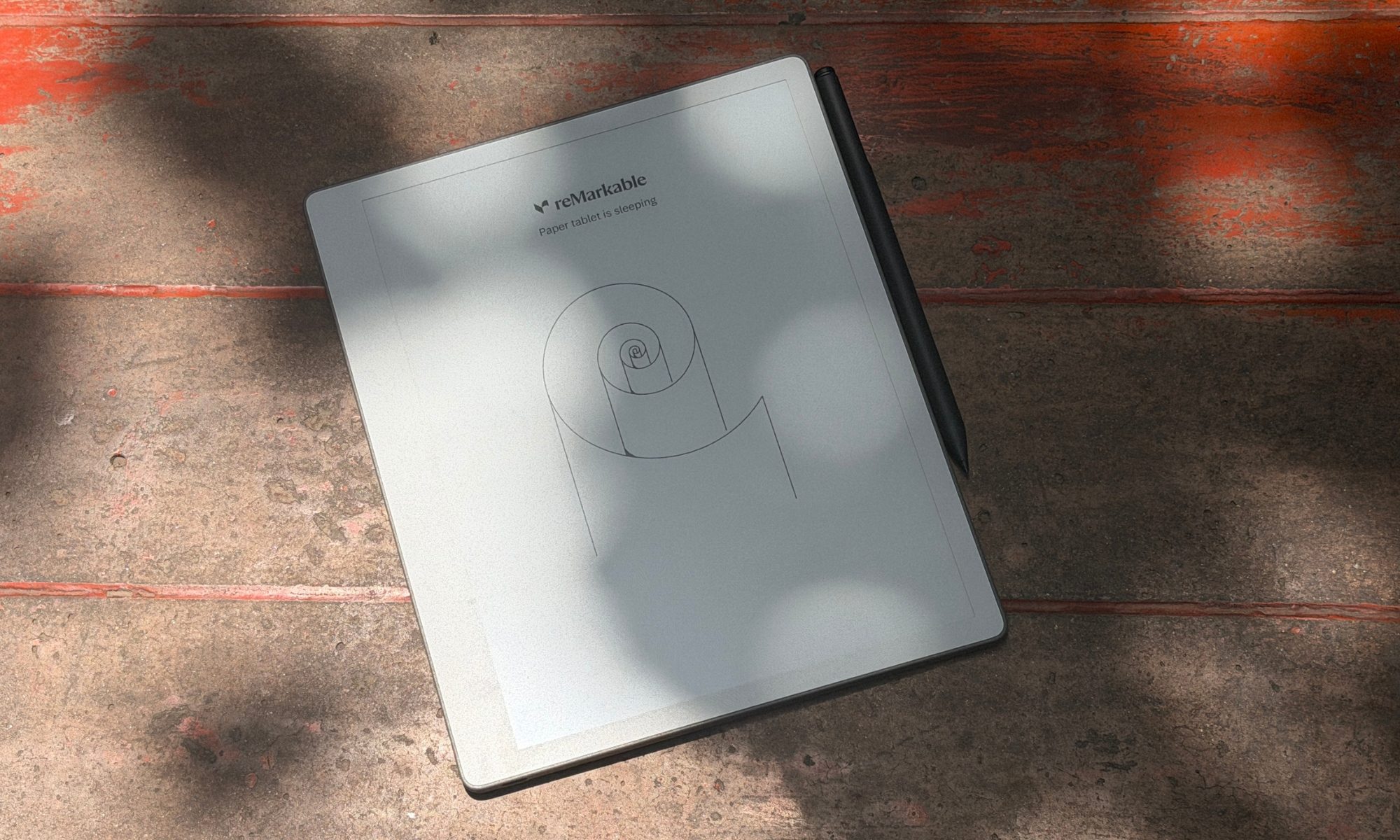
At 7.4 x 8.9 inches across, and with a 6mm waistline, the tablet carries the proportions of a slim steno pad. The real surprise, though, is the weight. At 360 grams (0.79 pounds), the Paper Pure sheds plenty of heft compared to the reMarkable 2 and dramatically undercuts the Paper Pro. That difference reshapes the whole experience.

You can hold it one-handed through a long reading or sketching session without that familiar forearm clench you get while gripping an iPad. It feels almost weightless, yet it stays rigid and sturdy, with practically zero flex when you press on it, except for a teensy wobble on a dead-flat table.
reMarkable has poured a real sustainability ethos into the Paper Pure. The device is built from recycled materials, including all the lithium and cobalt in its battery, and the company sourced recycled magnesium for the internal core frame to keep the chassis rigid without piling on grams. The biggest surprise, however, waits on the back.

Once you flip it over, you’ll find ten exposed plastic screws holding the backplate in place. Instead of the adhesive glue traps that modern electronics love to bury inside, the Paper Pure uses screws and snaps. That’s a pointed nod to the EU’s right-to-repair push, and it hints at a device engineered for a five-year life rather than a two-year upgrade churn.
The tablet wears a uniform white bezel on three sides, with a pronounced, thicker bezel along the left edge. That fatter strip doubles as a thumb-sized resting spot, so you can grip the slate without smudging your strokes. The interface flips cleanly for left-handed users, in case you’re wondering. The back and sides carry a subtly textured, grayish plastic that’s welcoming and room-temperature to the touch, which is a world away from the cold metallic feel of the older models.

There’s one hardware omission worth flagging, though. There are no pogo pins. Unlike the Pro models, the Paper Pure won’t take a Type Folio keyboard, because reMarkable sees this strictly as a pen-and-paper replacement. Needless to say, typists will feel the cold shoulder.
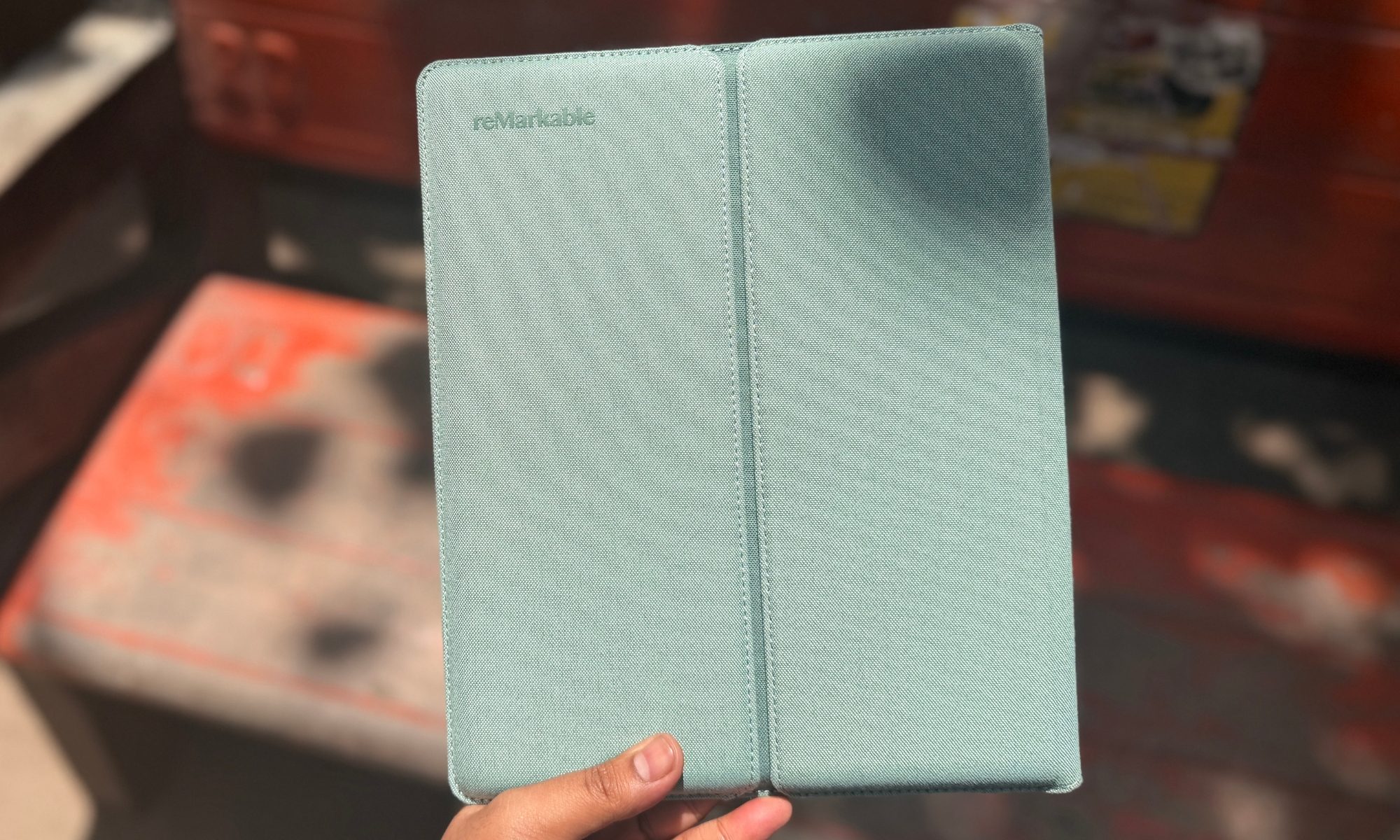
For protection, there’s a new polymer-weave Sleeve Folio in Mist Green, Desert Pink, and Ocean Blue. I got the green one, and it’s simply stunning. Where the old magnetic book folios left the edges exposed, this one wraps the whole device, shielding it nicely in a crowded backpack and putting the tablet to sleep the moment you slide it in.
Score: 9/10
reMarkable Paper Pure writing experience: In a league of its own

The entire reason Paper Pure exists comes down to one promise, and that’s making digital writing feel like the real thing. And at this crucial test, it serves an absolute masterclass. The Paper Pure runs a 10.3-inch monochrome Canvas display built on E Ink’s Carta 1300 technology. The 226 pixel-per-inch (ppi) resolution matches its predecessor, but the panel’s generational leap is impossible to miss.
The screen is far whiter. The contrast is much higher, and the rich black ink sits sharply against it with barely any pixelation even when you zoom into your handwriting. If you’re coming from the reMarkable 2, the change in physical sensation is immediate. The old model felt incredibly soft, like dragging a fat felt-tip across the very first page of a fresh Moleskine.
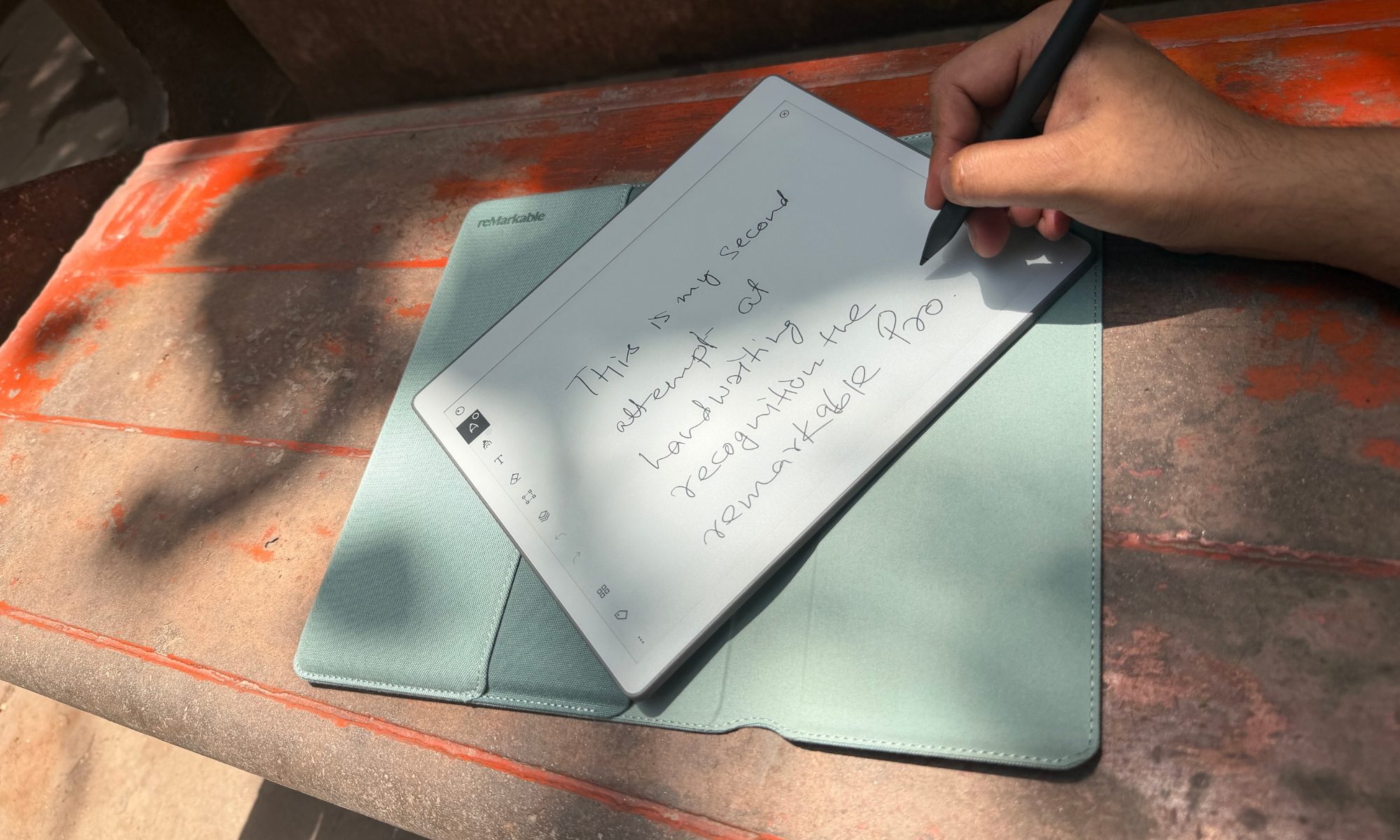
The Paper Pure, borrowing the flagship Paper Pro’s custom textured glass and active stylus, feels firmer and smoother. It’s much closer to writing with a biro on the last few pages of a well-worn legal pad. There’s a deeply satisfying resistance that nails the friction of real paper, complete with a faint, authentic tap each time the nib meets the glass.
Latency has been tightened to a blistering 21 milliseconds. It’s not quite the 12ms of the pricier Paper Pro, but the digital ink lands under your pen faster than you can blink. Line weight tracks pressure cleanly across the Marker’s range, too. As a result, even a quick, forceful checkbox reads completely differently from a light, sweeping underline.
The Paper Pure uses reMarkable’s new active stylus, leaving the passive EMR pens of the yore behind. The standard Marker does the job beautifully, but the upgraded Marker Plus, armed with a sensor on its back end that turns it into a physical eraser, is far better for keeping your creative flow intact. Both pens snap magnetically to the right edge of the chassis and charge wirelessly there.
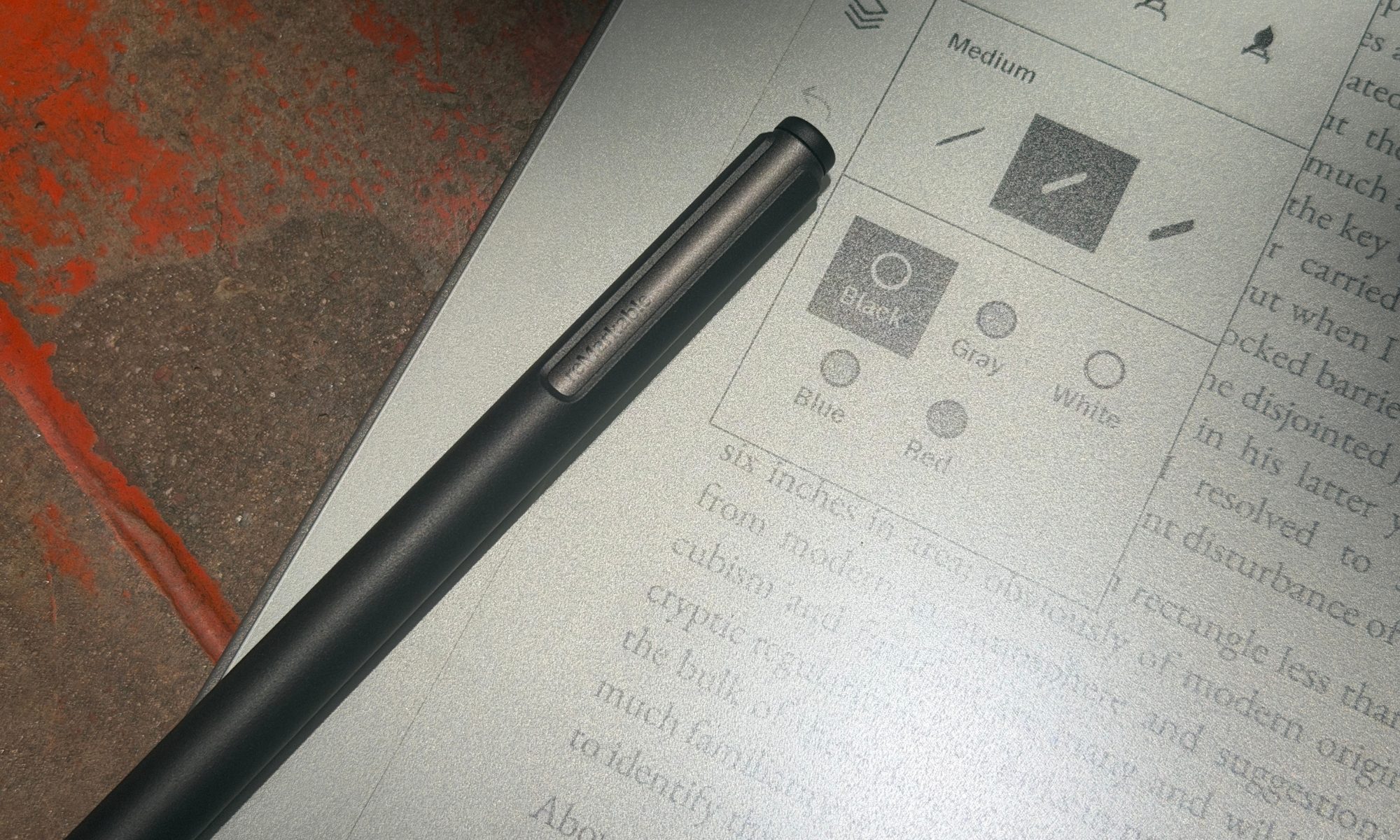
Alright, we have to talk about the elephant in the room here. The Paper Pure has no built-in front light. reMarkable defends the omission as an intentional choice to mimic the real feeling of writing on paper. The minimalist logic makes sense. Real paper doesn’t glow, after all, but for a modern user in the age of iPads everywhere, it’s maddening.
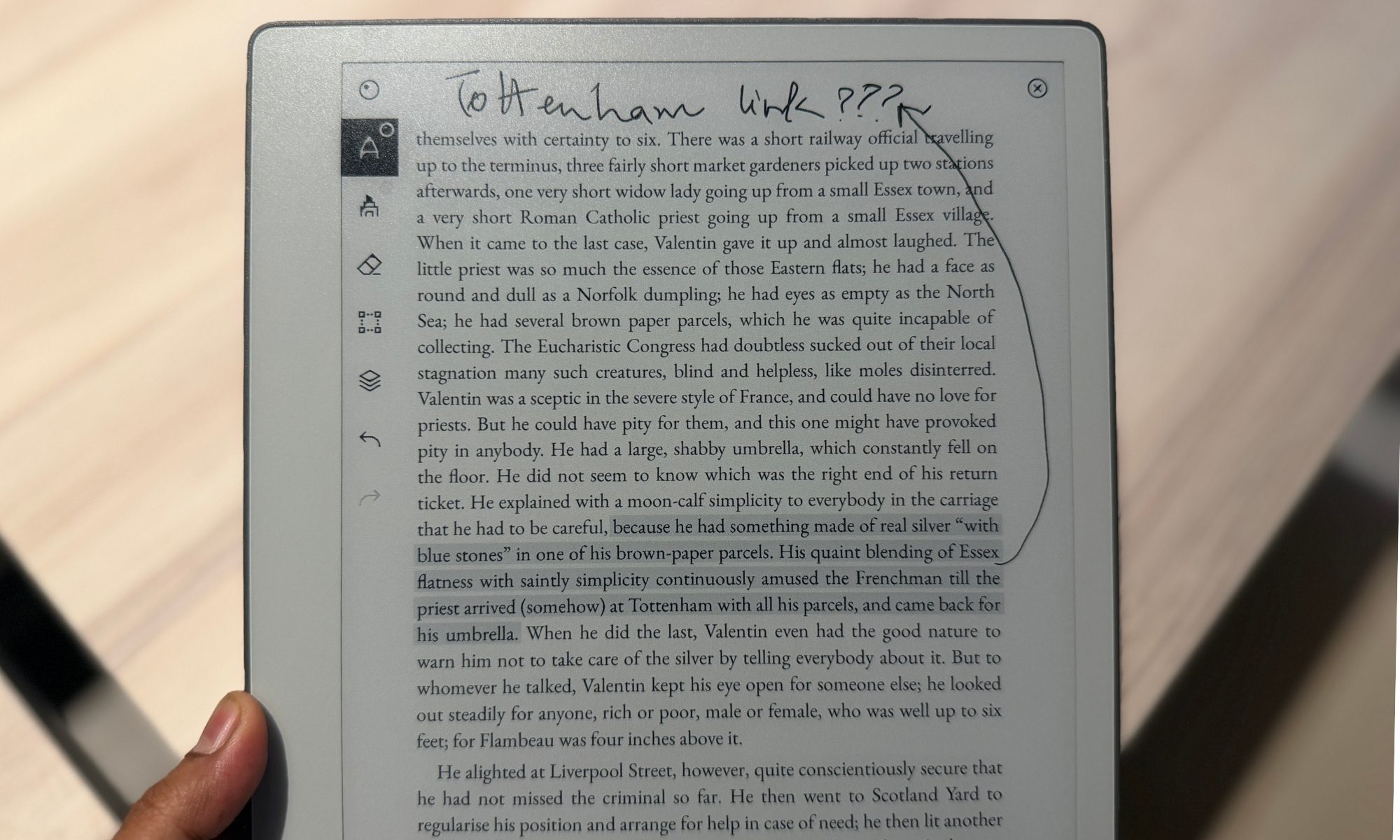
If your day revolves around sketching in bright daylight or scribbling in a fluorescent-lit conference room, the Paper Pure is phenomenal. The textured screen fights glare beautifully, softening the harsh reflections from overhead lights into a gentle, unobtrusive glow.
But the second the sun goes down, you’re at the mercy of whatever light is in the room. If you like journaling in bed while your partner sleeps, or taking notes in a dim lecture hall, the Paper Pure will leave you literally in the dark. In 2026, no illumination on a $399 device is a bitter pill to swallow.
Score: 9/10
reMarkable Paper Pure software: Barebones for a purpose, but vexing, too

reMarkable’s custom OS is still a sanctuary for deep focus. There’s no web browser, no app store, and not a single push notification to be found. But distraction-free no longer has to mean frustratingly feature-devoid. reMarkable has loaded the Paper Pure with several genuinely powerful, enterprise-minded tools, but with a few caveats attached.
One of the standout additions is native calendar sync for Google and Outlook. You can access it through the web portal, and a calendar icon will appear on your home screen. The catch, however, is that it only allows a single calendar integration and can’t pull in shared team calendars, which dulls its edge for collaborative work.

reMarkable wisely skipped the generative-AI bloatware everyone else is chasing, leaning instead on machine learning for optical character recognition (OCR). The “Convert and Share” feature reads your handwritten pages and transcribes them into typed text, after which you can email them or spin up a shareable web link that shows your original handwriting beside the transcription.
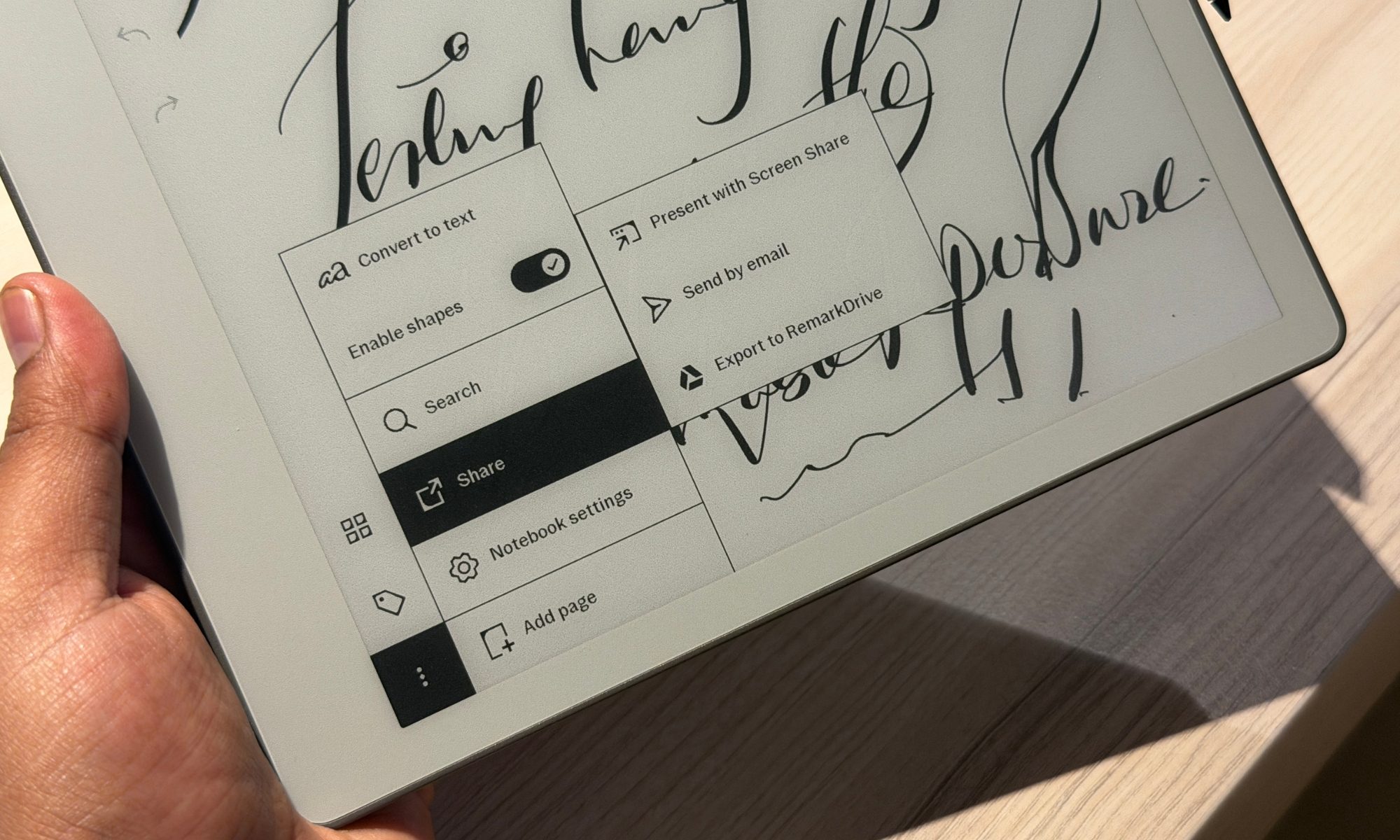
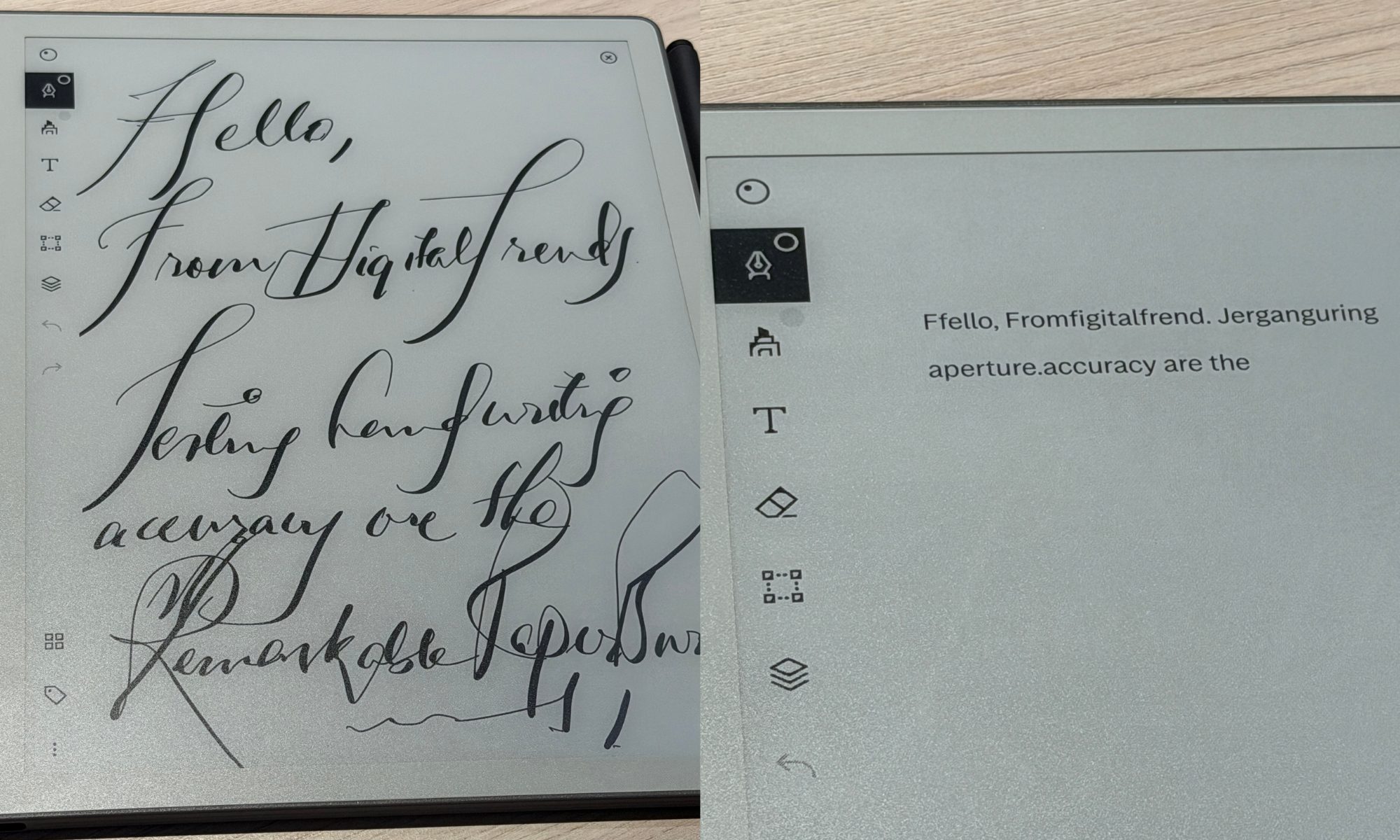
This convenience goes a long way if you intend to pass whiteboard-style brainstorming fruits to colleagues. Accuracy, however, is a mixed bag. If you take notes with the digital fineliner or ballpoint tools, the OCR is remarkably sharp.

But if you try to flex your calligraphy skills with the stylized pens, or your own irredemable handwriting, the AI starts to stutter. There’s a learning curve to the formatting, too. If you’re making a list, you have to draw a physical dash before each item, or the AI mashes everything into one unreadable block.
The Paper Pure shines in a modern office thanks to its screen-sharing chops. Connect the tablet to your computer (over USB-C or wirelessly through the web client), and you can mirror its screen in real-time. reMarkable even tucked in a lovely touch. As you hover the Marker a few millimeters above the display, it becomes a digital laser pointer.

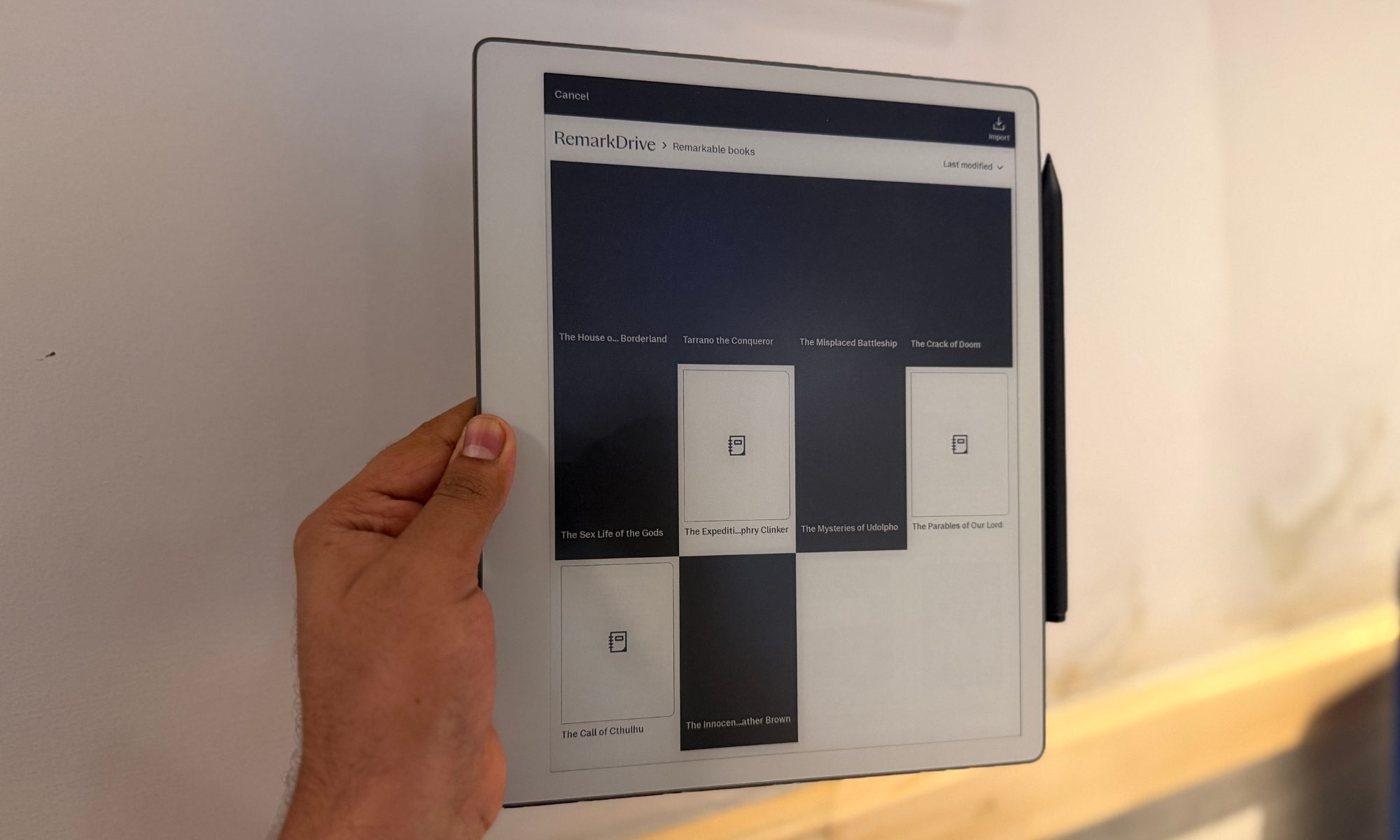
Cloud support also decent, with direct syncing to Google Drive, Microsoft OneDrive, and Dropbox. You can import PDFs, mark them up with a range of highlighter tools, and push them right back to your cloud container. On the flip side, the drive view on the tablet misses out on a universal search feature. Your best bet is to create a dedicated folder so that all the files destined for the Remarkable Paper Pure can be found and easily imported from a unified drive container.

The big asterisk hanging over all of this is the “Connect” subscription. At $3.99 per month (or $39 annually), it walls off several of the tablet’s best features. If you skip it, you lose calendar integration, keyword search across your handwritten notes, one-tap send to Slack, and unlimited cloud storage. Free users are limited to syncing files edited within the last 50 days. The tablet still works well without it, but restricting something as basic as handwriting search on a dedicated note-taker feels a tad too harsh.
Hey reMarkable, loosen up a bit on the software, unless simplicity is there by design and paramount!
Looking over at the competition, Amazon’s Kindle Scribe Colorsoft offers a more rewarding software experience. Boox, on the other hand, delivers the full-fledged Android experience on its E Ink slates such as Note Air 5C. Even the dirt-cheap and utterly tiny Xteink X4 lets you install the community-driven Crosspoint firmware that supercharges the software experience.
Score: 7/10
reMarkable Paper Pure battery life: A job well done
If there’s one area where the Paper Pure simply runs away from the competition, it’s endurance. By ditching the power-hungry frontlight and color display of the Paper Pro and packing a hefty 3,820mAh lithium-ion cell inside the frame, reMarkable has pulled off some staggering longevity.

Officially, the company claims up to three weeks on a charge, figuring roughly an hour of daily note-taking and reading. Based on plenty of real-world use, that estimate isn’t totally accurate. At best, it may be conservative. Even under heavy, punishing days of writing, PDF markup, and constant cloud syncing, the device barely sips power. I went two straight weeks of heavy use without ever watching the battery dip low enough to spark any charging anxiety.
The E Ink Carta 1300 display deserves a bulk of the credit, drawing power only when its microscopic ink capsules physically flip state during a page turn or a pen stroke. Because the screen leans on ambient room light rather than an internal LED array, you can leave a document open on your desk for hours and watch it drain virtually nothing.
The active Marker stylus is just as impressive. It sips power straight from the tablet whenever it’s magnetically docked on the right bezel, and the charging is so quick and seamless that you’ll likely never run into a dead stylus. It juices itself up every time you set it down. When the tablet itself finally needs a refill, it charges over a standard USB-C port on the bottom edge and takes over two hours to fill up the drained tank.
Score: 8/10
Should you buy?

The reMarkable Paper Pure is a beautifully designed and fiercely specific tool that nails one job while cheerfully ignoring everything else. Whether you should buy it really comes down to knowing exactly what kind of user you are. At $399 for the base tablet and standard Marker, the Paper Pure is the cheapest way into the reMarkable world. But the smarter buy is the $449 bundle, which folds in the superior Marker Plus (with its built-in eraser) and the lovely Sleeve Folio. When compared against the reMarkable 2, this one looks like a much more palatable deal.
If you’re a student digitizing your lecture notebooks, an architect sketching out blueprints, or a professional desperate to escape the notification fatigue of an iPad, the Paper Pure is a revelation. It’s built for the purist who wants a device that demands focus. The snappier processor, enhanced RAM, and 32GB of storage make it a massive step up from the reMarkable 2, ending the pain of sluggish menus and laggy page turns. It offers the best handwriting feel on the market, by a mile, while staying wrapped in a durable, lightweight body you can carry all day without noticing.

If your workflow needs flexibility, look elsewhere. The total lack of a front light is a dealbreaker for anyone who reads or writes in bed, on a dark plane, or in a dim lecture hall. If you’d rather type than handwrite, the missing keyboard folio support makes this useless for any long-form word processing. Moreover, heavy readers should note that the 226 PPI screen comes off slightly fuzzy for long ebook sessions next to the crisp 300 PPI panels on modern e-readers.
Why not try
- Amazon Kindle Scribe (2024) — If you want a device that balances note-taking with a world-class reading experience, the Kindle Scribe is the one to beat. Priced identically to the Paper Pure, it delivers a far sharper 300 ppi display and, crucially, a built-in frontlight with adjustable warmth for night-time reading. You also get direct access to Amazon’s vast Kindle store and a tidy Kindle Unlimited integration. Its glass screen feels a touch more slippery and doesn’t quite match reMarkable’s friction-heavy paper feel, but it more than makes up for that in versatility.
- reMarkable Paper Pro — If you love the reMarkable software but refuse to give up premium hardware, the flagship Paper Pro is the obvious step up. Its larger 11.8-inch display uses E Ink Gallery 3 technology to bring soft, muted color to your highlights and sketches. Plus, it offers the built-in front light that fixes the Paper Pure’s biggest weakness. The Pro model also adds pogo pins to connect with reMarkable’s Type Folio keyboard and become a distraction-free e-ink typewriter. It’s heavier and pricier, but it’s the complete, uncompromised reMarkable.
- Onyx Boox Go 10.3 — For anyone who balks at the idea of closed ecosystems and paywalled features, the Boox Go 10.3 is a fantastic alternative. It runs full Android, which means direct access to the Google Play Store. You can install the Kindle app for reading, Microsoft OneNote for your enterprise notebooks, Libby for library loans, and even lightweight email clients. It packs a crisp 300 ppi screen and delivers a seriously low latency. It can’t match the foolproof, distraction-free simplicity of the reMarkable, however. Plus, Android on e-ink occasionally feels clunky.
How we tested

I replaced my trusty Kindle Scribe Colorsoft with the reMarkable Paper Pure for over a month. During that spell, I linked it to my Google Drive account and calendar. For reading duties, I imported EPUB books downloaded from open libraries such as the Gutenberg Project and converted plenty of articles using the Remarkable extension installed on the Google Chrome browser.
During the test period, I only charged the remarkable slate once, and that too, using a generic USB Type-C cable and a 45 W adapter. The stylus was always connected to the slate. Note-taking duties were restricted to the built-in app, and all the syncing was handled over a stable 200Mbps Wi-Fi network.
To test the handwriting experience, I compared this slate against the Onyx Books Note 5C and the Kindle Scribe Colorsoft. For a neutral perspective, I also handed these three slates to at least half a dozen people in my friend and family circle to properly gauge their opinion on the note-taking feel of these three comparable products.


