
Smart-home devices sometimes require complicated installation that just doesn’t make sense for renters. Plus, apartments have different needs than single-family homes. That’s why we decided to outfit a whole condo with smart devices that don’t require rewiring or permanent installation. Each week, we’ll tackle a different category and look at various products, then explain how we made our selections. At the end of the series, we’ll examine the smart apartment as an ecosystem, and how all these devices — or do not — work together.
For the second installment in our Smart Apartment series, we’re looking at hubs. Once you go beyond a couple of products — say, both lights and a security camera — you’re going to want something that connects them.
There are a few reasons for that. A good hub will have an app that pulls everything together, for one thing. But better than that, it will allow you to make recipes, scenes, or whatever you want to call them that render that app a last resort. Here’s how we picked the best of the bunch.
Choosing my home automation hub
While the smart-home market is becoming more crowded, in some ways there are fewer solid options for home automation hubs. Nest bricked the Revolv, and Staples discontinued the Connect. But there are still quite a few white boxes that want to control your home — and a few that come in different colors and shapes. There’s Iris by Lowe’s, for example, although the dealbreaker there is a $10-a-month fee for features others give away for free.
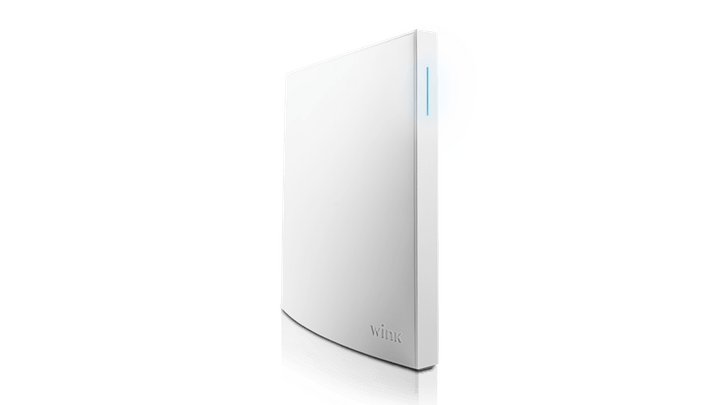
We probably would go with SmartThings. Despite some issues, Samsung’s smart-home hub is one of the best choices around. That is to say, nothing is perfect and you take what you can get. But there’s a few reasons Wink’s Hub 2 pushed us to go with that option instead.
La voce to me
One of my main goals with this smart apartment is to not have to pull out my phone — like, ever — to get stuff done. That means once things are all set up, I don’t want to have to take more effort to turn out the lights than merely flipping a switch. Thus, voice control is definitely a must-have. I set up an Amazon Dot, and luckily, Alexa works just fine with Wink’s new hub. They’re both playing central roles, so I look them as co-hubs (which is probably what I would call my husbands if I were a polygamist).
Wink is more compatible than others
One of the main things the Wink Hub 2 has over SmartThings is its compatibility list. It supports 2.4 and 5GHz Wi-Fi, Bluetooth Low Energy, Z-Wave, ZigBee, Lutron Clear Connect, and Kidde wireless protocols, and it has a Thread radio for whenever that starts gaining more traction. SmartThings has a similar list (Z-Wave, ZigBee, Wi-Fi, and Bluetooth), but it’s not as comprehensive. As for actual devices, the table below will show you what works with each hub.
Wink Hub 2
| Locks | Kwikset SmartCode Deadbolt, Schlage Touchscreen Deadbolt, Z-Wave Lock, August Smart Lock, Yale Assure SL, |
| Lights, switches, and plugs | Philips Hue, Commercial Electric LED Downlight, TCP Connected Lights, Cree Connected Lightbulbs, Osram Lightify, EcoSmart Smart Bulb, GE Link Connected Bulbs, Hampton Bay 12-Inch Flush Mount, Lutron Caseta Dimmers, GE In-Wall Smart Dimmers and Switches, Levitron In-Wall Dimmers and Switches, Zigbee Lights, Z-Wave Lights, iHome Smart Plug, GE Outlink, Pivot Power Genius, Leviton Outlets, Tapt Smart Switch |
| Cameras and doorbells | Nest Dropcam, Canary All-in-One Security, Ring Doorbell |
| Sensors | LeakSmart Valve, Andersen Sensors, GoControl Sensors, Overflow Water Sensor, Pella Sensors, GE Sensors, Z-Wave Sensors |
| Alarms | GoControl Siren, Nest Protect, Kidde Smoke Alarm |
| Shades, blinds, and fans | Bali Blinds, Pella Between the Glass, Lutron Serena Shades, Z-Wave Blinds, Hampton Bay Ceiling Fan, Home |
| Garage, lawn, and patio | GoControl Garage Door, MyQ Garage Door, Rachio Iro Sprinkler |
| Thermostats and Air Conditioners | Aros Air Conditioner, Carrier Cor Thermostat, Ecobee4 Thermostat, Nest Thermostat, Sensi Thermostat, Honeywell Wi-Fi Thermostat |
| Misc. | GE Refrigerator, Rheem Water Heater |
SmartThings Hub

| Locks | Schlage Touchscreen Deadbolt, Schlage Connected Keypad Lever, Yale B1L, Yale Key Free Touchscreen Deadbolt, Yale Push Button Deadbolt, Yale Push Button Lever Lock, Yale T1L, Yale Touchscreen Lever, Yale Touchscreen Deadbolt, Kwikset SmartCode Deadbolt, Kwikset SmartCode Lever, Kwikset SmartCode Touchscreen |
| Lights, switches, and plugs | Osram Lightify, Philips Hue, Leviton Dimmers and Switches, Leviton Outlets, SmartThings Outlet, Belkin Wemo LEDs, Cree Connected LEDs, Enerwave Dimmers and Switches, Enerwave Outlets, GE Dimmers and Switches, GE Smart Outlets and Outdoor Switch, Lifx Smart LEDs, Sengled Element Touch, Aeon Labs Dimmers and Switches, Remotec Plug-In Dimmer, iHome SmartPlugs |
| Cameras and doorbells | Netgear Arlo Camera, Samsung SmartCam, Ring Video Doorbell, Skybell Video Doorbell, Nucleus Anywhere Intercom |
| Sensors | SmartThings Sensors, Aeon Labs Sensors, Ecolink Sensors, Enerwave Sensors, Everspring Water Detector, Fibaro Sensors, FortrezZ Moisture Sensor, Sensative Strips |
| Alarms | First Alert Smoke Detector, First Alert Smoke and Carbon Monoxide Detector, Aeon Labs Siren, FortrezZ Siren |
| Garage, lawn, and patio | Samsung Multipurpose Sensor, Ecolink Tilt Sensor, GoControl Garage Door Opener, OSO PlantLink Soil Moisture Sensor, Spruce Irrigation |
| Thermostats and Air Conditioners | Honeywell Lyric Thermostat, Honeywell Total Connect Comfort Wi-Fi Thermostat, Honeywell Z-Wave Thermostat, Ecobee 3 Thermostat, Ecobee3 Lite Thermostat, Ecobee Smart Si Thermostat, 2Gig CT100 Thermostat, Fidure Thermostat, Zen Thermostat |
| Misc. | Some Samsung appliances; FortrezZ Water Valve; Gopher Water Shutoff Valve; EcoNet Controls Z-Wave Vent; Keen Home Smart Vent; Aeon Labs Fob, Minimote, and Panic Button |
As you can see, neither is all-inclusive. There isn’t a ton of camera support, and while it’s early days for smart appliances, neither supports many brands with connected washer, dryers, and ovens. You can start to see why hubs don’t inspire a lot of excitement.
Setting up the Wink Hub 2
Setting up the Wink Hub 2 is incredibly easy, and once you have the app downloaded (Android | iOS), it practically does the whole thing for you. Pairing is a different story and can be a bit of a process. To add GoControl sensors, for example, you have to unscrew the device, put in the battery, and wait for the hub to pair with it. Finding devices with Alexa is far easier. You just go to the app, head to the smart home page, and click Discover Devices.
Sometimes, you do have to pair your accounts with the Alexa app, for more control. That means remembering the username and password for your Hue bulbs, for example, something I promptly forget after creating an account in the app the first time.
Another thing to be aware of is naming. When you have two hubs, Alexa can get confused. I set up my office light as, well, “office light” in both the Wink app and the Alexa app, and the voice assistant informed me that she had found several devices with that name when I asked her to turn it off. She asked me to specify which one. I never cracked the code on how to do that, so I just renamed it in the Alexa app.
I call it… the robot
One thing that’s nice about the Wink is that it lets you set up “robots” — basically If This Then That-style “recipes.” For example, my GoControl door sensor triggers every time I open the door, making my hallway lights turn on — as long as it’s between sunset and sunrise. This is great when I’m coming home, but when I’m leaving, it leaves the bulb burning, so I have a second robot that turns the hallway light off after the door’s been closed for two minutes.


Yes, I could shout at my Dot to turn on from the door, but this is faster and less annoying to my neighbors. IFTTT and Yonomi, which makes similar recipes, doesn’t seem to support GoControl, so Wink is integral to getting my Lutron Caseta dimmer and door sensor talking.
Though they want to replace hubs, I found IFTTT and Yonomi weren’t always 100 percent reliable. I set up a recipe (now called an applet) in IFTTT to have my Lifx light bulb blink red when my Roost smoke alarm went off. Unfortunately, I never got this to work, and IFTTT basically wasn’t talking to my Hue bulbs at all for several weeks.
That said, I do use those two for some recipes. Alexa doesn’t understand “Turn my Hue bulbs green” without a little help from Yonomi, for example.
Beyond hubs?
If hubs leave so much to be desired, it’s not all that surprising that companies want to leave them behind. Although the Wink Hub 2 has robust support and is somewhat future-proofed with its Thread radio, it still lacks some features I really wish it had, like a backup battery.
But we can’t fully ditch hubs yet. If I was making this a HomeKit apartment, I would still need the Apple TV to access my smart-home devices when on the go. That the Apple TV isn’t just a hub probably shows you where the future lies, of course. Consider the Almond 3, a router that also supports Zigbee, Z-Wave, and Bluetooth.
I’m all for having one fewer plastic box sitting on my crowded credenza, but the all-encompassing, flawless hub is still elusive at the moment.


