
Imagine that by just saying, “Alexa, start my morning,” your bedside Echo Dot can tune into your preferred Spotify playlist, raise your automated smart blinds to let the sunshine in, and set your home’s thermostat to that perfect winter morning 75 degrees. It’s all thanks to one of Alexa’s most useful features called Routines. If you’ve never used Routines before and would like to learn how, here’s a helpful guide to get you started.

First, what are Routines?
The concept behind Routines is that you can customize Alexa, allowing you to utter a single phrase and she will complete an entire series of actions you pre-determine in the Alexa app. For example, if you say the phrase, “Alexa, good night,” the virtual assistant might turn off all the lights, lock the doors, and shut off the furnace, depending on your preferences.
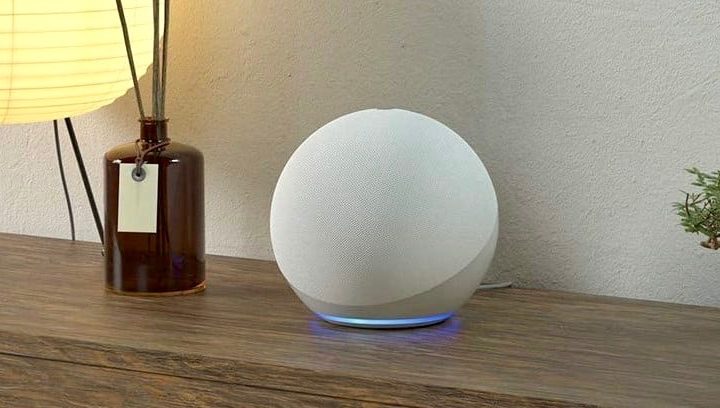
Why are Routines useful?
With Routines, Echo device users no longer have to give multiple commands to Alexa, such as “Alexa, turn off the living room lamp,” “Alexa, turn down the thermostat,” and “Alexa, set an alarm for 7 a.m.” Instead, you can group the devices — located in different rooms, if you wish — on the app, which directs Alexa to take care of them all at once. You can even choose your directive. For example, you can set it up so that when you say, “Alexa, I’m leaving,” you can have Alexa turn off all the lights in the house at once, except for the lamp by the main entrance.
Plus, Alexa-enabled devices also let users group multiple smart products into one category. For instance, you can group all your living room lamps and light fixtures into one group instead of asking Alexa to turn each lamp on one by one. This makes it even easier to bunch groups of devices together into a single routine.

What do I need to use Routines?
To have access to Amazon Alexa’s Routines feature, you need to own one of Amazon’s Echo devices such as the Echo itself, the Echo Dot, or Echo Studio. You can also buy third-party products that have Alexa built right in, such as the Sonos One speaker. Once you pair your Echo device to other smart home items, such as plugs, switches, lightbulbs, and door locks, you can then begin customizing commands and Routines to fit your schedule and lifestyle.
How do I create a Routine?
To create your first routine with Amazon Alexa, simply log onto your Alexa app on Android or iOS, and tap the Menu icon at the top-left of the screen. Tap Routines, then click the Plus Sign in the upper-right corner. Tap on When This Happens. From there, you can choose to have a Routine happen either when you say something (“Alexa, good morning”) or at a scheduled time. You can also create routines based on location or other factors (like pressing an Echo Button).
Maybe you want to set an alarm that goes off at 7 a.m., and perhaps you also want the lights to switch on at that same time each day. You can easily set this up without using your voice within the app. After this, you’ll add the actions, informing Alexa whether you want her to lock the front door, give you your daily Flash Briefing, power off the music, or all of the above. It’s also possible to establish a routine for when you get home from your job, such as switching the lights on and modifying your thermostat. Alexa will apply these actions after she knows for sure that you’re officially home.
After you create the routine, you can return to it and make edits at your leisure. You can eliminate specific actions, add new ones, alter the time of the day or the particular phrase connected to it. You can even temporarily disable the routine entirely if you so choose.
Further reading
What can’t I do with Routines?
Amazon is constantly advancing and is continuing to improve its Routines feature. There’s really almost nothing you can’t do, especially since you can include IFTTT applets into your Alexa routines. Because Amazon also introduced location-based routines, which let you establish routines based on your geographic area, you’re now able to do even more than before. You can command Alexa to do many tasks, from reading a summary of your email to managing all your smart devices. At the present moment, you can have a maximum of 99 routines in your Alexa account.


