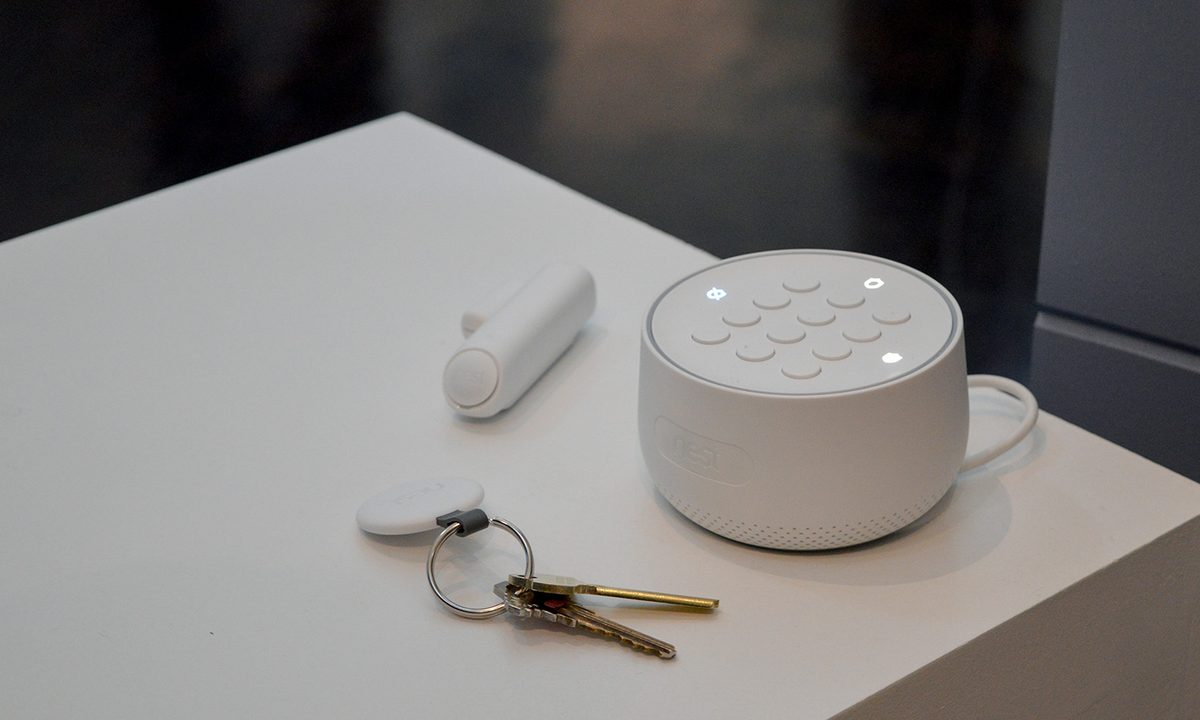

Professional security systems aren’t cheap. Not only are they expensive to have installed, they often require expensive monthly fees – which can quickly add up over the years. Thankfully, homeowners looking to secure their property now have a robust selection of DIY home security systems that offer many of the same perks of professional systems at a fraction of the cost.
DIY home security systems are highly customizable, but you’ll typically find a variety of cameras, door sensors, hub stations, and motion sensors in most packages. If you need some help sifting through all your options, here’s a look at the best DIY home security systems of 2023.


SimpliSafe
- Beautifully designed base station blends seamlessly into home
- Set and forget installation means you’re only interrupted if there’s a problem
- Low-cost home monitoring service provides comprehensive coverage
- No contracts
- Limited smartphone integration out of the box
- Home monitoring service subscription required
SimpliSafe redid its DIY kit in 2018 with an improved look and better functionality, including dual cellular and Wi-Fi connections, so the system won’t be disrupted by a power outage. The Knox is an excellent choice for larger homes where you already know you’ll need more than one or two sensors for full protection.
It comes with a base station and separate keypad, a key fob, six door sensors, two motion sensors, a siren, and a smoke detector — all in one package. Professional, no-contract monitoring is available for $15 per month, and you can add extra devices like outdoor cameras, smart locks, and more. The SimpliSafe is an excellent system if you want to start off big.

Ring Alarm
- Affordable professional monitoring service
- Quick setup
- Backward compatible with 1st-gen hardware
- Solid lineup of accessories
- Needs better camera integration
Ring’s security kit combines a few more traditional elements of home security systems with a newer DIY approach that works well if you are comfortable with a classic setup. The kit comes with a base station, a separate keypad to install on the wall, a contact sensor, a motion detector, and a range extender (plus compatibility with all other Ring products, specifically their video doorbells and security cameras).
That’s an excellent array of products for a great price, and they are easy to set up and understand even if your experience with home security systems is limited. The keypad allows you to switch between Away, Home, and Disarmed modes, like traditional systems, but with useful features like programmable delays for arming, and push notifications for your phone app.
Aside from the Ring Alarm, Ring also offers 24/7 professional monitoring and video recording for a fee, with no cancellation fees if you decide to go back to a simpler setup.

Honeywell
- Base station packs HD camera, siren, and Alexa smart speaker
- Support for Google Assistant, IFTTT and Z-Wave Plus
- Simple controls plus audio/visual confirmations
- Reasonable day/night image quality
- Easy-to-use app
- Large door/window sensors are ugly and awkward
- Smart speaker feature not available at launch
- Google Assistant integration failed to work
Honeywell’s latest offering is a series of stylish devices that allow for easy customization based on your home and just how you want your security system to work (starter kits are also available if you just want a little of everything, which is what you will find in our link below). The MotionViewer is the larger, with built-in video and motion detection: It runs only on batteries and is designed to be placed in a central location where it can watch over things. There’s also an outdoor version that can be mounted on a wall! However, Honeywell also offers simpler motion sensors and access sensors that you can place around your home as desired. There’s a key fob with buttons for easy locking and unlocking, or changing security modes as needed. Otherwise, everything is controlled through the excellent Honeywell app.
It’s also worth noting that the indoor MotionViewer comes with speakers that can play music and built-in Alexa voice assistant compatibility, so you can easily use it as a smart speaker or give security voice commands. The Honeywell is a great alternative if you want an Amazon Echo but prefer something a bit more security-focused.

Abode
- Beautifully designed web and app dashboard controls
- Z-Wave, Zigbee, Wi-Fi and Abode RF connectivity
- Support for more than 200 device integrations
- Voice control via Amazon Alexa or Google Assistant
- Cheap, relatively flimsy hardware
- Low resolution camera with blurry, smeared images
- Patchy sensor connectivity
The Abode home security starter kit comes with a well-thought-out app that includes total system control utilizing a key fob, a sensor for general motion detection, a door and window sensor, and a Gateway hub. While Nest is only compatible with Nest technology, Abode is compatible with both Zigbee and Z-Wave Wi-Fi apps. That means that the Abode Suite of applications is more widely accessible, offering more customization and integrations.
That, plus the many different sensor options available from Abode, make this DIY system one of the best by far for integrating with or expanding on older devices. In addition to being compatible with other Wi-Fi apps, the Abode security system even pairs up with Google Assistant and Alexa so you can use voice commands to control it.
Read our full review if you’d like more information. If you still don’t know if it’s better to install your security system or hire a professional to do it for you, you can check out this extensive list of the best home security systems that include both DIY kits and options to have professionally installed.

ADT Self Setup
- Customizable
- Reliable ADT service
- Works with Google products
- Monthly fees are a bit expensive
The ADT Self Setup security system is great for a couple of reasons. For one, it supports Google devices like the Nest Cam, Nest Hub Max, and even the Nest Thermostat. But what’s more enticing is the number of ways you can customize your system. Prebuilt bundles are available if you don’t want to fuss with selecting all your own gear, but there’s nothing stopping you from customizing these options to get exactly what you need. Its monthly fees are still a bit hefty (starting at $25 per month), but there’s no denying you’re getting a lot of value with ADT’s DIY offering.