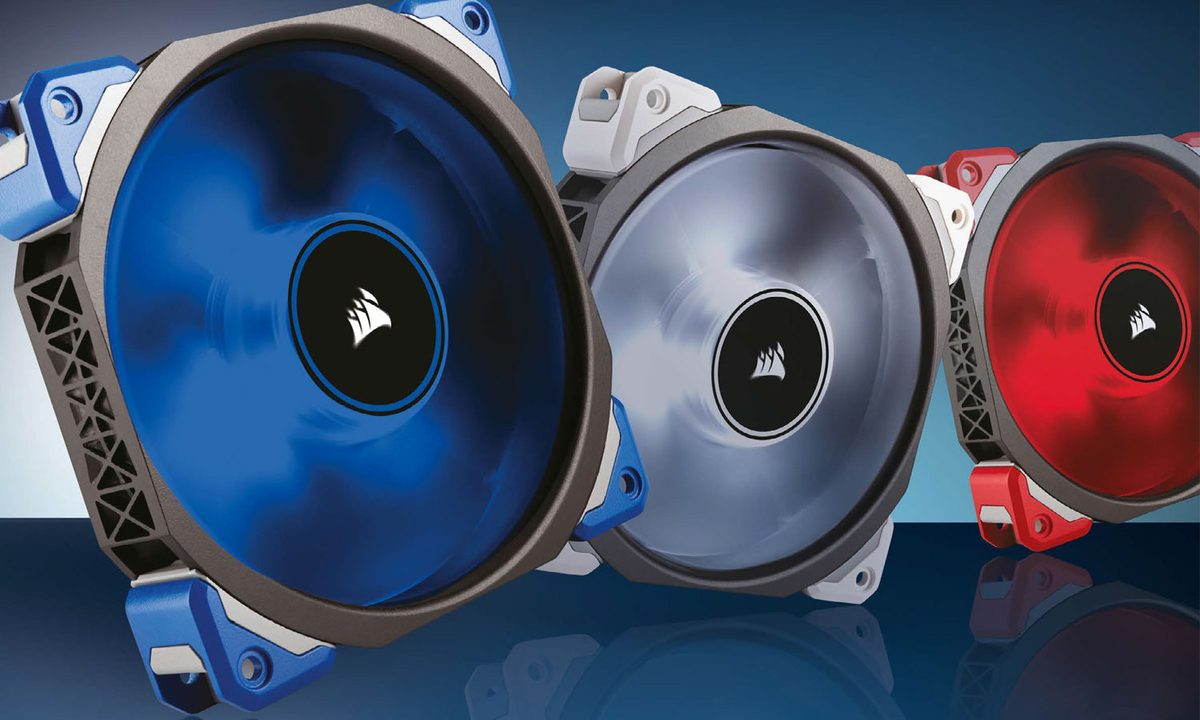

Although often overlooked, cooling is one of the most important aspects of building a computer. You want a beefy CPU cooler — or an all-in-one liquid cooler — but you should pay attention to the general airflow in your case, too. To make sure everything moves along as smoothly as possible, we've rounded up the best PC fans for your build.
Here are our favorite PC fans for 2024.


Best fan overall
Noctua NF-S12B Redux
- Affordably priced
- Great cooling performance
- Doesn't have the Noctua brown coloration
- Not as quiet as higher-end Noctua fans
Noctua has been making some of the best fans and coolers for almost 20 years and it isn't showing any signs of slowing. Its NF-S12B Redux-1200 fan is an excellent example of that. It's high-powered, quiet, and features a unique blade design to maximize airflow without introducing additional noisy turbulence.
For those who don't like Noctua's typical brown and cream color scheme, this fan ditches that in favor of a uniform grey aesthetic that can be accented by colorful anti-vibration mounts (sold separately) if you choose.
It's not quite as quiet (say that three times fast) as Noctua's best fans, but they're so much more expensive than this that it is far easier to recommend.

Best RGB fan
Corsair LL120
- Excellent RGB lighting
- Strong cooling performance
- Quiet operation
- Robust build quality
- Each fan requires two connections
If you want a PC that lights up exactly how you want it, picking RGB fans like the Corsair LL120 is a great idea. These give you complete control over your lighting setup, letting you pick from infinite colors, choose color animations and patterns, and sync up with other parts of your PC's lighting.
Each fan has 16 RGB LEDs, so the potential for color changing and patterning is much higher than with most other RGB fans. You also get PWM control, so you can manage the fan's speeds minutely yourself or with a detailed fan curve through companion software.
You can control these with your own fan controller, but they work best with Corsair's Lightning Node Pro, which can manage several fans at once and provide consistent performance and lighting throughout your PC. If you have other compatible Corsair RGB products, you can also use Corsair's iCUE system.

Best fans for watercooling
Thermaltake ToughFan EX12 Pro
- Excellent cooling performance
- Strong static pressure for radiators and turbulent environments
- Magnetic daisy chaining
- A bit expensive
- Overkill for most buyers
If you want a fan for your new watercooling loop to help cool the radiators down, you need fans with high static pressure. While there are a range of excellent fans for that job, the newest hot kid on the block is the Thermaltake Toughfan EX12 Pro. These combine the impressive cooling performance and static pressure delivery of the classic Toughfan design, with the latest innovations in fan technology for a truly advanced, modern fan.
It comes with built-in silicon dampening to further reduce noise levels, and has a simple connect mechanism for its PWM fan header using a magnetic clasp. The fan blades themselves are magnetic, too, which lets you swap the direction of your fan's airflow in just a few seconds by turning the fan blades around. This is far easier than taking out the entire fan, and can make it much easier to work with in compact systems.
The fan blades are made from a liquid crystal polymer, further reducing noise levels and vibrations. It's a little expensive at over $30 per fan, but if you want a super silent water-cooling setup, they're well worth the cost.

Best slim PC fan
Noctua NF-A12x15
- Just 15mm deep
- Quiet and effective cooling
- Excellent build quality
- Supports PWM fan speed adjustments
- Noctua color scheme is not for everyone
Noctua makes another appearance with an unassuming cooling device that proves you can get high-quality components even if you're building a tiny PC. Smaller computers have less thermal headroom, so their parts must be as efficient as possible. Noctua's NF-A12x15 does an excellent job of keeping the cool air in while pushing the hot air out. And it manages to complete the transfer in a shorter package.
The 120mm fan is only 15mm deep, making it the ideal solution for microATX and mini-ITX cases and other builds short on space.
The Noctua NF-A12x15 is sturdy while being relatively quiet, and it's affordable as well.

Best quiet fan
be quiet! Silent Wings Pro 4
- Quiet operation
- Excellent cooling performance
- Strong build quality
- Look great
- Expensive per fan
The be quiet! Silent Wings Pro 4 fan is the perfect choice if you want a quiet, effective fan for cooling a high-performance system. This fan is tuned to spin up to 3,000 RPM, so you can get some serious air moving if you need to, but its real strength is in its silent operation. At lower speeds, it's whisper quiet, thanks to its long, effective fan blades, and fluid-dynamic bearing motor for reduced vibrations. Silicon mounts help weed out the last of them, too.
It's a little more expensive than some fans, but it works well as both a standalone and radiator fan, thanks to its high static pressure. It looks good, too, with a clean black paint job and textured fan blades that help it stand out from the competition without the need for garish RGB lighting.

Best cheap RGB fans
Thermalright TL-C12C-S
- The cheapest high-quality fans out there
- RGB lighting across the whole blade
- Rubber vibration dampening
- Impressive performance
- Lacks easy connection features
- Not as well suited to radiator mounting
If you just need a bunch of good enough fans to fit in your PC to make it look good, cool well, and not get too loud, then Thermalright has you covered. Its TL-C12C-S are very, very affordable — so much so that we had to double-check the price elsewhere to make sure this wasn't some third-party reseller trying to scam us. But, nope — you really can get these fans for less than $10 each, and they still offer strong performance and pretty RGB lighting.
They don't have fancy magnetic connections or advanced polymer blades you can swap out and reverse, nor do they have an RGB lighting setup that is as fancy as some of our other options. But they offer effective cooling capabilities, don't get particularly loud unless they're really cranked up to high speed, and look great thanks to classy RGB lighting. It's the entire blade, too, not just some side-mounted LED.
These are the best fans to install in a new PC to improve cooling. You can always swap them out for something higher-end later.