
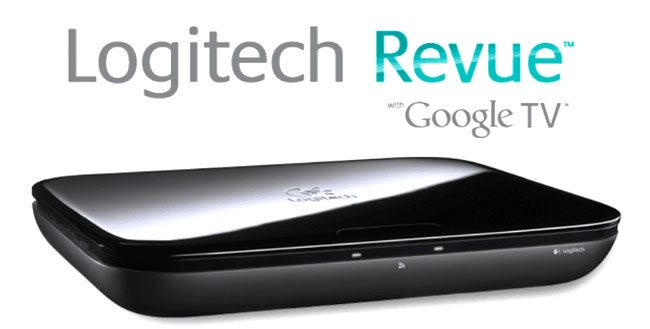
Make sure to check out our full Logitech Revue with Google TV Review.
Having conquered online search, webmail, and even online video, Google now wants to stick a blue, red, yellow and green flag in your 42-inch TV. Last spring, the company announced Google TV, a competitor to the likes of Apple TV, Windows Media Center and even free software like Boxee. The first hardware company to pick up Google’s latest experiment? Logitech, with its Revue set-top box.
The Revue won’t hit stores until this fall, but we have a hands-on sneak peek from a loyal reader who found a fully functioning Revue on his doorstep, courtesy of Logitech’s Revue beta test program. Keep in mind that his impressions aren’t our own, and the box remains in beta testing, but it looks like Google TV and the Logitech Revue box it rides on have a promising future in the next few months.
Update 9/3/2010: Shows are recorded to the DVR you have the Revue plugged into, not the “Cloud” like I first thought.
Hands-on First Impressions
A nondescript box was waiting for me on my porch when I got home yesterday.
Inside: the Logitech Revue with Google TV.
I had been one of the many chosen to do beta testing on it, and frankly, was pretty excited about it.
Unboxing
The unit un-boxing was a bit anticlimactic, as they had not worked out all the details on advertising and packaging, everything was literally brown-box style.
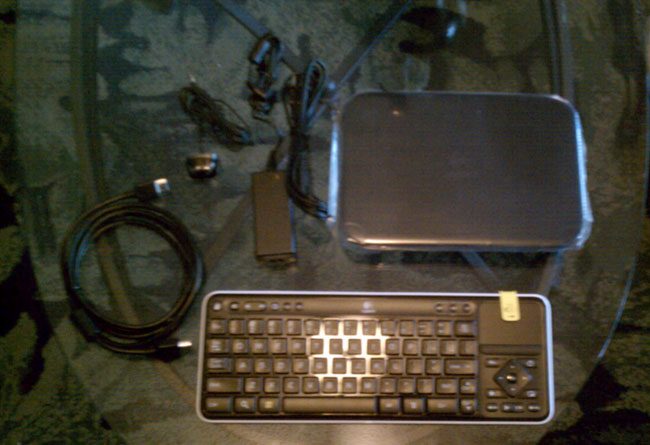
Specific contents were as follows:
- 1 Revue unit
- 1 two-part power cord
- 1 HDMI cable
- One keyboard
- 1 IR remote blaster unit
- Basic, incomplete instructions
Setup
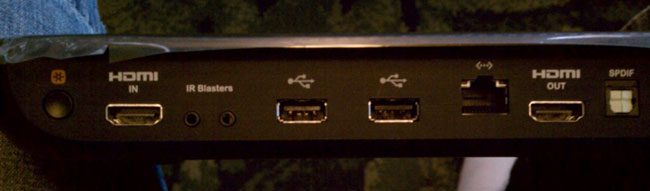
Connecting the box was easy, although I did actually screw it up the first time. Simply insert the Revue unit inline between your cable box and whatever it was plugged into before. For me, it’s an amplifier. For most, it’s a TV. From there, the Revue literally walks you through everything else. The 12-step process includes asking the details of your Google account, your physical location, TV, cable box, amp, and more, then confirms that the information you have given it correctly programs the unit. One of the great things about the Revue, right out of the gate, is that it has the Logitech Harmony technology built into it. So if it’s in your home and it has a remote, the Revue can probably run it now. I actually have a nice Harmony in my place already, and have put the Harmony controls on my Droid Incredible as well, so it’s pretty much overkill, but who cares?
Covering the Basics
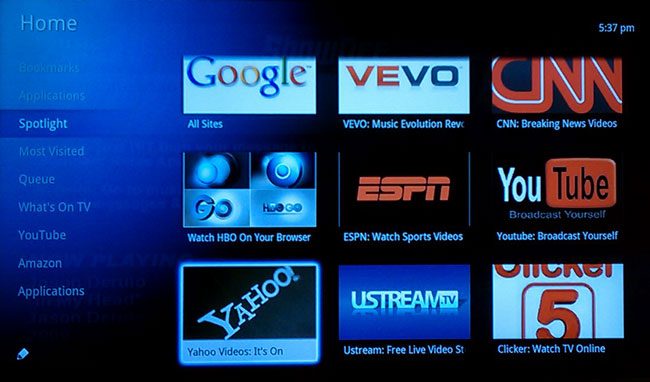
On to the good stuff. Once you’re set up, everything you do will be linked in some way to the cloud via your Google account. But really, this is not even an afterthought. Many of the things that are presented to you in the onscreen menu are similar to what you would find on a PlayStation 3, or even some of the newer televisions that have online capabilities. Facebook, YouTube, and other online services are all at your fingertips, so I will not dive too far into these features, as they’ve become more common.
One Filter to Rule Them All
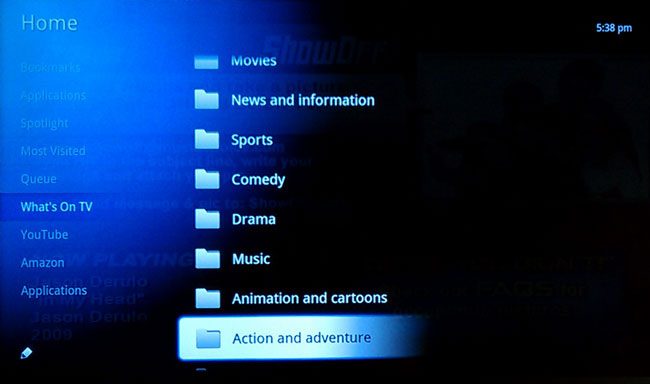
So what’s so special about Google TV? Well its ability to filter television, for starters. The “What’s on TV” menu is absolutely amazing. Every program on TV can also be broken down to subcategories. Movies, cartoons and animation, drama, horror, the list goes on. With one simple click, you can tell it to go find them. It will list them, what channel they are on, the remaining time, and if you highlight one, an in-depth description pulls up on the side of the screen.
Search and Record
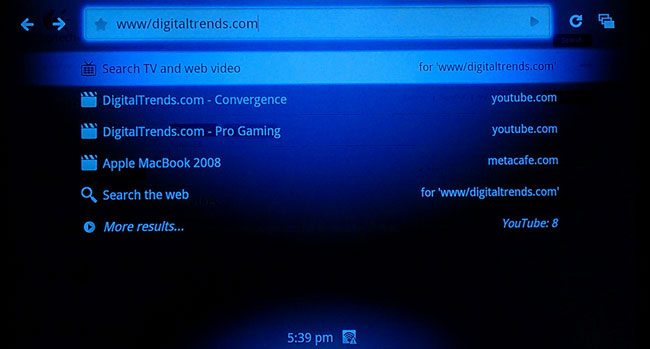
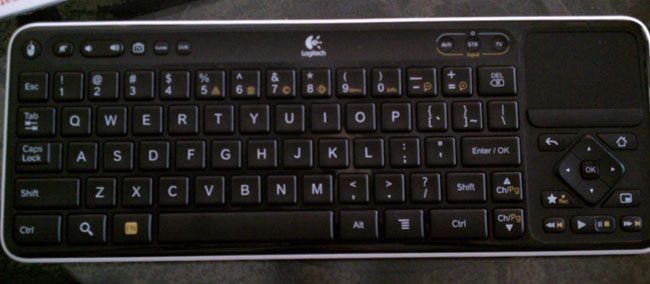
Still can’t find what you’re looking for? No problem, there is a search button right on the remote keyboard that comes with the unit. Want to record what you’re watching or missing? There’s a button for that too. And with Google Chrome, and a clearly Android-based OS, this just keeps getting better.
Can a Keyboard Kill the Remote?
This keyboard, if you want it to, will completely replace all remotes. It just takes a little getting used to, with no traditional 10-digit keypad to plug in channels. But a built-in touch pad and a one-touch picture-in-picture feature make multi-tasking simple. Sending a Facebook note about how your college team is smashing your buddy’s team in the last three seconds is pretty much a no brainer, right on the TV.
Final Impressions
When you get right down to it, this thing has infinite possibilities, many of which are not unique to this product alone. But let’s face it: You don’t buy a Swiss Army knife because it has a corkscrew. You buy it because it has everything, and a few of those things just can’t be found in most other places.
The cloud revolution is well under way, people. And if you’re not in it, you’re probably still scratching your head, staring into the sky, watching it float by.
So put away your Motorola Razor with the big clicky buttons, and catch up, because (at least for the moment) Google is king, we are its subjects, and the Logitech Revue has just put the best damn roadmap to its kingdom in our hands.
Update 9/3/2010: Shows are recorded to the DVR you have the Revue plugged into, not the “Cloud” like I first thought.


