Google Home is a smart home platform designed to control all your smart devices. It’s compatible with a long list of video doorbells, smart thermostats, security cameras, smart speakers, and more, and new products are constantly joining the lineup. The platform is incredibly robust and highly customizable, but getting started requires little more than installing an app on your smartphone. From there, you’ll find thousands of ways to make your smart home… well, smarter.
If you’re just getting started with your smart home, here’s everything you need to know about Google Home. Rest assured, Google Home is one of the best smart home platforms on the market, and choosing devices that work with the platform is almost always a wise decision. You should also check out Amazon Alexa, as the smart assistant is another great choice for homes.
What is Google Nest, and how does it work with Google Home?

Google Nest is a branch of smart home devices made by Google that are designed specifically to work seamlessly with the Google Home ecosystem (Google actually bought smart home maker Nest a few years ago and has integrated it into its overall system). Google Nest devices include smart speakers, thermostats, and lighting, as well as smoke detectors, doorbells, cameras, smart locks, and smart speaker displays.
What do you need to get started with Google Home?
To use Google Home, you’ll need a Google Home-compatible device (such as the Nest Hub Max), the Google Home app, and a Google account. The Google Home app will walk you through the setup, and you’ll be able to add other information, like your location, so you can get local weather or traffic updates. If you want a quick primer, check out our detailed article on how to set up Google Home.
You’ll also want to connect your Google Home app with some of your other apps like Google Photos or Spotify to increase the device’s functionality. For example, you can send photos from your phone to the display and listen to music from your favorite streaming service.
What types of devices work with Google Home?

There are hundreds of Google Home-enabled devices, with more coming on the market all the time. When home automation was first introduced, the devices were limited to things like smart speakers and light bulbs. The advancements in connectivity and AI have expanded that range to include a much wider and more versatile variety of products.
Smart thermostats allow users to manually control their homes’ heating and cooling cycles — or to automate it fully using geofencing, so that when the house is empty, the heating dials back. With smart Google Home-enabled doorbells, you can easily see who is at the door from anywhere in the house, the city, or the world — essentially, wherever you have a connection.
Google Home can even control robot vacuums. Window and door locks can be locked or unlocked remotely, and cameras can record exterior and interior movement. Smart plugs can even allow users to control non-smart devices by providing or removing power. You can manage all of this through the Google Home app.
Do I need Google Nest devices for the best results in my Google Home?
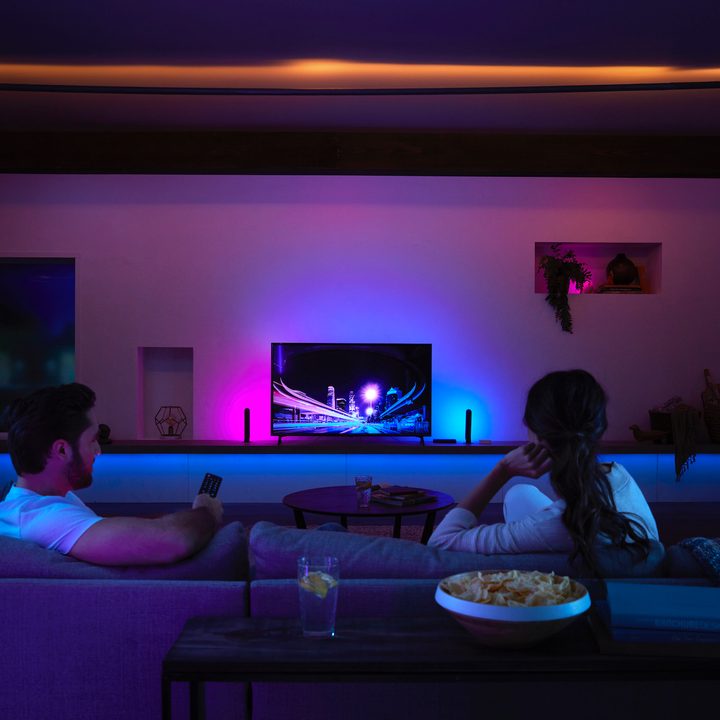
You don’t need Google Nest devices specifically for your Google Home smart home. Any device that is Google Home-enabled (look for a label that says, “Works with Google”) will work with the Google Home system.
The advantage of using Google Nest products is that there will be little or no trouble setting the devices up on your system. Third-party smart home products often require downloading an app, creating an account, and then syncing the device with Google Home. That can be frustrating at times, as the third-party apps might not communicate as well with Google Home. Nest products will give you the “no fuss, no muss, no mess” solution.
Google has also been adding Matter support to several first-party devices, including much of the Nest lineup. This interoperability standard allows other Matter devices that aren’t natively compatible with Google Home to work with the software. The list of Matter products is small, but growing steadily, and it’s poised to become a big part of smart homes over the next few years.
Interested in learning more about Matter? Check out our quick primer on Matter and how it works.
What are Google Home routines?
Routines are sets of commands that you create with the Google Home app. If you’ve never done it before, don’t worry, the app will walk you through it. While many processes only need a single command, you might want to have several things happen from a simple command. You can specify what starts the routine, whether it’s a trigger phrase, a specific time of day, or the activation of an exterior motion sensor.
For instance, the voice command, “OK Google, bedtime,” can initiate turning off the lights in all the main rooms and turning a light on in the stairway to the bedrooms, while the thermostat gets dropped a few degrees. It may follow up with tomorrow’s weather forecast, or a list of what’s on your calendar.
You can activate routines that set a mood and include a number of smart devices. A single command can allow you to dim the lights in the living room and turn them to a warm candlelit glow, turn off the kitchen light, and play a specific playlist on your Nest Audio speakers.
At any time, you can update these routines, change them, or turn them on or off.
What kinds of things can I do with Google Home?
Google Home routines create a world of possibilities for users. Say basic voice commands to start a favorite playlist from YouTube Music, Spotify, Pandora, TuneIn, and iHeartRadio. If you have Chromecast with Google TV or a Google Home-compatible television, you can surf or launch programs by simply asking.
If you have a question about absolutely anything, you can ask Google Assistant rather than look it up on your phone. You can also create a routine that gives you the weather and traffic report at a specific time each morning as you drink the coffee from the coffee maker that Google Assistant starts at the assigned time.
Home security is another popular use with Google Home. You can create routines that turn on interior lights on a schedule if you’re away. When an exterior light or motion sensor is triggered, Google Home can turn on a smart bulb inside the house, creating the impression that someone has noticed a sound outside. Add in a dog barking sound that plays with the routine, and you’re all set.
In short, Google Home is your virtual butler, performing smart tasks around the house to automate life and make things easier. It’s an excellent addition if you’re interested in home automation or already have some smart devices in the house that let you issue simple commands to save you time and make your house warmer, brighter, and safer.