As you load up on new gear, you may be hesitant to toss out all your old stuff. If those devices are still perfectly functional, it seems like a waste, right? Who knows, maybe you’ll need them someday. So what do you do with the collection of antiques? Let the pile grow bigger? Build a little museum? Kick the gadgets to the curb, and let their toxic components leach into whatever soil or water supplies? Let’s see if we can find your old electronics a second life instead.
Use an old tablet or laptop as a second monitor
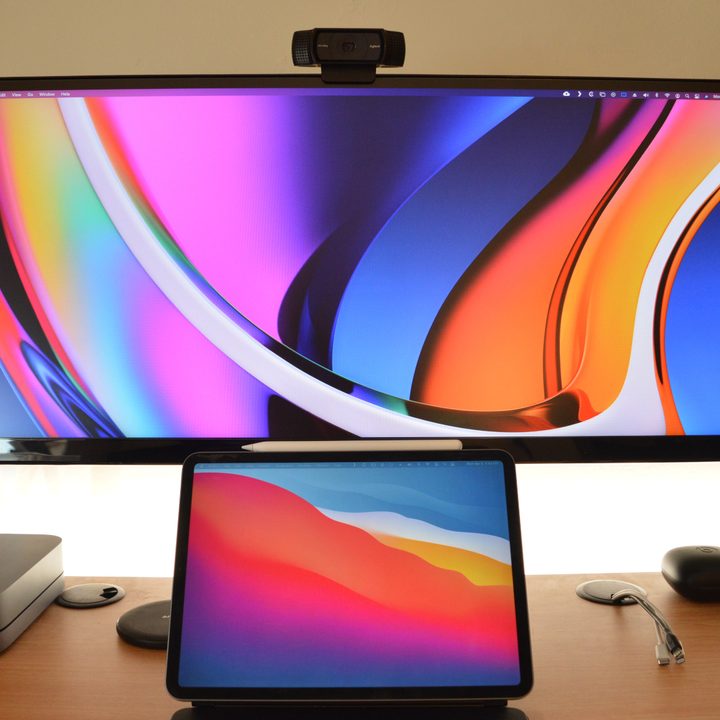
Old monitors can help you double up your viewing area (if not your productivity). You can get other devices to do the same thing, too. Depending on the model and software availability, old tablets and laptops can act as second monitors for your main PC. I’ve used Duet in the past, and if you’re using a Mac, it’s even easier with the native Sidecar function. Android devices can enjoy similar solutions like SuperDisplay, which lends itself to folks looking for a graphics tablet with full stylus pressure sensitivity.
Help scientists explore outer space and cure cancer
If you have an old device that still has a working CPU, you can effectively lend that unused computing power to researchers by hooking up to a distributed computing network. Through these systems, millions of linked devices can work together as a giant supercomputer to help solve some of the world’s biggest computing problems. Berkeley Open Infrastructure for Network Computing is at the forefront of this technology, allowing your connected phones and PCs to quietly work on medical, cosmological, biological, and mathematical projects. All you need to do is have your device turned on and connected to the internet, then run a small the app in the background.
Turn an old PC into a dedicated media server
If family photos and videos are taking up too much room on your primary computer, it’s easy to make a second PC a new home for your content. Once the drive is on your network, you can access it anywhere in your home, and even remotely with a bit of finagling. Plug it into your TV and use Plex to upcycle your old PC into an honest-to-goodness media server. Old gaming consoles can fill a similar role, allowing you to not only store old content, but to organize, search, and play all your media as well
Transform an old tablet into a dynamic picture frame
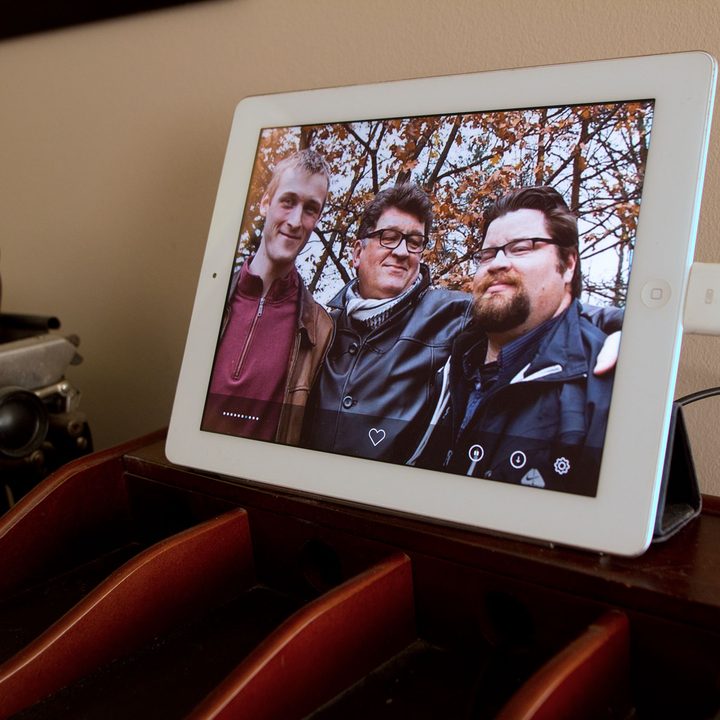
Old tablets are perfectly suited to serve as digital picture frames. Oftentimes, the process is exceptionally simple, too. All you need to do is load up old pictures into the tablet’s native photo app, then simply set it to slideshow mode and make sure the screen sleep function is disabled. It’s also possible to find supporting software that can eliminate the need to have hardwired connection to transfer the pictures over. We’re big fans of Frameo and Fotoo.
Repurpose an old phone as a security cam

Now that most smartphones have pretty solid cameras on them, it’s easier and more effective than ever to turn your old phone into a security camera. Depending on the app you use, a phone cam can provide live remote streaming to your primary device, and in some cases you can even have your footage saved to the cloud.
While this is primarily for home security, similar services can turn old phones into dashcams, so you can have a continual rolling record of what’s happening on the road. Drive Recorder is among the most popular options on Android.
And if all else fails, just donate the device
If you aren’t able to find a new use for your old gadgets, there are plenty of folks out there who could use your stuff. For bigger devices like phones, PCs, and tablets, it’s worth looking at organizations like Computers with Causes, a registered charity that gathers and distributes devices to low-income families, the elderly, and disabled veterans. You can even get a tax receipt for the donation.
Other gadgets can be easily offloaded via local “buy nothing” groups, many of which can be found on Facebook. If you’re looking to barter and potentially get something out of it, apps like Bunz can provide a healthy swapping ecosystem.
Hopefully these options give your well-loved tech a chance at continuing to contribute to your life or to someone else’s. If these options don’t work out though, be sure to dispose of your old electronics responsibly. They’re loaded with hazardous materials that need to handled carefully.