
In my career, I’ve had the opportunity to play with flagship phones, durable phones, and flat-out weird phones. But none, up until a few weeks ago, have had shoulder buttons. Last week, RedMagic launched the RedMagic 7 Pro, a follow-up to the RedMagic 7 I reviewed. Both phones feature shoulder buttons you can use to control your games. I’ve also been wielding the RedMagic 7 Pro and I’m officially a convert. Nubia has convinced me that I need shoulder-mounted triggers on every phone from now on, but not entirely for the reasons you may be thinking about.
First, as an avid Call of Duty: Mobile player, the shoulder triggers are an obvious win. I have the two shoulders set to jump on the right and fire on the left. This allows me to move quickly and get shots off without having to have too many fingers on the screen getting in my way. It’s gotten to the point where, when I play CODM on other phones, I’m unconsciously pressing those buttons when I want to jump or fire.
The second important thing to know is that I’m a big dude (read: fat), and when I’m pressing the screen, I don’t always know where the screen is going to read the center of my sausage finger. Sometimes, especially when I’m sniping a target from a distance, I’ll press the fire button, but in doing so I’ll move the crosshairs just a little bit and miss my target. It’s a constant frustration in my life and shoulder triggers do wonders to alleviate that.
Take it further
On the RedMagic 7 Pro though, they don’t go far enough, and I’m not sure it’s 100% a good thing. The shoulder triggers are only active when you’re playing a game. That makes sense, but I have to wonder if we’re missing an opportunity here. I tried for a few hours to get the phone to recognize a camera app as a “game” so that I could use the shoulder triggers as a shutter button.
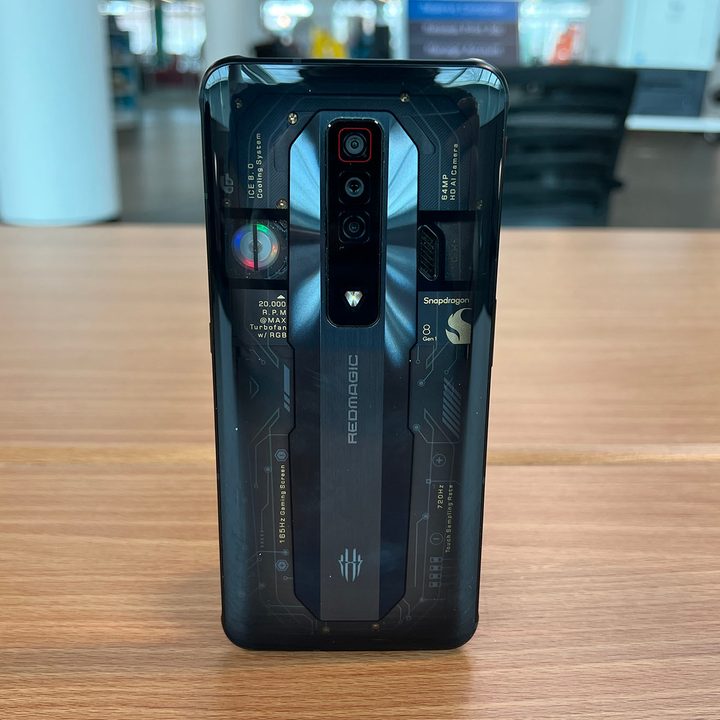
Ask anyone who professionally takes photos with phones, and they’ll tell you that a shutter button is gold. It makes the act of taking photos just a little bit more natural, plus it allows you to have as clean a camera interface as you can ask for. In the case of a phone with two shoulder buttons, I’d love to see the left button toggle between selfie/rear/video while the right one acts as a shutter button on a single press or a focus on a long press. That could be great.
Now if only there was a phone maker out there who wanted to make a phone for gamers and photographers.
Do it right
Before you pull out your “I hate the HTC U12+” fan cards, I get it. I’m not advocating for capacitive buttons all over the phone. I still want a physical power button and volume buttons (from bottom to top, in that order, by the way, Google). But the addition of shoulder triggers not only would bolster mobile gaming, which is always a win, but other possible uses are endless. The fact is, software triggers give you a precise tap every time, regardless of how pudgy your fingers are.
In my world, those shoulder triggers would only be active when you’re using specified apps. That way you wouldn’t have to worry about phantom touches when holding the phone in portrait mode. Some use cases I could imagine would be the aforementioned camera shutter buttons, forward and backward scrubbing in video apps (I’m particularly in love with this idea), forward and next buttons in the photo gallery, assistant activation in Maps — the list goes on.
There are technical details that would have to be worked out, of course. I’m not a developer, so I can’t speak to how hard it would be to build a layer over any app just so you could set your touch targets. You’d also need a pretty extensive settings app to control what buttons do for which app. It’s a nontrivial problem; I acknowledge that. I also acknowledge that this will probably never happen, but it would be awesome.


