
The iPhone 14 Pro is one of Apple’s most welcome camera upgrades in years. It brings an all-new 48-megapixel camera, an upgraded method for processing images, and more. But how does it compare to the similarly priced Galaxy S22 Ultra? The new iPhone doesn’t have a fancy 100x zoom like Samsung’s flagship, but how does it stand up to the competition? Let’s find out.
iPhone 14 Pro vs Galaxy S22 Ultra: camera specifications
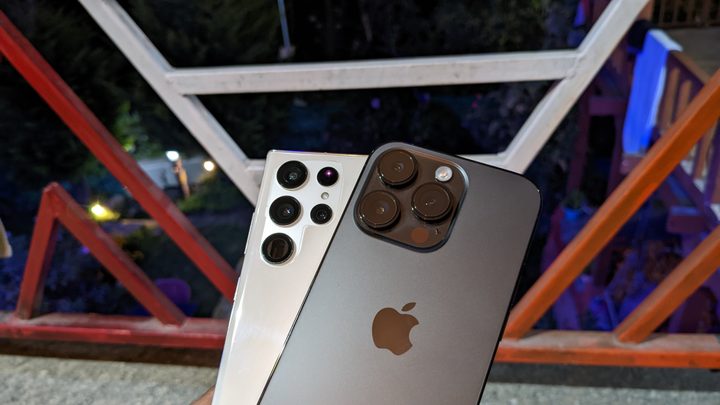
The iPhone 14 Pro finally upgrades from a 12MP camera. The latest iPhone Pro lineup includes a 48MP primary camera with a 24mm wide lens and f/1.8 aperture. It comes with dual-pixel PDAF and sensor-shift optical image stabilization (OIS).
The primary camera is accompanied by a 12MP telephoto camera that supports 3x optical zoom and 15x digital zoom. You also get a 120-degree ultra wide-angle camera with dual-pixel PDAF. And finally, there is a 3D LiDAR sensor for depth calibration. The camera system is capable of recording videos at up to 4K at 60 frames per second (fps).
On the other hand, the Samsung Galaxy S22 Ultra sports a quad camera setup. It tops the iPhone 14 Pro with a 108MP main camera that has laser autofocus and OIS. A secondary 10MP periscope telephoto camera offers 10x optical zoom with OIS and is accompanied by a 10MP regular telephoto lens for 3x optical zoom. Lastly, you also get a 12MP ultra wide-angle camera with a 120-degree field of view. As for videos, you get the option to shoot 4K at up to 60 fps, like the latest iPhone.
iPhone 14 Pro vs. Galaxy S22 Ultra: main camera


- 1. iPhone 14 Pro
- 2. Galaxy S22 Ultra
Let’s start with portrait mode. Both smartphones were able to get the edge detection right in artificial light. If you zoom in, you’ll notice that the S22 Ultra and the iPhone 14 Pro smoothen the hair strands on top of my head. It’s a tricky shot with indoor lighting in the evening. Look at the hair strands on my arms; the iPhone 14 Pro doesn’t incorrectly blur them like the Galaxy S22 Ultra does.
Neither of the two phones got the skin tone right. If I had to choose, I’d go with the iPhone 14 Pro because it’s closer to what my skin actually looks like. I’m not that pale, but overall, it’s closer. As for Samsung, it gives my skin a pink tone. And with the high amount of contrast, it appears artificial. Apple’s software blur also looks a bit better, especially in warm lighting conditions.
When it comes to portrait mode on objects, both smartphones take a couple of seconds to get the product right. If it’s sitting in parallel to the camera, both phones are able to detect the edges, but Samsung does a better job at clicking portrait mode pictures of objects, just like I mentioned in my dedicated portrait mode comparison.


- 1. iPhone 14 Pro
- 2. Galaxy S22 Ultra
Both smartphones click great food images. You won’t be disappointed with either of the two. With the pasta in the above shot, it’s difficult to pick one (and the pasta tasted as good as it looks, by the way). The Galaxy S22 Ultra is closer to reality, but you might want to pick the slightly warmer iPhone photo for social media.


- 1. iPhone 14 Pro
- 2. Galaxy S22 Ultra
The above images are great examples of how both the iPhone 14 Pro and Galaxy S22 Ultra take different stances on what an image should look like. While the sky captured on the iPhone looks paler, it’s closer to reality. On the other hand, Samsung goes for a more saturated sky — and it’s the one I’d pick for my social media.
The Galaxy S22 Ultra exposes the trees better, and you can see brighter leaves in its image. There are details in the shadows on the image captured on the iPhone 14 Pro, but it doesn’t expose the subject as much as it should’ve been. These photos are examples of point-and-shoot photography – the way most people capture images. If you tap to focus, the dynamic range on the iPhone is pretty ineffective.


- 1. iPhone 14 Pro
- 2. Galaxy S22 Ultra
Finally, in the above image, Samsung has overexposed the decorations a bit. As a result, the blue decorative pieces lack detail. On the other hand, you can see a more detailed shot on the iPhone 14 Pro.
Overall, it’s tough to choose a winner. The iPhone might shoot better portrait shots of humans, but lacks the capacity to get it right on food items and objects. The iPhone 14 Pro captures closer-to-reality skin tones, while the Galaxy S22 Ultra gives my skin a pinkish hue. The iPhone goes for a warmer color palette, while Samsung goes for a more saturated look with more contrast. It’s all about preference, and which image you would pick for your Instagram post. The iPhone does manage to click more details at times, though.
Winner: Tie
iPhone 14 Pro vs. Galaxy S22 Ultra: ultrawide camera


- 1. iPhone 14 Pro
- 2. Galaxy S22 Ultra
The same story continues with the ultrawide camera. The iPhone 14 Pro clicks more real-to-life skies, but at the cost of underexposing the subject, which in this case is the flowers. The Galaxy S22 Ultra exposes the flowers in a better way, and as such, the colors pop. While the S22 Ultra’s photo might be better-looking, the sky colors are more accurate on the iPhone 14 Pro.


- 1. iPhone 14 Pro
- 2. Galaxy S22 Ultra
I’d pick the Samsung image if I didn’t know what the building looked like when the images were clicked. Samsung gives it a pinkish hue, but the iPhone 14 Pro retains the true colors. Samsung again goes for a more saturated image – that’s just how the company’s camera processing works. But again, the iPhone 14 Pro took a more accurate image The S22 Ultra’s picture is an easy choice for social media, even though it’s not the most realistic.
If I had to choose a winner, I’d go with the iPhone 14 Pro because of its more realistic colors and true-to-life photos.
Winner: iPhone 14 Pro
iPhone 14 Pro vs. Galaxy S22 Ultra: telephoto camera


- 1. iPhone 14 Pro
- 2. Galaxy S22 Ultra
The above shots encapsulate how 3x optical zoom colors work on both smartphones. Red is generally harder to capture than green. And the telephoto camera on the Galaxy S22 Ultra struggles to capture the red on the Levis logo, whereas the iPhone 14 Pro gets it correct. The iPhone image is closer to reality, and the red pops.


- 1. iPhone 14 Pro
- 2. Galaxy S22 Ultra
Again, if I didn’t know what the skies looked like on that day, I’d have picked the image clicked by the Galaxy S22 Ultra. But the iPhone 14 Pro gets the sky color right. The dynamic range on Galaxy S22 Ultra is better, and there are more details in the building.
That said, there is no competition in 10x zoom and 100x zoom. Samsung wins it easily. If I had to pick one, I’d go with the Galaxy S22 Ultra for the different perspectives I can shoot with the smartphone. I’ve shot some really good 10x images using the S22 Ulttra, and it is my go-to phone for taking zoomed-in photos.
Winner: Galaxy S22 Ultra
iPhone 14 Pro vs. Galaxy S22 Ultra: which has the best cameras?
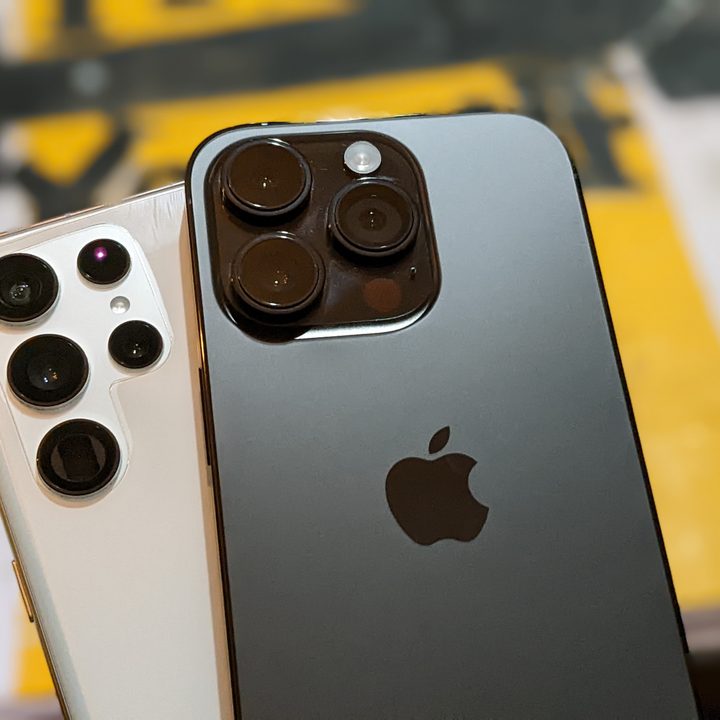
The iPhone 14 Pro clicks warmer and closer-to-reality shots, whereas the Galaxy S22 Ultra goes for a more saturated and look filled with constrast. It’s all about what you prefer. In some cases, the iPhone 14 Pro is better, while the Galaxy S22 Ultra knocks it out of the park with its 10x optical zoom periscope lens.
If you want flexibility and more perspectives with still photos, the Galaxy S22 Ultra should be your pick. However, if you prefer photos closer to reality, and want to shoot videos, the iPhone 14 Pro should be your go-to smartphone. There is nothing that compares to the iPhone 14 Pro’s video capabilities, and features like action mode and the improved cinematic mode only take it one step further past the competition.


