
Apple’s new Freeform app provides a simple way to organize your thoughts, visualize a project, and communicate your ideas across MacOS, iPadOS, and iOS. It’s a blank canvas that’s easy to fill with pictures, shapes, notes, links, and more.
Here are three cool things I tried to get started with Freeform: easy sharing, effortless organization, and plenty of style options.
Easy sharing with Mac, iPhone, and iPad
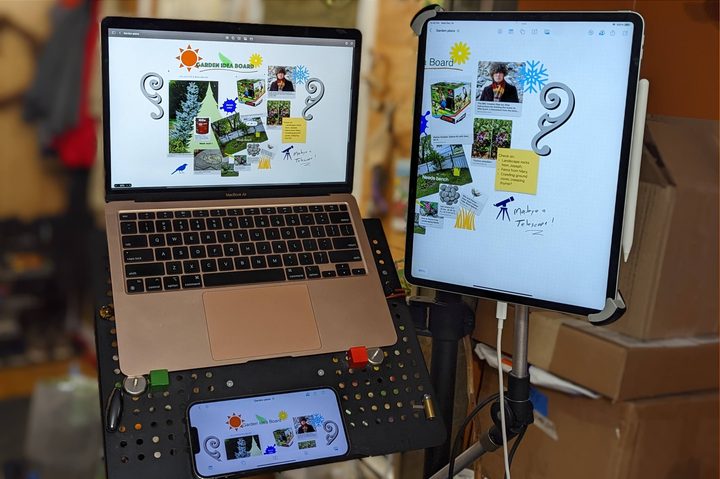
First up is Freeform’s easy sharing and collaboration which let me use multiple devices to refine a board. Starting on an M1 MacBook Air, I created a new board, added a title, and put in some links from Safari. Switching to my iPhone 13 Pro Max, I tapped the Freeform app Hand-Off to continue with that board and took a photo. On my third-generation iPad Pro 12.9-inch, I drew on the board using an Apple Pencil 2 to easily highlight some details (make sure you match your Apple Pencil to the right iPad). Each device added value in ways that would be more difficult to achieve with only a laptop, smartphone, or tablet.
The idea was to upgrade our garden area with a bench, some plants, a tree, and other touches to make it an inviting area to relax. Of course, the work won’t be done in the winter but planning ahead and remembering details is easy with the Freeform app. Now we’ll have a record of what we want to do as the weather warms. Along the way, the board can be updated if inspiration strikes or new garden accessories are found to be of interest.
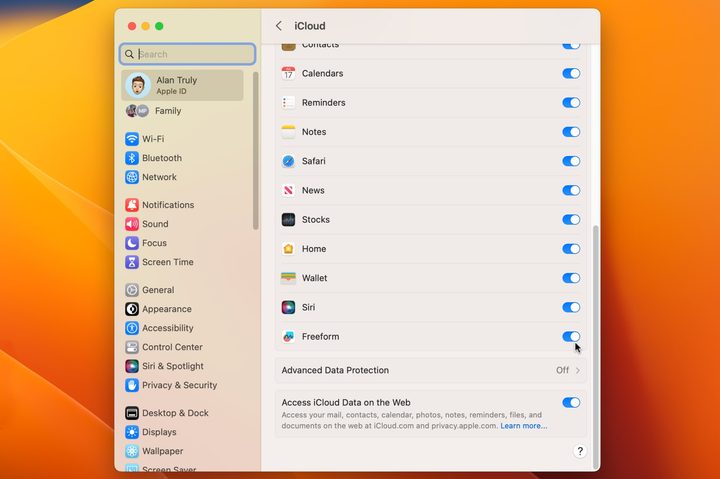
When I was satisfied with the first draft of this Freeform board, I sent an invitation to my wife, Tracey, to join in with her ideas. Note that you’ll need to allow the Freeform app to use iCloud. This option is found in the Settings app under the Apple ID/iCloud options. Tracey uses a first-generation iPad 11-inch running iPadOS 16.1 rather than iPadOS 16.2, which is the minimum requirement for Freeform.
After updating, she was able to open my invitation and see what I’d done. Adding her own notes, links, and photos makes this a nice collaborative space to work on a long-term project like this.
Effortless organization
Keeping project boards tidy and easy to understand can be a difficult challenge, particularly when using real paper, a whiteboard, or a corkboard. The effort of physically rearranging items becomes a barrier to making a nice layout. There are plenty of note-taking apps and organization apps available but sometimes they’re complicated and require a subscription to use.
With Apple’s new Freeform app, you can drag and drop elements wherever you want. More than that, you can also align edges by selecting two or more items and choosing the group tool. It looks like three rectangles and offers several options. Besides, grouping, aligning edges, and centering, the Mac version of the app also allows the selected objects to be distributed with even spacing. As usual, Apple provides more precise control on the Mac, while the iPhone and iPad are portable, with better cameras, and touchscreens, each bringing something special to the mix.
Adding some style

The Freeform app helps you collect resources, organize ideas, and collaborate with others, which sounds like a tool that would be great for work. That’s true, but it’s also quite fun to play with the colors, fonts, and various premade objects. My wife and I found it enjoyable to spend a little more time, adding some style to the board.
The default sans-serif font is fine and center-aligned text is normally nice. On the other hand, taking a few minutes to make it all look nicer, might inspire visiting the board more often and adding refinements.
Since the Freeform app has an infinite canvas, I can add more notes, such as including cost estimates, alternate links, color themes, and more. The most intimidating thing about using Apple’s Freeform app is getting started. It’s just like a blank canvas for an artist or an empty page for a writer. Putting something on the board is the first step and then I simply add more and more, dragging in links and photos, typing notes, or sketching a drawing.
At any point, I can switch from creative thinking to organizing, or analyzing to bring the concept closer to reality.
What you need
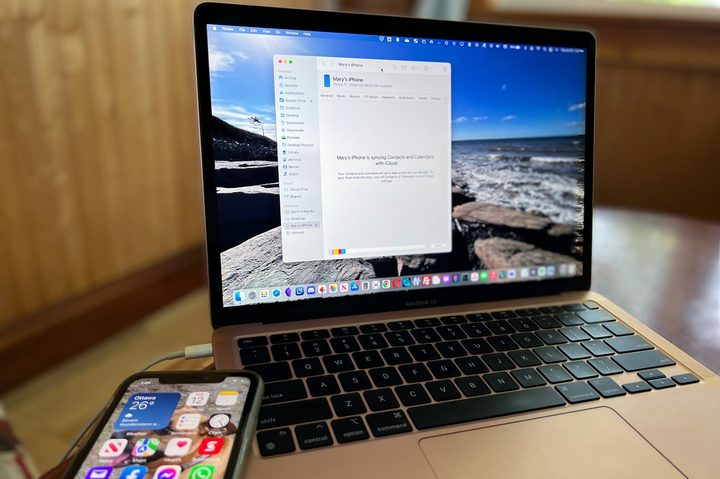
The Freeform app doesn’t work in a browser and there is no Windows or Android version available. An Apple device is a strict requirement. To try the Freeform app on your Mac or MacBook, you need a macOS Ventura 13.1-compatible computer. The iPhone requires iOS 16.2, and the iPad needs iPadOS 16.2. These are all available in the latest update.
After installing the newest operating system, you’ll need to enable the Freeform app to access iCloud. It seems like this should have been the default but since it uses storage, Apple makes that optional. The garden board uses about 13MB and Apple includes 5GB of cloud storage for free, making it easier to sync documents across your devices with iCloud. I could fit 384 similar Freeform boards in that much space if I didn’t use iCloud for anything else. Still, it might add up in a hurry and lead to a higher monthly subscription cost.
Apple already had apple but the Freeform app is more inspiring, breaking out of the overly structured look of a note and providing plenty of space to get started. For your next project, it’s worth taking a look at Freeform and seeing how quickly and easily the ideas begin to flow.


