

Apple’s Journal app in iOS 17 is like a basic notetaking app supercharged with AI. It offers prompts and suggestions based on what you do throughout the day to help you journal your daily entries.
While the app is a basic white screen with a “+” icon, it’s what happens after you tap on that icon that sets it apart from Notes or other journaling apps. I’ve been using the app for a little while now, and while it’s not perfect, it is off to a really interesting start.
Using iOS 17’s Journal app

Once you tap on the “+” button, the Journal app offers a list of prompts called Reflections that you can write about. Some Reflections I see right now are, “Write about a time when you accomplished something special and how it impacted you” or “Write about the artistic or other creative activity you enjoyed as a child.”
These are mindful reflections that you can think and write about. They helped me lay bare my thoughts by writing about things that I might not have initially thought about writing. For instance, the first one — writing about something special that happened to me — was a great way to divert my mind from chaotic thoughts to a more meaningful, feel-good memory. It can definitely help you to be mindful and practice gratefulness.
Reflections are mixed with suggestions based on what you did throughout the day. It is based on Apple’s “Moments” feature to access your data — like where you were, the photos and videos you clicked, your FaceTime calls, etc. Apple lets you choose the data you want to share with the app, so if you don’t want it to have access to something, it won’t. These include Activity, Media, Contacts, Photos, and Significant Locations.
This data is private and stored on-device (apart from Journal backups on iCloud, which aren’t local but are encrypted). “With the ability to lock your journal and iCloud syncing using end-to-end encryption, your entries stay up to date, and no one but you can access your journal — not even Apple,” says the company.
Suggestions has a lot of promise
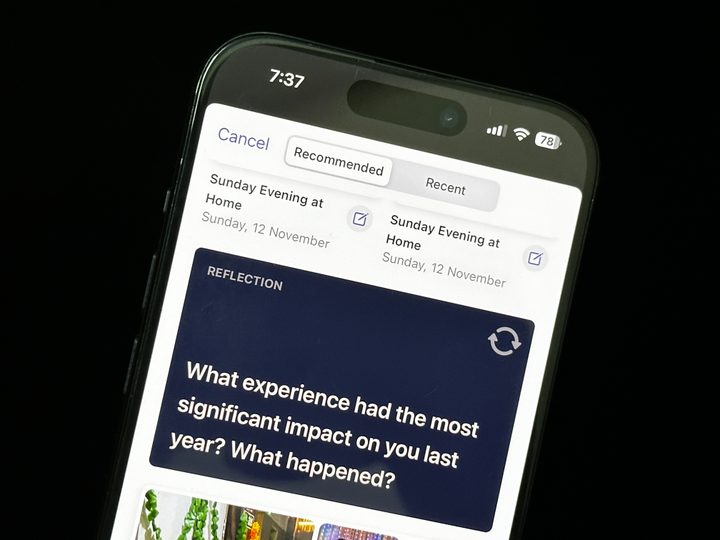
Suggestions is a smart idea, but it needs better execution because it has been hit or miss for me. There are three rows of Suggestions between the two reflections. For me, it has happened several times that these three rows are filled with exact same suggestions (photos and videos) between two Reflections. Then, after that second reflection, I see the exact same suggestions again in three rows before the third reflection. It clutters the experience. Notably, the app is still in beta, and I hope it improves in the stable version.
These suggestions themselves haven’t been perfect for me either. I wanted to write about a call I had with someone, but that didn’t show up on the app. Instead, it included a call that was insignificant to me. I’m not sure what it’s taking into account, but I feel like I need to train my phone to understand me better, which isn’t something I’m looking forward to doing. It doesn’t include people you call frequently, which is understandable. But there could be times when you’ve had a long call with your favorite contact, which you might want to write about but that won’t show up on Journal suggestions; it hasn’t for me, at least.
But when suggestions work, they act as brilliant points to reflect upon at the end of the day. For instance, I visited my friend after a long time; we didn’t click any photos, but it remembered my location and prompted me to write about it, which is brilliant. It helped me save a memory, think about it deeply, and reflect on it.
The Suggestions API for Moments is also available to other third-party apps. It’ll be fascinating to see how other apps integrate suggestions API. And I hope if I’ve chosen “feature this person less” in memories, it doesn’t show that person in Suggestions – it hasn’t happened yet, but it also hasn’t worked seamlessly for me so far.


- 1. FaceID lock on Journal
- 2. Options to add Suggestions, Photos, Click a new Photo, Audio, and Location
- 3. Audio Input
When tapping on “New entry,” you can choose to type your journal entries and select photos (from the gallery or a new one), add a voice note, and add your location to it. I usually use it when I see a quote or sentence in a book I’m reading and have thoughts about it. For instance, I’ll click a picture of the page with a highlighted sentence and then move on to add my thoughts about it. I think it makes my book reading experience much better, which can also be done on Notes. But sometimes, I don’t want to type and instead enter my thoughts in a voice memo format, which can’t be done on Notes.
Apple lets you add push notification reminders if you have a specific time when you’d like to be reminded to add a Journal entry. I’ve added it for 8 p.m. daily, but it only works sometimes. I do not receive the push notification every day, and as a result, I forget to add an entry. I hope it’s a bug that will be fixed in the stable version. While the Journal app displays a splash screen for scheduling when you open it the first time, you can set the push notification reminder by going to Settings > Journal > Journaling Schedule.
You can also lock the Journal app with Face ID or a passcode. You also have the option to set the app to require your Face ID or passcode after one, five, or 15 minutes of inactivity.
The Journal app is off to a good start
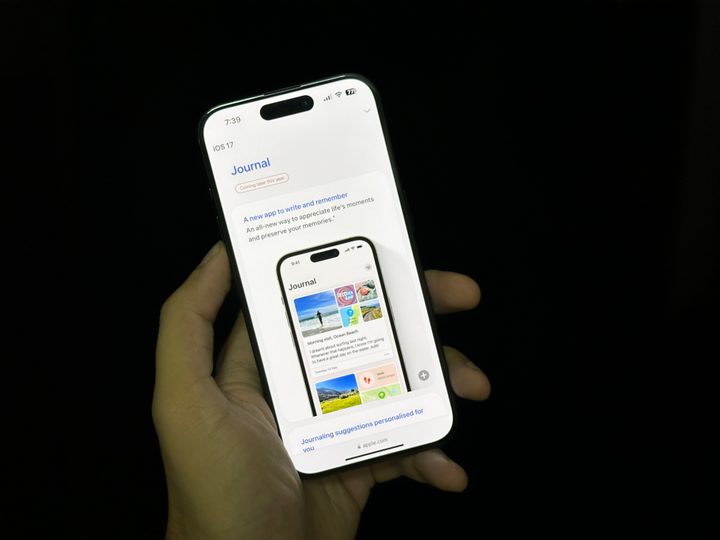
The Journal app isn’t as polished as you’d expect an Apple app to be, but that’s understandable because it’s still in beta. It’s a smart and meaningful idea, but it’s not there yet. I hope Suggestions improves and Reflections continues to do its thing while the bugs are fixed before the full release. Overall, I like the idea of my iPhone using Moments and offering them to me in a manner that’d help me be mindful of those memories while offering prompts that help me be more grateful.
For now, the Apple Journal app is available on iOS 17.2 beta. It was released with beta 1 late last month. However, the company hasn’t revealed a release date for the app yet, and the website still says it’s “coming later this year.” However, the Journal Suggestions API is already available to third-party apps like Reflectly and Day One.
Apple’s Journal app may not be a home run just yet, but it is off to a promising start — and I can’t wait to see where it goes next.


