
Android 15 is this year’s big Android update, and based on what we’ve seen so far, it’s going to be pretty tame. Just like Android 14, Android 15 isn’t trying to overhaul or reimagine Android. Instead, it’s all about fine-tuning things.
However, that doesn’t mean there’s nothing cool going on. I’ve been playing with the Android 15 developer preview for a little while now, and in doing so, I’ve stumbled across two underrated features that I think a lot of people are going to love.
Notification cooldown is a lifesaver
Nature Journal recently published a fascinating paper about the woes of excessive information, with a special mention of smartphones connected to the internet. “Information overload limits our ability to evaluate information and make effective decisions,” it said.
Those findings hit a bit too close to home. For a person like me, who has at least three to four phones active at any given time on my desk, the barrage of notifications gives me a headache every time I unlock them for testing. Of course, I could mute them, but the fear of missing a crucial notification from a workplace app is yet another cause of anxiety.
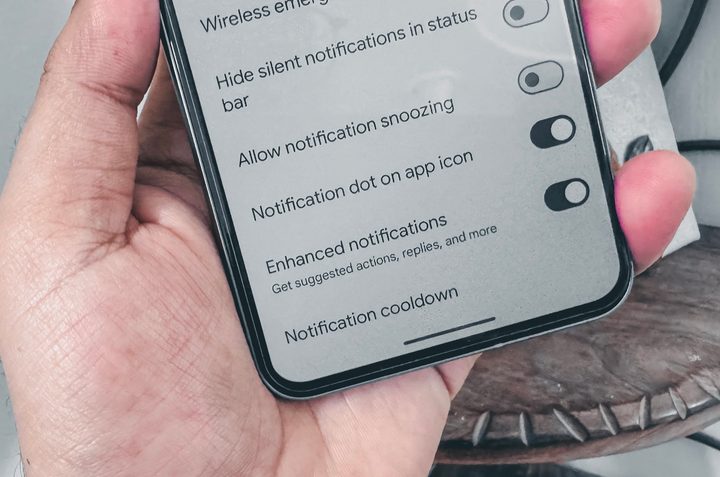
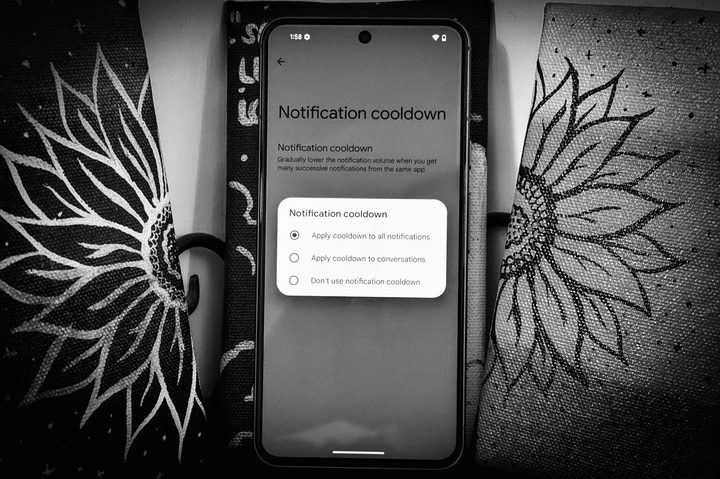
Notifications that beep continuously across the hall, my workstation, smartwatches, tablets, and computers are a daily nuisance. But it seems I will finally get some respite with Android 15. One of the coolest features that I’ve come across is something called “notification cooldown.” It does exactly what the name suggests. Here is how Google describes it:
“Gradually lower the notification volume when you get many successive notifications from the same app.”
Now, I am not sure how your average notification flood pans out, but mine is absolutely cataclysmic. For work, I rely on Trello (three separate dashboards with a total of five channels) and Asana. Between them, these two apps alone account for over 200 notifications each day.
Then there are workplace communication apps like Microsoft Teams and Slack, each with its own share of channels buzzing with breaking news conversations and memes. Finally, there is social media, with journalist groups on WhatsApp and a few Instagram groups to share memes amounting to a notification explosion.
I am not even factoring in the deluge of emails, Discord server buzzing, and text messages here. At the end of the day, it’s a surefire recipe for notification overload in all its forms — visual, haptic, and audio pings.
But I am glad to report that notification cooldown has dramatically helped me overcome the absolute disdain of pulling the drawer. I still see the near-endless scrolling list of notification cards, but at least the audio pings didn’t drive me insane.
What I love about the new notification cooldown feature is that it clusters together the notifications from each app. The first notification gets an audible alert in its full form, but all successive alerts from the same app keep lowering their sound level until it becomes easy to ignore — or at least not as disconcerting as the same tune repeating like a sonic punishment.
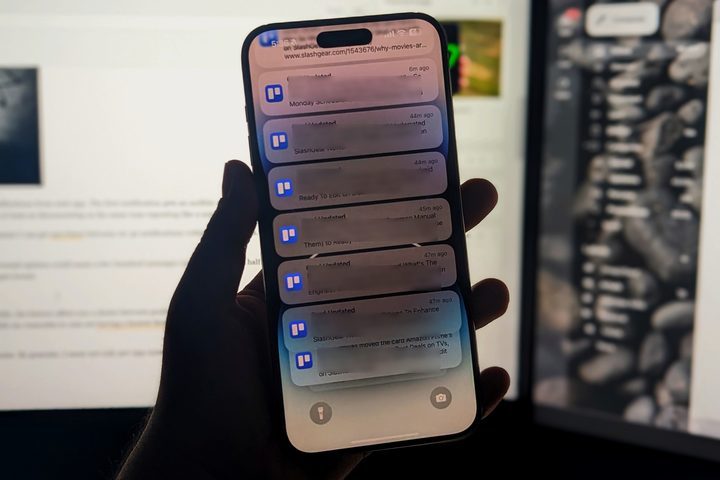
As I write this, my editor is wrapping up his Asana task cards for the day, which means I can get 20 to 30 notifications within a few minutes. In another team where Trello is the workhorse, the situation is even more hyperactive.
The same applies to my WhatsApp and Instagram groups with friends, where one controversial opinion could mean a few hundred messages exchanged between a half-dozen college mates. Sometimes, it can get worse, and those are the situations where the notification barrage gets brutal.
Of course, there is always the fear that I could miss out on something important. Thankfully, notification cooldown offers a choice between gradually silencing all app notifications or only the conversations. The latter helped me a lot, especially when I’m working the ET hours while my comrades in Asia are having a heated discussion about the artistic merits of Marvel movies. (There are none!)
The only thing that could make this even better is if Google makes the system more granular. By granular, I mean not only per-app controls, but also in-app elements like silencing group chats and making exceptions for direct messages and channel announcements.
Screen recordings go private
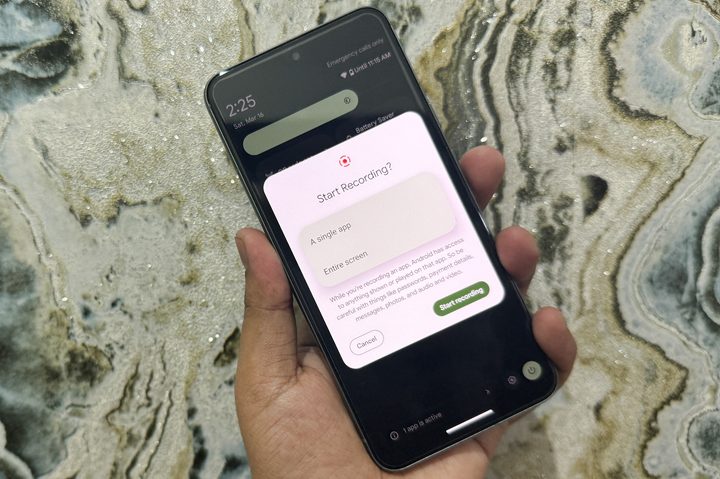
Another practically rewarding tool in Android 15 is partial screen recording. The idea is simple: Before you launch the native screen recorder tool, the app asks you to select the app that you want to appear in the captured video.
Once the app is launched and recording begins, only that particular app appears in the video, even if you switch to multitasking and open other apps midway through the recording.
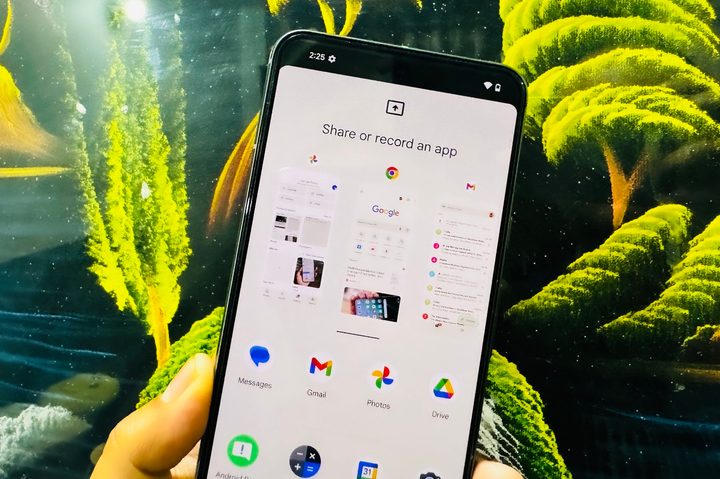
Let’s say you selected Gmail for partial screen recording. The moment you switch to other apps, the last active frame in Gmail appears frozen on the recorded video, and no other activity outside the email app is captured. As soon you return to Gmail, the screen capture resumes.
We often leave personal information exposed while sharing such media. For example, you don’t want a professional contact to see what’s stored on your phone outside of the work app. Similar privacy concerns apply if you are an educator, lawyer, or even just a normal person who wants to keep screen recording strictly limited.
Android 15 is just getting started

Talking about privacy, Google is currently experimenting with a feature called Private Space that will be offered natively on Android phones, similar to Samsung’s Secure Folder. It allows users to lock apps so they can’t be opened without a fingerprint or a passcode.
Google offers something similar within the Google Photos app courtesy of a Locked Folder system, allowing users to hide sensitive videos and photos. With Private Space, which is yet to be enabled on Android 15, users will be able to do the same for apps in the drawer.
Android 15 has a lot of new features to offer, and they are likely to appear as newer Developer Preview and beta updates arrive ahead of a full release in the fall. We expect Google to share more details about the next major release of Android 15 at its I/O 2024 event in May.


