
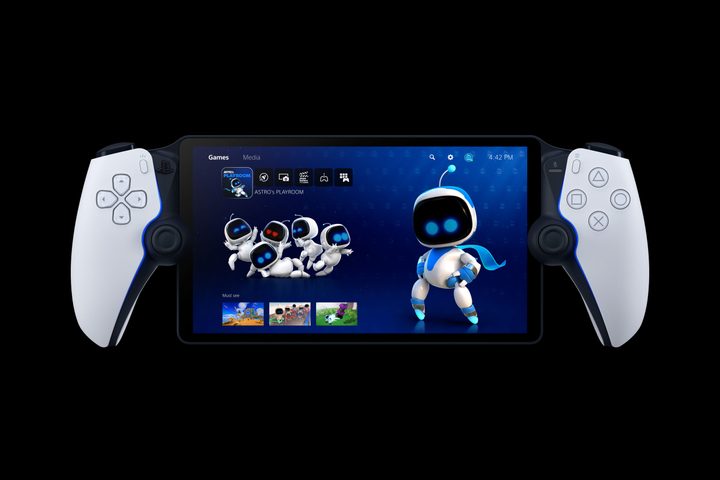
In November, I reviewed the PlayStation Portal. I was mixed on Sony’s streaming handheld at the time, frustrated with a corner-cutting execution of a good idea. It seemed like a poor value compared to simply slapping a cheaper Backbone controller on a phone. As is often the case with tech reviews, though, I only had a short window to test it out where I was more focused on the more objective side of what the Portal does and doesn’t do. Would my feelings change when I was using it naturally?
I’ve gotten the answer to that question over the past few months. While I barely touched my Portal after reviewing it in 2023, it’s quickly become a go-to device in my home as of January. I’m now breaking it out at least once a week, finding some practical use cases for it. Though my overall assessment of it hasn’t changed, I have a more tangible understanding of where it can be a useful — if superfluous — PS5 companion. It’s a needless luxury, but one that I’m finding that I’m happy to indulge in.
Second screen
The PlayStation Portal’s launch just so happened to come right before a major life change that would shift my perspective. After living alone for three years, my girlfriend moved into my apartment last December. It’s been a natural change that’s working great so far. That shift does come with some lifestyle changes, though. We’re both crammed into a one-bedroom apartment, which means we’re sharing a tight space. We remotely do our jobs feet apart in the same room, and most evenings are spent lounging on the couch.
That means that we also share one TV. Initially, I was self-conscious about how that would work out. The nature of my job means that I’m constantly playing something for work. I knew I couldn’t monopolize the one screen in our home, though adding a second one wasn’t an option. That’s when I remembered the PlayStation Portal collecting dust on my bookshelf.

Starting with Tekken 8’s release, I moved some of my PS5 gaming time over to my Portal. I wouldn’t be able to use it to review full games (lowered resolution and latency issues would get in the way of the work), but I could use it to catch up with games that I wanted to stay up to date on or when I continued playing a game past its review period. I’d use it a few hours a week to clean up side-quests in Final Fantasy VII Rebirth, explore the world of Dragon’s Dogma 2, or even sneak in a Helldivers 2 mission.
It would quickly become a welcome option in my weekly gaming routines — one that would highlight some of the Portal’s better features. Its 8-inch screen is large enough that I haven’t had to squint while playing games with smaller UI elements. That’s a common problem I hit when using a phone to do the same job. In the same vein, it’s handy to use a DualSense still to control everything, keeping my experience consistent when I flip from PS5 to Portal on the fly. It still feels like I’m operating within the same ecosystem, which is the appeal of the Portal in the first place.
While I’ve gotten way more use out of the handheld than I expected, other issues I criticized in my initial review still bug me. The latency that comes with cloud streaming has become more noticeable the longer I play. Games that require fast timing, like Tekken 8, are hard to play too seriously. Titles like Final Fantasy VII Rebirth feel notably more sluggish due to short delays between button presses and on-screen actions. It makes me appreciate how finely tuned and precise modern games tend to be.

My specific entertainment center setup also presents a challenge. I have all of my consoles hooked up to an HDMI switch. When I move to my Portal, my girlfriend usually uses the Xbox Series X to access streaming apps. But since the Portal accesses my PS5 through Remote Play, turning the Portal on automatically switches my TV over to the PS5. That’s more a problem with how I have everything set up in a one TV household, but it does make the streaming option feel a little hacked together.
My view of the PlayStation Portal hasn’t changed overall through all of this. It’s a luxury device that cuts out too many extras and features in order to achieve a low price. It’s a middle-of-the-road streaming box with limited appeal over something like the Razer Edge (which can access PS5 Remote Play). What’s different now, though, is that I better understand who to recommend it to. For households fighting over one screen, it’s a handy solution that doesn’t feel like a major compromise. I’m always happy to forfeit the TV and jump over to my Portal.
That’s the secret to a happy home.


