  1. Home
  2. Phones
  3. Mobile
  4. News

Be careful with your iPhone! Repairing it just got more expensive

Add as a preferred source on Google
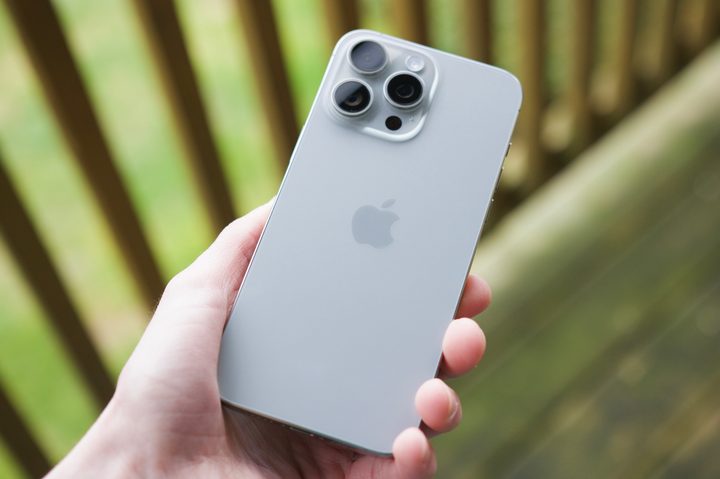
Someone holding an iPhone 15 Pro Max outside on a patio, showing the back of the Natural Titanium color.
Joe Maring / Digital Trends

According to 9to5Mac, Apple has significantly changed its repair and standard warranty policies — potentially resulting in higher repair costs for iPhones and Apple Watches.

The policy change pertains to “single hairline cracks.” In the past, this type of problem was covered by the standard warranty for these products. However, it is now being treated as “accidental damage,” with customers being required to pay for the repair.

Recommended Videos

Apple officially communicated the policy change to Apple Stores and Apple Authorized Service Providers earlier this week, ensuring that all relevant parties were aware of the new guidelines. Apple hasn’t explained why it made the policy change.

For those without an AppleCare+ plan, a new iPhone 15 Pro Max display costs $379, while the same repair costs $299 on an Apple Watch Series 9. Prices vary by product model. As you can see, these are significant costs that aren’t covered by the standard Apple warranty. Luckily, there’s still AppleCare+.

Apple products come with a limited warranty that an AppleCare+ contract can extend. Pricing for iPhones begins at $4 per month or $79 for two years on the iPhone SE (3rd generation) and rises to $10 per month or $199 for two years on the iPhone 15 Pro series. On Apple Watch, prices start at $2.50 per month or $49 for two years.

Depending on your location, you need to purchase AppleCare+ within a specific window after buying your device. You can purchase it in most countries and regions within 60 days of buying your device. You can purchase it when you buy your phone or through the Support app on your iPhone or iPad. There’s also a purchase option on the Apple website.

If you already have AppleCare+, this news doesn’t really affect you. But if you don’t have that additional coverage and you expected small hairline cracks to be covered under your warranty, this policy change is obviously far from ideal.

Bryan M. Wolfe
Former Mobile and A/V Freelancer
Bryan M. Wolfe has over a decade of experience as a technology writer. He writes about mobile.
Android 17 will let apps get the best out of your phone’s camera chops
A new vendor-defined extension system could bring advanced camera features like Super Resolution to your favorite third-party apps.
Android 17 logo.

Android 17 is shaping up to be quite an important update, especially if you care about camera quality across apps. Google is introducing a new way for phone makers to extend their custom camera features system-wide, which could finally close the gap between stock camera apps and third-party ones.

How is Android changing camera access for apps?

Read more
Google is preparing a priority charging feature for phones for rush scenarios
A hidden Android 17 feature appears built for quick top-ups, while keeping calls and texts flowing.
Electronics, Mobile Phone, Phone

Google is working on a priority charging feature designed for moments when you need power quickly. The option, uncovered in Android 17 beta code by Android Authority, focuses on boosting usable battery in a short window without shutting down core phone functions.

Instead of pushing higher charging speeds, the system shifts power toward the battery by dialing back background activity. Calls and texts still come through, but less critical processes pause so more energy goes into charging.

Read more
Android 17 has a cool new trick to keep AI assistants from screaming in your ears
A new separate slider means Gemini won’t automatically get louder when you crank up music or video.
Android 17 on a phone.

Android 17 has a cool new trick to keep AI assistants from screaming in your ears, and it fixes a problem that becomes obvious the moment it happens. You turn up your music on headphones, then a voice reply hits at the same level and cuts through everything.

The latest beta changes that behavior. Assistant audio no longer rises and falls with your media, so increasing volume for a song or video won’t suddenly make Gemini or another assistant louder too.

Read more