  1. Home
  2. Computing
  3. News

Your Mac is about to get a killer security feature

Add as a preferred source on Google
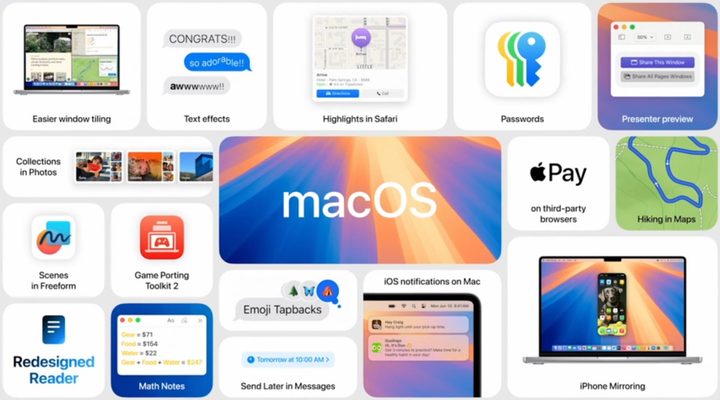
macOS 15 features.
Apple
Promotional logo for WWDC 2023.
This story is part of our complete Apple WWDC coverage

Everyone is talking about the potential security problems with Apple’s recent AI push, but Apple has also announced a new security feature in macOS Sequoia that sounds incredibly handy. The feature is called “Rotate Wi-Fi Address,” which increases user privacy by randomly modifying your Apple device’s MAC addresses when connected to a network.

In addition to being available in Sequoia, the feature is also coming to iOS 18 and iPadOS 18.

Recommended Videos

Apple states that this new feature will offer users increased protection from tracking since it can happen when your address always appears the same to other nearby devices and users who are on the same network. Apple asserts this will also help make it more difficult for entities to create a detailed profile based on the user’s Wi-Fi usage. The new feature will replace the existing “Private Wi-Fi” options, which also assigned a distinctive MAC address but did not rotate it. As previously mentioned, the release is set for the fall, but we’ll keep you posted if the launch date changes.

The Rotate Wi-Fi Address feature differs from the Limit IP Address Tracking option (which you can turn on for Safari and Mail). The Rotate Wi-Fi Address feature changes the MAC addresses, while Limit IP Address Tracking disguises IP addresses. Apple’s Private Wi-Fi Address feature should not be confused with a VPN’s purpose because while the Apple feature masks your device’s MAC address, the VPN masks your IP address and encrypts your internet traffic.

Time will tell if the new privacy feature will cause any issues when trying to connect or stay connected to a network. Any feature that helps keep your MAC address safe is always welcome, especially with older routers and specific network configurations. In the meantime, the more security measures you can take, the better.

Judy Sanhz
Computing Writer
Judy Sanhz is a Digital Trends computing writer covering all computing news. Loves all operating systems and devices.
I rounded up the best Prime Day 2026 laptop deals, and these five are the ones I’d buy
Memory costs are up, laptop prices are following, and Prime Day 2026 might be your best window before both climb further.
Prime Day Deals on Apple Products

If you’ve been keeping up with recent laptop launches, you’ve probably noticed just how expensive they’ve become. Laptop prices have been climbing for the past year, and there’s little indication that they’re coming down anytime soon. That makes the ongoing Prime Day 2026 sale an exceptionally good time to buy a new laptop.

Many of the discounts apply to devices at or near their original launch prices, making the savings more meaningful. I’ve sifted through several Amazon Prime Day laptop deals, but only these five hold up at their discounted prices. To make things easier for you, I’ve arranged them from the most affordable option to the most expensive.

Read more
What makes a laptop effective for remote work?
Dell 14 Plus

This post is brought to you in paid partnership with Dell

Remote and hybrid work have changed what people expect from a laptop. Most professionals are no longer working from a single desk all day. A typical workflow now involves morning Zoom or Microsoft Teams calls, browser tabs running alongside Slack and email, and moving between home, the office, cafés, and even airports without disrupting productivity.

Read more
Deepfake scams are getting uglier, and Bitdefender now has an app for the panic
RealCheck gives Android and iOS users a paid way to test suspicious videos before money or personal data is at risk.
how-to-remove-nudes-deepfake-non-consensual-images

Bitdefender has launched RealCheck, a deepfake detector built for the moment when fake video scams show up as ordinary clips. The standalone app is available now for Android and iOS, and it can analyze uploaded files or links from digital platforms.

RealCheck checks a video’s authenticity and screens for scam intent in the same report. That includes signals tied to financial fraud, credential theft, impersonation, and reputational attacks.

Read more