
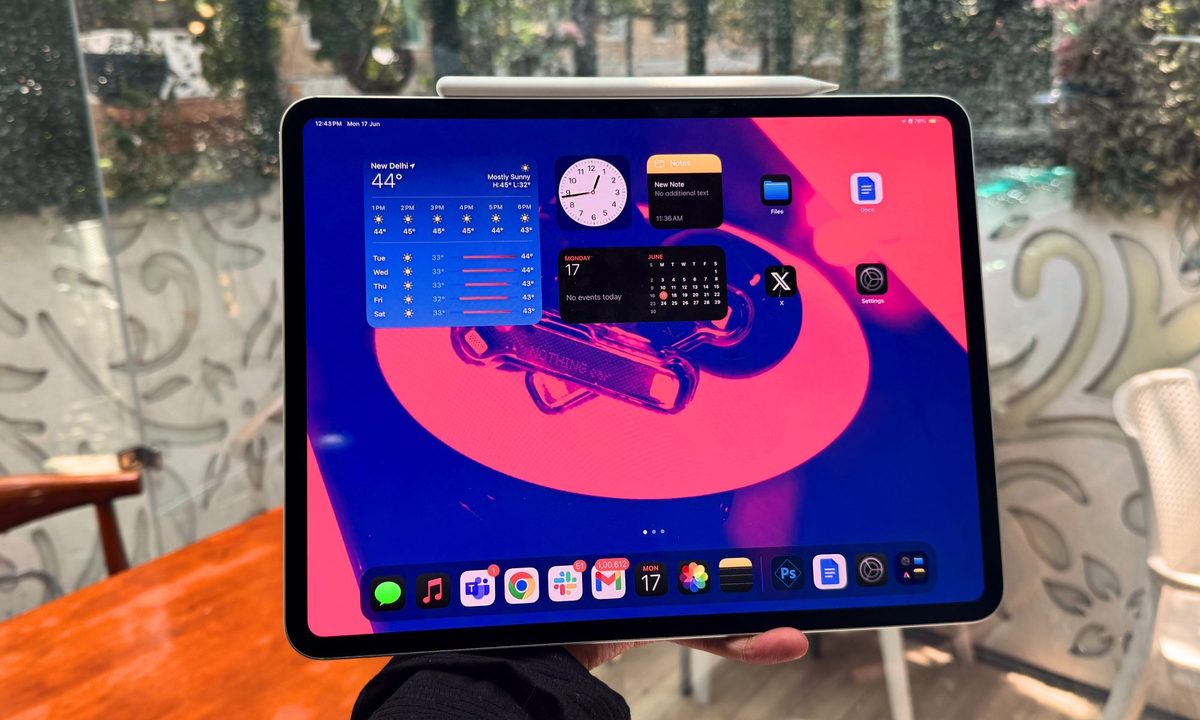
I believe I fit into the iPad Pro’s target audience fairly well. I edit videos to make my sibling’s travel clips look nice on social media. Photo manipulation is a part of my daily routine, and I put in roughly 4 to 5 hours each week labeling images of dental scans for a machine learning training and research project.
I push my M4 iPad Pro as far as I can until I reach the frustratingly short limits of its operating system. Ever since Apple dropped the bombshell of a class-leading 3-nanometer processor being put inside its latest flagship tablet, the chatter of iPadOS finally getting a computing-worthy overhaul kicked into an all-time frenzy.
After all, why put next-gen silicon inside the iPad Pro ahead of more-deserving Mac hardware without plans of giving some serious functional boost to the operating system? All eyes were on Worldwide Developers Conference (WWDC) 2024 for that prophesied iPadOS 18 upgrade. Well, that never happened.
Instead, we got Apple Intelligence, which is nowhere to be seen at the moment. Now, a whole suite of predominantly on-device generative AI capabilities isn’t a bad idea, especially when some of them are quite useful. But it’s nowhere near the “computing powerhouse” hype that Apple wants to feed you.
My favorite iPadOS 18 features

Before I get into the laggardness of iPadOS 18, I would like to highlight some of the more positive elements. However, I’d like to mention here that a healthy bunch of them have simply been ported over from iOS 18.
Live transcription and summarization of audio clips in Notes is going to be a lifesaver for students and journalists. I also love the facility to lock apps behind the layer of a biometric scan. The Control Center is a lot more flexible, letting you add a whole bunch of quick tools, including accessibility enhancements, across multiple pages that are all accessible with a swipe gesture.
The Photos app is getting a bunch of new organizing tools, only to end up looking (and feeling) more like Google Photos. You will now find presets such as Trips, Pets, Pinned Collections, People, and a Memories carousel, among others.
In the Messages app (which assumes that you’re already an iPhone user), you get the ability to send scheduled messages, as well as tapbacks for reacting to messages with emojis or stickers. What I like the most is the updated Reader mode in Safari. It now lets you pick between four color themes, multiple font choices, and less frustrating sizing output.

Just take a look at how beautiful this beige theme looks in the image above. Another step in the right direction is the Passwords app, which looks really neat and organizes all your key credentials in a single place. No more having to pay for a third-party app or having to worry about the safety of your data on a cloud server.
Apple has organized the privacy and security dashboard in the Settings app and now lets users share only a select few contacts with an app instead of a firehose of permissions to the entire directory. If I had to sum up, I’d say it’s the most fluid operating system, probably because it is essentially a phone’s stretched version that draws power from laptop-tier silicon.
A tale of frustrations

Alas, iPadOS 18 is far from perefect. Here’s the overarching inference — the iPad’s operating system is still mostly the same. It’s a shame that iPadOS 18 doesn’t take it anywhere in terms of reimagining it for a power user, especially one who easily spends over $1,000 and buys into Apple’s promise of a no-holds-barred tablet computer.
And iPadOS 18 continues to grapple with the nagging issues that have continued to plague it forever. I would’ve preferred to wait for Apple Intelligence on the iPad for another year and gladly accepted if Apple fixed some of its glaring shortcomings. Here’s me struggling with something as basic as grabbing the corner of an app window and trying to resize it using the Magic Keyboard’s touchpad:
The shortcomings start at the fundamental level. Take, for example, the slide-over format for running an app in the background. Now, focus on the word slide. Once you’re done referencing the content in the slide-over app window, you would want it to vanish from the screen. But you can’t slide it away. A triple-finger slide gesture will only move it to the left or right edge of the screen.
Want to get rid of it? You will have to use the three-finger swipe-up gesture, the one you perform for minimizing app window(s), and land on the home screen. Once the app has been moved to the slide-over background, there is no identifier on the screen to quickly pull it up again. Instead, you need the three-finger swipe-up-and-hold gesture to launch the app multitask view and see it on the right edge of the screen.
Slide-over? Not much. Also, when you hit the CMD + tab shortcut to visit the previous app you were using, it gets weird when a slide-over is active. Why? It doesn’t matter if you were jumping between Docs and Safari or any other app combination. If the Dictionary app is running in the slide-over format, the shortcut will keep opening the Dictionary app instead of the two apps that you keep visiting back and forth. Just why?

Talking about background apps, you would expect the iPad Pro to at least keep them active. Well, that’s not the case. I’ll focus on something as frugal as Google Docs. It has repeatedly happened that I was working on a Google Docs draft and then switched to a browser app for research.
When I returned to Docs, the editor interface was automatically closed in the background, and I landed on the documents page where I needed to open the most recent draft again. Quick lesson — definitely don’t trust iPadOS 18 with tasks such as background media export in DaVinci. Even basic keyboard shortcuts, such as the one for checking word count, don’t work.
On a general note, the mobile versions of a healthy bunch of Google Workspace apps are merely stopgap solutions, and they create massive disparity in their user interface, which is another frustration. By the way, see that on-screen keyboard shortcut? Well, I still don’t understand why it persists in apps like Notes and Docs when the Magic Keyboard is attached to the tablet.

For all the hardline rules put in place around UX conformity and the frequent App Store rejections that Apple has gained infamy for, even the biggest developers’ apps continue to offer a horrible experience. Take the world’s most popular email client.
In Gmail on iPads, you can’t add hyperlinks to text. While writing an email, the composer window takes center stage and you can’t minimize it like you can the desktop web client. That means if you run into a situation where you need to quickly check your inbox for information like someone’s email address or the contents of another email, you will have to close the composer.
Alternatively, you can open another app side by side, compose the email there while finding and picking content from your inbox in Gmail, and then paste the email content into the composer. So much effort — and delay — for something as simple as writing an email.

Similar tales of making terrible use of screen real estate are abundant across iPadOS. It’s surprising to see that ever since Android 12L arrived on the scene in 2022, Android has done an impressive job of optimizing apps for tablets and foldables for a two-column layout.
With Android 14, Google added more flexibility to app scaling in both orientations and has even created a tier system for how well apps scale across different sizes and aspect ratios. On iPadOS 18 — with or without Stage Manager — app scaling and window resizing continue to be a limiting experience. Just check the latest iteration of Samsung’s One UI experience on the Galaxy Tab S9 and you’ll find it miles ahead of the iPadOS 18 at evaluating a computing experience, especially in DeX mode.

The Notes app is getting features such as the ability to highlight text. In 2024. Can you believe just how poor and out of touch with modern times a note-taking app has to be that it has lacked the ability to highlight text? And talking about being oblivious to the present times, you can finally move icons freely on the home screen.
When Apple enthusiastically introduced this “groundbreaking” facility, I couldn’t help but wonder why bother at all. After all, iPad and iPhone users have survived just fine without this flexibility. But then Apple introduced an icon tinting and theming system. It’s equally horrific to look at.
Not the iPadOS update I was hoping for

There’s a lot that iPadOS 18 needs criticism for, and deservedly so. It feels as if Apple made these aesthetic changes for the sake of doing it or simply to catch up with what Android has offered for years. I am hoping Apple Intelligence will inject some energy into the iPad’s experience. However, if Bloomberg’s latest reporting is anything to go by, some of the most impressive AI features will only arrive in 2025.
But even with Apple Intelligence tricks such as a smarter Siri coming into the picture, I am not hopeful that it would dramatically lift the iPadOS 18 experience — especially if you are looking at it from the lens of an operating system that runs on uber-expensive hardware and wants you to believe it’s a computer, but serves a vexingly watered-down functional experience.
In its current form, iPadOS 18 seems like a mellow iterative update, far from the reinvention that many are yearning for.


