  1. Home
  2. Phones
  3. Mobile
  4. News

You don’t need a Pixel to experience Google Gemini’s live camera mode

Add as a preferred source on Google
Gemini Live App on the Galaxy S25 Ultra broadcast to a TV showing the Gemini app with the camera feature open
Nirave Gondhia / Digital Trends

Earlier this year, Google announced a long-awaited Gemini AI feature, previously known as Project Astra. Recently, it has been confirmed that Gemini Live’s camera and screen-sharing features will not be exclusive to Pixel devices.

As uncovered by 9to5Google, a Google support article states that camera and screen sharing in Gemini Live will be available on “any Android device with Gemini Advanced.” This means that the tools will be compatible with any device running Android 10 or later. Initially, this feature was believed to be only available on Pixel devices and possibly the Samsung Galaxy S25 series.

Recommended Videos

The new features are now being rolled out, and a “Share Screen with Live” button is included above the existing “Ask about screen” suggestion in the Gemini overlay. This allows users to share their entire screen. Additionally, the update introduces real-time camera capabilities, which can be accessed by opening the Gemini as a whole Live interface and starting a video stream.

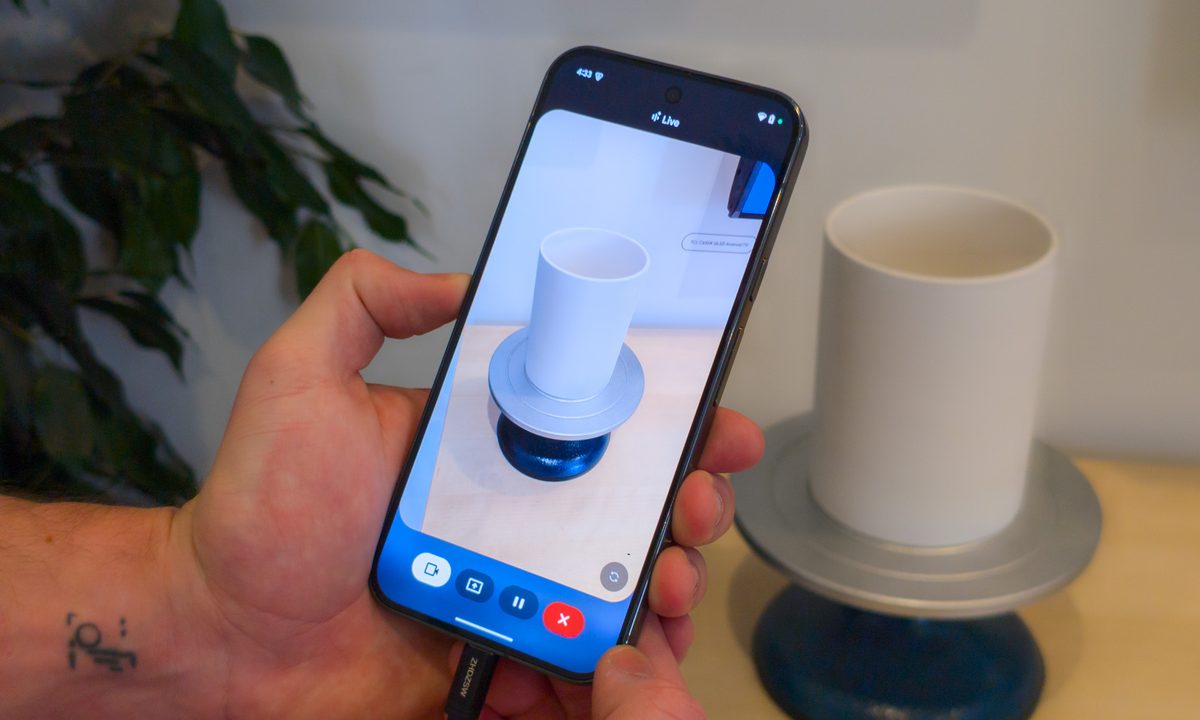
With the live camera feature, users can point their phones at objects and ask Gemini questions about what they see, such as identifying landmarks, getting decor advice, solving written problems, or analyzing text in books. The screen-sharing capability enables Gemini to examine and discuss whatever is displayed, maintaining context throughout the conversation.

To access these new capabilities, you need a Gemini Advanced subscription, which is part of the Google One AI Premium plan and costs $19.99/month. (A free one-year subscription to Gemini Advanced comes with new Pixels.)

It’s anyone’s guess when these new features will roll out to your phone. However, they should begin arriving sooner rather than later, so stay tuned. It the time of this writing, my Pixel 9 Pro XL has yet to receive the update.

These features significantly advance Google’s AI assistant capabilities, bringing Gemini closer to providing real-time, context-aware assistance through visual information.

Bryan M. Wolfe
Former Mobile and A/V Freelancer
Bryan M. Wolfe has over a decade of experience as a technology writer. He writes about mobile.
The Android Show 2026: Gemini Intelligence, Googlebook, Android 17 updates, and everything else
Gemini Intelligence, Googlebooks, Android 17, and redesigned Android Auto. Google didn't hold back at its pre-I/O show, and the main event is still a week away.
The Android Show 2026

Every year, Google front-loads its Android announcements in a separate pre-show the week before its annual I/O conference. This year, the company did exactly that, and The Android Show: I/O Edition was anything but a warmup act. 

Google showed up well prepared, with plenty of software and a major hardware announcement that took everyone by surprise. One by one, let's talk about everything, including a deeply integrated AI overhaul, a long-overdue security upgrade, an Android Auto makeover that feels like it was designed for 2026, and a brand-new laptop category. 

Read more
Apple iPhone’s Camera app could finally stop treating everyone like a beginner
iPhone users may soon get the customizable Camera app they’ve wanted
iPhone Camera app RAW toggle.

The iPhone Camera app has always been simple, sometimes to a fault. While this simplicity was great for the wider audience, the Camera app seemed to fall behind the Android competitors. But Apple may finally be ready to give users more control over what shows up on the screen.

According to Bloomberg’s Mark Gurman, Apple is planning a major Camera app interface update that will let users customize the row of controls at the top of the viewfinder. It also goes beyond just the simple UI elements being moved around, by adding new "widgets".

Read more
Samsung’s One UI 8.5 made checking free storage harder because apparently math is a feature now
One UI 8.5 just made life a little more difficult for some reason
One UI 8.5 update

With its latest major software update, Samsung has made a tiny change to One UI, which has left Galaxy users pretty frustrated. The One UI 8.5 update has removed the available storage indicator from the Device Care menu in One UI 8.5. So now, users can only see the total storage capacity and how much space is currently used, without clearly displays the amount of free space left.

Why this update has annoyed Galaxy users

Read more