  1. Home
  2. Mobile
  3. Android
  4. Computing
  5. Legacy Archives

Google Glass Explorer Edition is too secure to make easy repairs

Add as a preferred source on Google
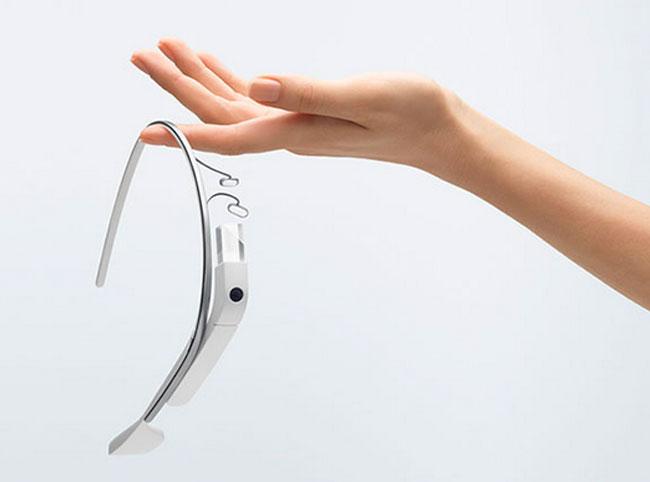
Google-Glasses7
Image used with permission by copyright holder

It’s no secret that there’s more hype about Google Glass than just about every other mobile tech innovation out there right now. And when it comes to initial thoughts and reviews, it’s been a mixed bag with some singing praises and others voicing concerns about privacy issues. But with all the talk of Google Glass, we haven’t heard much about what exactly makes this gadget tick.

Google has released a few details about Glass, so we know that it sports a 5-megapixel camera, supports 802.11 g/t Wi-Fi and Bluetooth, and can shoot video at 720p. We know it’ll have 16GB flash storage, several function buttons, and a touch-sensitive section. But other than that, we’ve been left hanging, not knowing the inner workings. Not willing to accept this, the folks at CNET decided to do a little dissection on a beta sample.

Recommended Videos

CNET’s Bill Detwiler whipped out his toolkit and successfully removed the frame, nose piece, and eyepiece cover … and rather easily at that. However, things didn’t exactly go according to plan. Try as he did, short of cutting it off and potentially damaging the unit, Detwiler was unable to open the main and rear modules.

What is the significance of this? If you invest in your own Glass, and something goes wrong on the inside, it could prove to make repairs either impossible, or at least costly, particularly if cutting away the frame is truly the only way to get inside.

However, still wanting to know a little more about Glass’s innards, Detwiler enlisted a developer to use an Android debugging tool to get a little more information, finding that it runs on a Texas Instruments OMAP 4430 processor and has 1GB RAM.

We’re hoping that this super secure casing on these beta models is just a precaution on Google’s parts and that when the device finally hits store shelves – in about a year or so – there is a little more accessibility, particularly when it comes to potential repairs.


Joshua Pramis
Spending a childhood engrossed in such technologically inspiring television shows like Voltron, Small Wonder, and Power…
Snapchat Planets Meaning: Order, Rankings, and How Friend Solar System Works
Snapchat Planets turns your best friends list into a solar system, and yes, your orbit says a lot
Snapchat Planets being shown on the Snapchat app on iPhone.

Snapchat+ includes several exclusive features, but few have generated as much curiosity as Snapchat Planets. Part of the app's Friend Solar System, it transforms your Best Friends list into a planetary ranking, assigning each of your top eight friends a planet based on how often you interact.

From Mercury, which represents your closest friend, to Neptune, which represents your eighth closest, the system offers a quick visual snapshot of your interactions. But what do the different planets actually mean, and how does Snapchat decide who gets which one?

Read more
How to use WhatsApp Web
We'll show you how to use WhatsApp on your desktop or laptop
WhatsApp Web

As one of the most popular messaging services, you’ve already heard of WhatsApp. From its humble beginnings in 2009—two years before Apple introduced iMessage—to its acquisition by Facebook (now Meta) in 2014, WhatsApp has become the dominant messaging platform around the globe.

In recent years, it's grown even more potent with new features like video messages, self-destructing voice messages, the ability to edit sent messages, and more. We even finally got an WhatsApp iPad app in May 2025.

Read more
What is WhatsApp? How to use the app, tips, tricks, and more
From setting it up to mastering hidden features, here is your complete guide to WhatsApp.
WhatsApp app store listing open on iPhone

There's no shortage of messaging apps out there. The past decade has given us more options than we know what to do with, largely because smartphones demanded something better than plain old SMS.

Both the App Store and the Play Store are packed with apps that promise to revolutionize the way we communicate. Most of them didn't make it. The truth is, a messaging app is only as good as the number of people using it, and most apps never cross that threshold.

Read more
