
When Alex Blaszczuk heard earlier this year that Google was planning on handing out a pre-launch version of its revolutionary Glass device to thousands of individuals in a move to test and develop the product, she wanted in.
To have a chance of being offered the wearable computer, Google set up a contest requesting individuals to submit ideas with the hashtag #ifihadglass.
Alex, who’s been paralyzed from the chest down since a car accident two years ago, knew exactly what she wanted to say.
“I am a New Yorker, a law student, a quadriplegic. #ifihadglass I could finally capture my life on my own. I would show the world how to thrive with physical limitations in the most interesting city on the planet. With Glass, paralysis doesn’t have to be paralyzing.”
Suitably impressed, Google offered Alex the Explorer edition of its device.
New possibilities
The proud owner recently posted a short video (below) showing how Google’s gadget has, in just a short time, helped to open up many new possibilities in her life and rebuild the confidence she lost in the wake of the accident. As Alex herself says, Glass means she can “do things I thought I wouldn’t be able to do anymore.”
Introducing the video, Google writes on its its YouTube page: “Meet Alex Blaszczuk: Google Glass Explorer, law student, and owner of a 20lb cat. In the fall of 2011, a car accident en route to a celebratory camping trip left Alex paralyzed from the chest down, unable to use her hands. Last month, Alex finally made it camping and shared her story through Glass.”
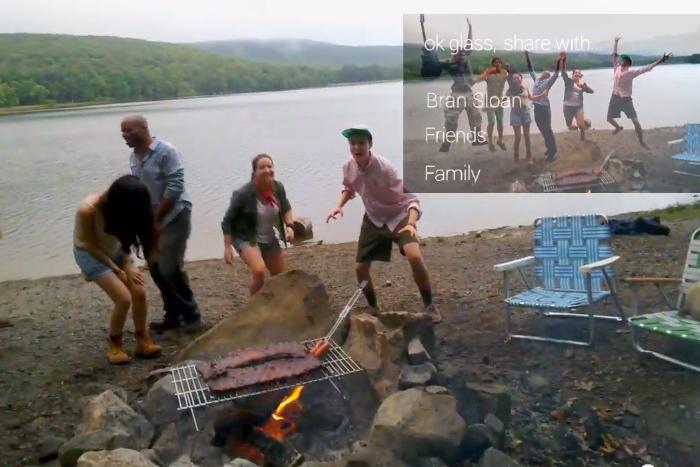
In a piece written for the Alex Blaszczuk Trust website, Alex describes her experiences with Glass and how it might aid others with a disability.
“On our whirlwind camping trip, and beyond, I have used Glass to take pictures, record videos, find directions, search for facts, and dictate emails and text messages,” she says. “I also have several times affirmatively answered the absurd question ‘are you calling me from your glasses?’ For me, this is all much easier (or possible) only with the voice-activated, hands-free device.”
She explains that while Glass doesn’t “fix” a disability, “it is a more accessible tool for self-expression.”
“For communities that are often silent, hidden, marginalized – like that of people with disabilities – these kinds of tools are essential. The more we enable people with disabilities to share their stories and passions, the more they become people, rather than tragic or heroic stereotypes.”
Alex’s account of her early experiences with Glass shows how for people in her situation the device could turn out to be of huge benefit, helping to restore independence and boost confidence. While the gadget is still viewed with a raised eyebrow in some quarters, her inspiring story indicates there could be much to look forward to when Glass hits the market next year.



