  1. Home
  2. Computing
  3. News

If you’re into AI coding, OpenAI just puts its Codex on Windows

Codex lands on Windows with a proper native app, giving developers a new AI coding sidekick.

Add as a preferred source on Google
OpenAI Codex app render showing codex chat window
OpenAI

There’s finally some good artificial intelligence news for Windows users, and no, it’s not Microsoft forcing Copilot onto them whether they want it or not. Instead, it’s something developers might actually be excited to install.

The good news is that OpenAI has officially launched the Codex app on Windows, and this isn’t just a port. It’s a proper, native Windows experience built from the ground up with developers in mind. 

The Codex app is now on Windows.

Get the full Codex app experience on Windows with a native agent sandbox and support for Windows developer environments in PowerShell.https://t.co/Vw0pezFctG pic.twitter.com/gclqeLnFjr

— OpenAI Developers (@OpenAIDevs) March 4, 2026

The Codex app lets you manage multiple projects from a central interface. On Windows, it runs natively using PowerShell inside a dedicated Windows sandbox. You’re not running something designed for macOS and awkwardly shoved into Windows, but a native Windows app. Until now, Windows developers had to watch from the sidelines, but that changes today.

What’s inside the Codex app

All the features that made Codex popular on other platforms are now available in the Windows app. Skills let you discover and extend Codex’s capabilities by connecting it to other apps, Automations allow Codex to work in the background without you having to babysit it, and Work Trees let you run multiple independent tasks within the same project simultaneously.
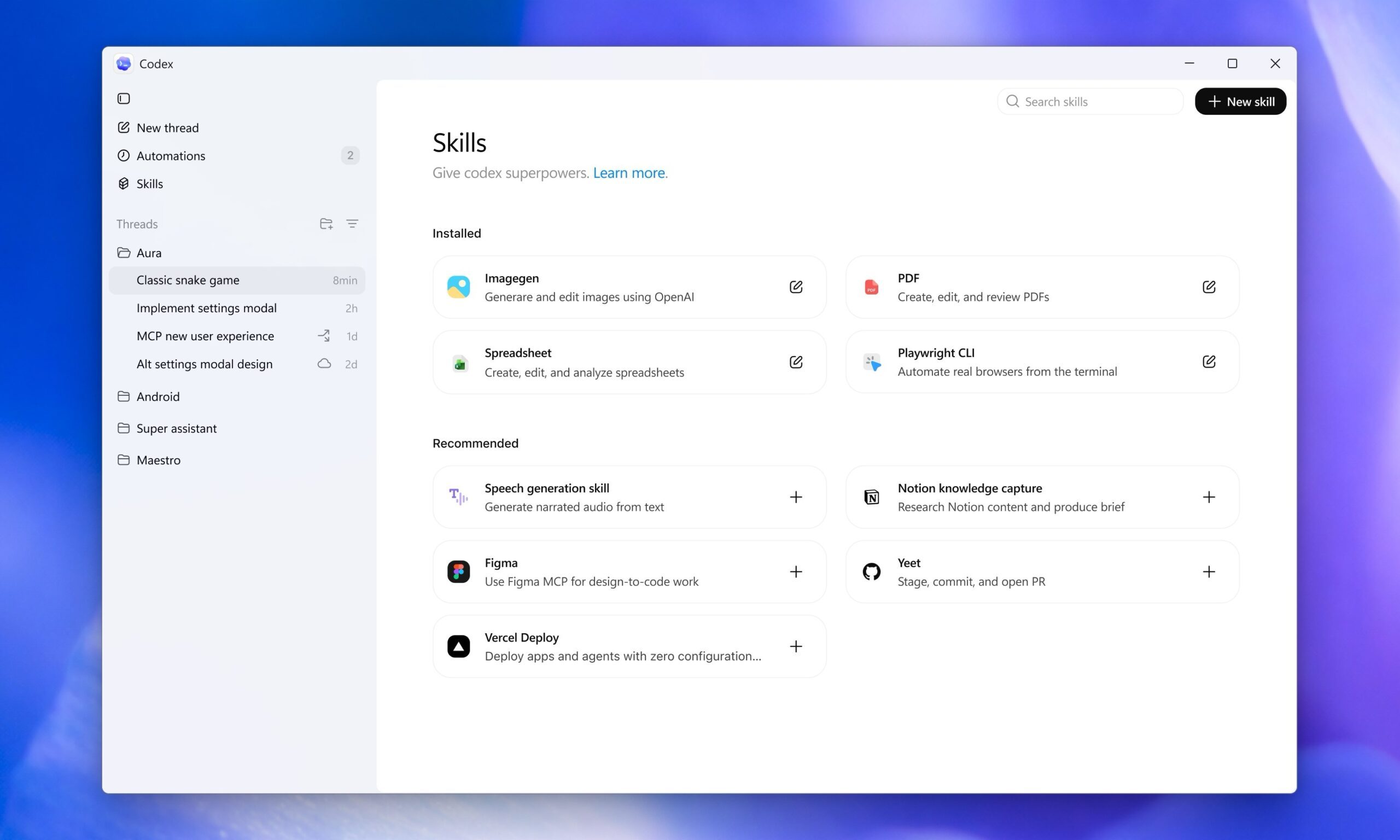
The Windows version also comes with platform-specific extras. There’s a dedicated WinUI skill in the skill gallery for Windows app developers. If you prefer working in Windows Subsystem for Linux, you can switch both the coding agent and the integrated terminal to run inside WSL.

How to get Codex app for Windows

If you’ve been waiting for ChatGPT’s AI coding companion on Windows, the wait is over. You can download Codex from the Microsoft Store or directly from OpenAI’s website. 

Recommended Videos

After downloading, sign in with your existing ChatGPT subscription or an API key, and you’re good to go and ready to start generating, debugging, and refining code directly on your Windows machine.

Rachit Agarwal
Rachit is a seasoned tech journalist with over ten years of experience covering the consumer technology landscape.
You can finally get rid of Bing on your Windows 11 PC
Windows users can finally stop accidentally opening Bing while searching for Calculator
New Bing search engine.

After years of forcing Bing into nearly every corner of Windows Search, Microsoft may finally be giving users a way out. The company is reportedly testing changes in Windows 11 that would allow people to completely disable Bing-powered web results from the operating system’s built-in Search experience.

For many PC users, this is a long-overdue change. Windows Search has spent years blending local file searches with Bing suggestions, online results, news links, and Microsoft services - often frustrating users who simply wanted to find an app, document, or system setting on their computer.

Read more
ChatGPT is eyeing a major “super app” overhaul that wants to do real work for you
ChatGPT is apparently tired of just answering questions now
ChatGPT running on a phone

OpenAI is reportedly preparing a major transformation of ChatGPT that could fundamentally change how people interact with artificial intelligence. Instead of remaining primarily a conversational chatbot, the company now wants ChatGPT to evolve into a “super app” powered by AI agents capable of managing tasks across both personal and professional life.

According to a report by the Financial Times, OpenAI executives increasingly believe the future of AI lies not in chatbots that simply answer questions, but in intelligent systems that actively complete tasks for users. The company’s long-term vision reportedly includes AI agents capable of organizing schedules, booking travel, writing software, generating content, and managing workflows across multiple services and platforms.

Read more
I asked ChatGPT to restore an image. It produced a naked man with a fish head
No, ChatGPT, I do not want to see a picture of a sweaty human with a giant fish head, hooked on cigarette and booze.
AI image generated by ChatGPT.

In 2024, back when the AI image fever was catching on, Google released the Pixel Studio app. It was meant to be a joyful playground where you could bring your imagination to life using AI. Well, it went a bit above and beyond. In our tests, Google’s app created disturbing images of SpongeBob dressed as a Nazi, Mickey Mouse as a slave owner, Elmo pointing a shotgun at Big Bird, Yoda doing cocaine, and Mr. Krabs holding an assault rifle. 

Well, ChatGPT is doing something similar, but in an even more worrying fashion.

Read more