  1. Home
  2. Phones
  3. News

Chrome on iPhone is putting Gemini front and center in your browsing

Google wants you to browse the web with Gemini, not just Chrome.

Add as a preferred source on Google
Google Gemini on Phone
Google

Google has been big on AI, pushing many of its services to include Gemini. Chrome is no exception, with the latest build on the iPhones making this AI-first direction even clearer.

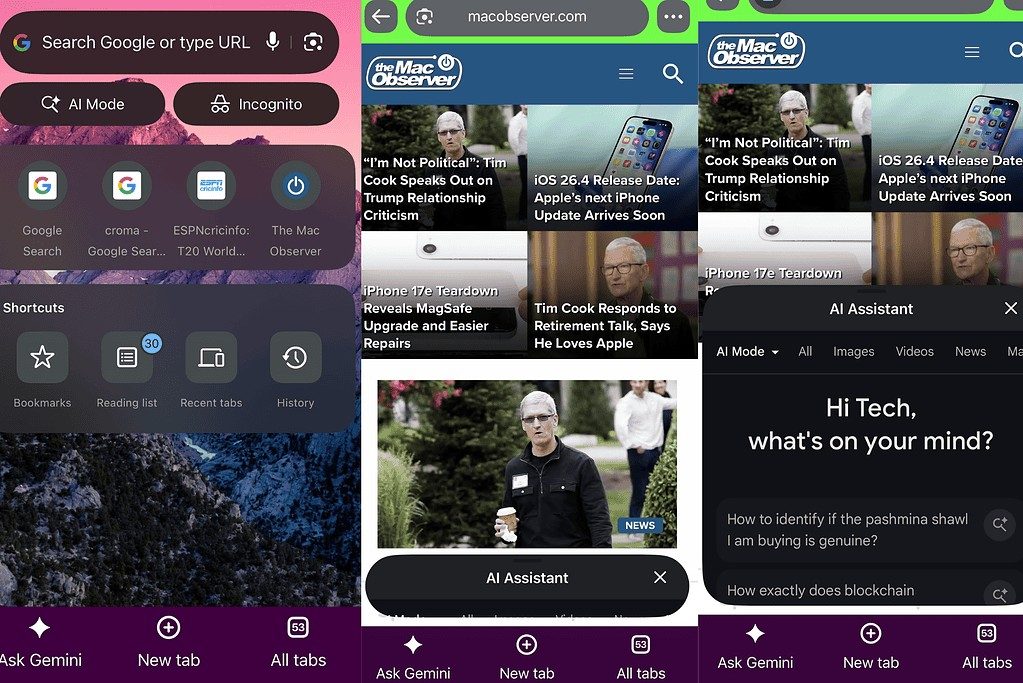
A new “Ask Gemini” shortcut is being tested in Chrome for iOS, which brings instant access to an AI assistant directly from the browser interface. The feature isn’t buried in menus; rather, it is now a persistent bottom bar that sits alongside other options like new tab and tab switcher.
What does this mean from Chrome on iOS?

If you tap the Gemini button, Chrome launches an AI panel that is layered directly on top of the webpage you’re viewing. So, it is integrated seamlessly into the browser instead of opening a new app or tab. The page still stays visible in the background, allowing you to read an article, ask questions about it, and get summaries or explanations without breaking your browsing flow.

Why is Google pushing for deeper Gemini integration?

The new feature in the Chrome browser on iOS isn’t an isolated experiment. Google has been steadily pushing Gemini deeper into Chrome, positioning it as a built-in assistant that is contextually aware of what you’re looking at. This brings quick access to handy AI-powered tools. On desktop, Gemini can already summarize pages, answer questions based on open tabs, and help complete tasks.

So the update brings the same experience to iPhones. Making it this accessible also suggests Google wants AI to be the default way you interact with the web. As of right now, the feature is currently hidden behind experimental flags and TestFlight builds, meaning it’s not widely available yet. But the company’s intent is clear here: Gemini isn’t just an add-on, it’s integral now.

Vikhyaat Vivek
Vikhyaat Vivek is a tech journalist and reviewer with seven years of experience covering consumer hardware, with a focus on…
iOS 27 developer beta 2 is here. Here are all the new features you get
iOS 27 beta 2 update on iPhone

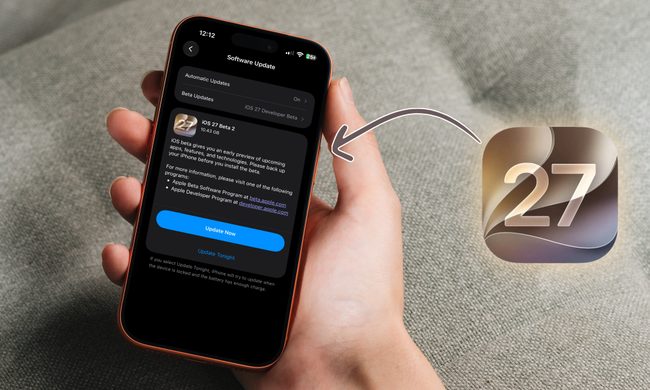
Apple has released the second developer beta for iOS 27, just two weeks after beta 1 dropped. Alongside it, the company also pushed out beta 2 for iPadOS 27, macOS 27 Golden Gate, and more. 

in this article, we are going to focus on all the new features that you get with the iOS 27 developer beta 2 update. Beta 2 is a smaller update than the first one, but it packs a good mix of fresh features and welcome bug fixes. The headline change for me is how much faster Siri feels, but there is plenty more to dig into.

Read more
Tecno’s EllaClaw AI agent wants to clean up your phone and run your errands
Tecno EllaClaw

Most AI assistants are happy to chat with you, but they rarely roll up their sleeves and get things done. Tecno wants to change that with EllaClaw, its beta-stage mobile AI agent that aims to handle real tasks on your phone instead of just answering questions. The company showed off the next version of EllaClaw, and it now reaches deeper into your device and your favorite apps.

Tired of a slow, hot, battery-drained phone? EllaClaw has the solution.

Read more
The Pixel 10 Pro at $684 is the best Prime Day phone deal I’ve seen, and it’s hard to find better value right now
Prime Day has slashed $315 off Google's compact flagship, bringing the Pixel 10 Pro down to its lowest price yet and making it one of the easiest smartphone deals to recommend.
Rear shell of Google Pixel 10 Pro.

The Pixel 10 Pro was already one of our favorite phones to test this year, and now it's $315 cheaper. Prime Day has pushed the 128GB model down to $684, its lowest price since launch, with the 256GB variant in Obsidian currently sitting at $784.

Buy at Amazon

Read more