1. Home
  2. Mobile
  3. Wearables
  4. News

No lines, more apps: Foot Locker now allows you to reserve new sneakers from your phone

Add as a preferred source on Google

The only things between you and the hottest sneaker release are starting to become nothing more than just apps. Recently, Foot Locker released an update called Launch Locator to its mobile app that allows you to reserve upcoming sneaker releases from your phone without waiting in line.

With the Launch Locator, you can pick what select shoe releases you want to reserve, find stores near you, and follow the store’s specific reservation procedure before selecting your shoe size and completing your reservation. You can check the My Countdowns section of the app to see how long it will be until you can waltz into your local Foot Locker and pick up your new kicks. You must show photo ID and the app confirmation page on your device when picking up the reserved shoes.

Recommended Videos

The app will benefit some Foot Locker customers more than others. Certain customers who sign up for Foot Locker’s VIP membership will get access to a “Head Start,” which gives them a chance to reserve select sneakers slightly early. VIP members will be eligible for a three-minute Head Start, with Platinum VIP members receiving a five-minute advance. VIP membership is free to sign up for online or at a Foot Locker store, but to be upgraded to Platinum VIP, you must have spent $300 in a year.

Foot Locker is the latest company to make waiting on line for sneakers no more than waiting for your number to be called in an app. Last year, both Adidas and Nike released apps that allow you to be notified of new sneaker releases and reserve the product. The new method was quickly adopted by the rabid sneakerhead community. Last February, Adidas sold out of Kanye West’s Yeezy Boost 350 a mere 22 minutes after people could reserve it using the Adidas Confirmed app.

If you build the app, they will follow.

Keith Nelson Jr.
Former Staff Writer, Entertainment
Keith Nelson Jr is a music/tech journalist making big pictures by connecting dots. Born and raised in Brooklyn, NY he…
How to use WhatsApp Web
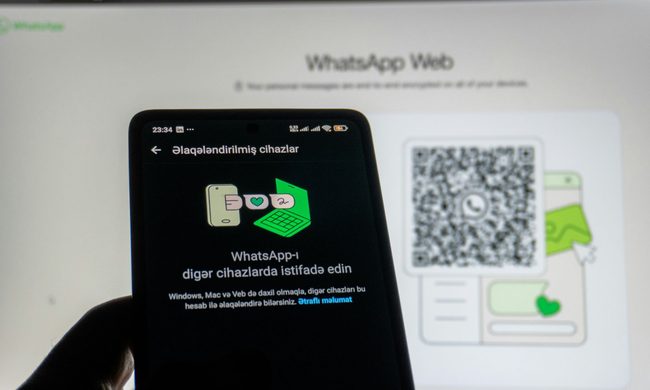
We'll show you how to use WhatsApp on your desktop or laptop
WhatsApp Web

As one of the most popular messaging services, you’ve already heard of WhatsApp. From its humble beginnings in 2009—two years before Apple introduced iMessage—to its acquisition by Facebook (now Meta) in 2014, WhatsApp has become the dominant messaging platform around the globe.

In recent years, it's grown even more potent with new features like video messages, self-destructing voice messages, the ability to edit sent messages, and more. We even finally got an WhatsApp iPad app in May 2025.

Read more
What is WhatsApp? How to use the app, tips, tricks, and more
From setting it up to mastering hidden features, here is your complete guide to WhatsApp.
Electronics, Phone, Mobile Phone

There's no shortage of messaging apps out there. The past decade has given us more options than we know what to do with, largely because smartphones demanded something better than plain old SMS.

Both the App Store and the Play Store are packed with apps that promise to revolutionize the way we communicate. Most of them didn't make it. The truth is, a messaging app is only as good as the number of people using it, and most apps never cross that threshold.

Read more
How to restore deleted or missing contacts on your iPhone
Lost your iPhone contacts? Here's how to get them back in minutes!
iPhone in hand showing restore contacts page

At some point, we all stopped memorizing phone numbers. It happened gradually, and now most of us can barely recall two or three phone numbers off the top of our heads. So when your iPhone contacts vanish, whether after a software update or an accidental delete, it can feel like a minor crisis.

Thankfully, if you act fast, you can easily restore deleted contacts on your iPhone. So, before you start texting people asking for their numbers again, try these methods to get your contacts back. These methods will work on all latest iPhone models.

Read more