Are you really proud of an image you just processed? Want to show off how good you are at processing images? There is no better tool for this than the before/after sequence, showing an image before you worked on it and then showing it after you finished working on it. It’s a great marketing tool for photographers, and a great showoff tool for everyone else.
Getting these sort of before/after images on Instagram can be a bit of a pain, but by utilizing this simple Photoshop trick, you can create an impressive before/after Animated GIF and Movie file for sharing on Instagram in a matter of minutes.
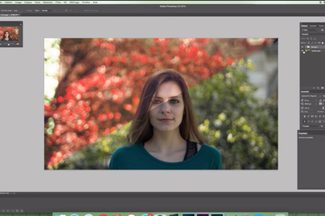 The process is simple enough and utilizes a long-recognized, but oft forgotten, Photoshop animation feature. Basically, you take your before image, and you take your after image, and you place them on the animation timeline in Photoshop. Then you tell the software to extrapolate the slides between them, add some length to the first and last slides, and voila! You have your very own animated before/after sequence. Then it’s simply a matter of exporting the file as an animated GIF or movie file if you want to upload it to Instagram.
The reason that a movie file is required for Instagram is because that social network does not support animated GIFs, and if you uploaded one it would only display the first frame. Instagram does, however, support movie uploads so rather than uploading the GIF to Instagram you upload the movie, and it will all look the same to the user on the other end.
The example shown in this tutorial video is fairly simple, and you could with little trouble get more complex with this and show different stages of your image throughout the process. Show a longer pause after you adjust the hair, or remove a different element, and then combine it all to create a GIF that shows more of the steps, rather than just the before and after.
Either way, this technique is a quick and painless method to create some killer social content for your followers.