
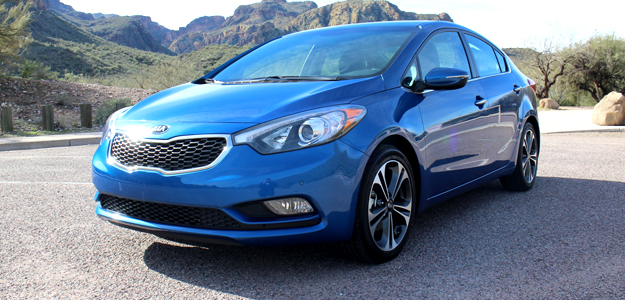
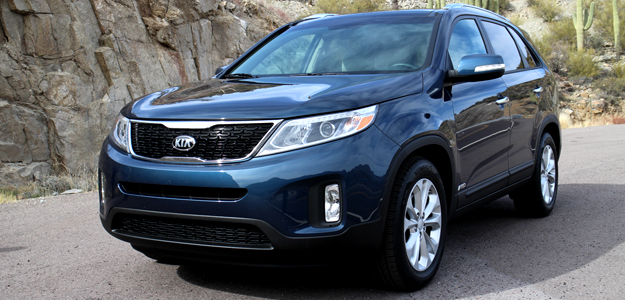
 The connected car experience continues to be vital for manufacturers, and is tipped to become even more important in the years to come. An overwhelming amount of automakers have already laid out their strategies, while others struggle to keep up. Kia has already proven its ambition as a design leader when it snapped up former Audi designer Peter Schreyer, and now the Korean automaker is looking to beef up its infotainment offerings. Kia first introduced its Microsoft-powered UVO infotainment system back in 2010, and like many other infotainment systems (we’re looking at you, MyFord Touch), UVO has received its fair share of criticism. That hasn’t stopped Kia, though, and at the 2012 L.A. Auto Show, the company announced that its next-generation UVO would debut in the upcoming 2014 Kia Sorrento and 2014 Forte. I recently had a chance to go hands-on with Kia’s UVO 2.0 and while I was initially skeptical that the push to implement new features would muddy an already mediocre experience, I walked away surprised by how refined the next-gen UVO performed.
Kia is officially labeling its next-gen infotainment system UVO eServices, and while all the familiar accouterments such as touchscreen controls, voice-activated navigation, and Bluetooth connectivity are present and accounted for, the switch in name is largely due to its new app-based structure and integration with Google services, including Google Maps and Google Places.
 UVO eServices will be the first app-based telematics system meaning a large portion of its features will be sourced through a free downloadable app. The app is currently in beta form so I wasn’t able to test out all of eServices’ features, but here is a rundown of what to expect and the initial impressions. Oh, and just to be clear: While UVO eServices is app-based, that doesn’t mean you have to have the app up and running to access all the infotainment system’s features. Bluetooth audio, hands-free calling, and in-car navigation will work without syncing up your phone. The app integration mainly pertains to its telematics services that utilize the system’s Google features.
Google Maps and Google Places
Let’s start with Google integration. UVO eServices utilizes both Google Maps and Google Places. Once the UVO app is installed (which is limited to iOS for now, Kia says an Android app is in the works), you can use Google Maps and Google Places to search and add new points of interests to the vehicle (POIs). I was given a brief demo of both and it all worked seamlessly. A Kia rep walked me through the process by searching for a local Indian restaurant by name using only her iPhone 4S and the UVO app. Once found, she selected the restaurant and added it to her favorite locations. The app has the ability to sync with the car, so by going to Kia’s website or directly from the app, you can search different locations, addresses, and businesses before you ever step into your car. Once in the car you can sync your searches to the system and get a litany of information for that location such as phone number, address, and even receive turn by turn directions.
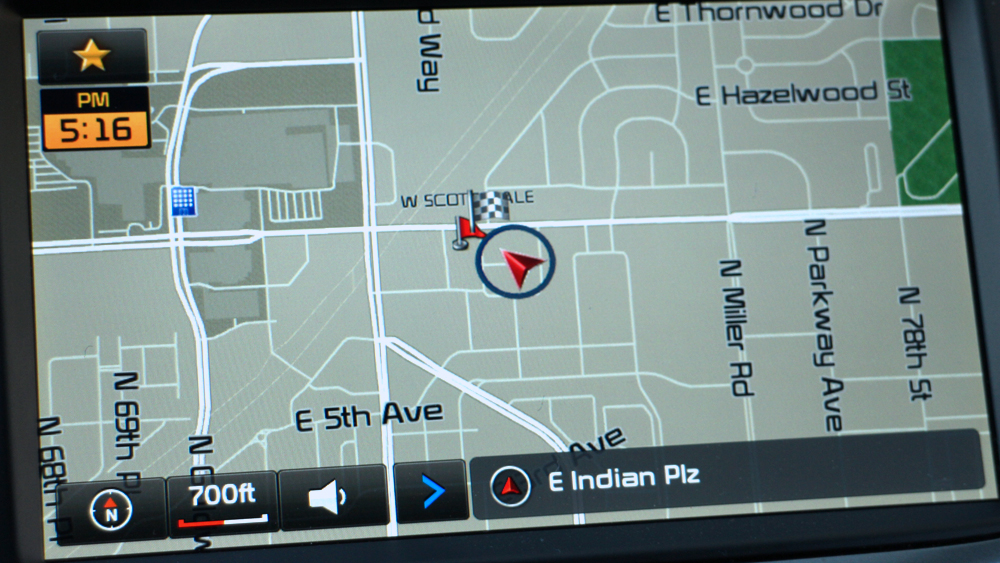 Overall, UVO eServices’ Google integration seems really solid. It’s helpful being able to search for destinations using your phone or via the web before you even get inside your car. Not only is it faster and more efficient, but it’s probably a lot safer than whipping out your phone while driving.
Parking Minder
Parking Minder is another eServices feature that relies on Google Maps. If a driver forgets where they’re parked, Parking Minder helps by sending the location of the car directly to your smartphone. For the especially forgetful, you can send a reminder note straight to your email before you leave your car or have Google Maps guide you back. While not groundbreaking, it’s a feature that I imagine drivers will get a lot of miles out of (zing!).
eServices guide
eServices guide is pretty straightforward. Once you have the UVO app downloaded you can place a call via Bluetooth to an interactive voice service that walks you through the various functions. While this is pretty basic, it’s a nice way of getting yourself familiarized with the service while in the car and in an interactive manner. After all, who wants to sift through pages and pages of instructions? I’ll tell you who, our interns. At least that’s what they say every morning after fetching me my coffee.
911 Connect
Similar to GM’s OnStar system, eServices offers an emergency 911 connect feature. If you get into an accident that causes an airbag to deploy, the system’s crash notification assist function will automatically alert emergency services to your location. Kia says drivers have a 10 second window to cancel the call, otherwise UVO eService will dial 9-1-1, inform emergency services of your location, and allow you to speak to an operator. Despite my numerous requests, Kia would not demonstrate this function for me. Go figure. Nevertheless, if you’ve ever had the misfortune of being in a car accident, you know how emotionally stressful it can be, and even something as simple as dialing 911 can be difficult.
Car Care Web
Car Care Web functions as a sort of digital hub for your Kia. Here you can check a number of vehicle diagnostics, vehicle status, and schedule maintenance appointments for your car. Car Care Web can be accessed either online or through the UVO eServices head unit inside the vehicle. There is even a metagame Kia owners can play that bestows awards based on safe and eco-friendly driving, although we’re not sure exactly how this will be tallied or exactly what awards will be on offer.
 With eServices, Kia is trying to make vehicle maintenance a breeze instead of the dread-inducing endeavor it often is. To that extent, it’s offering a number of automated maintenance and diagnostic features so you can concentrate on more exciting things. With Vehicle diagnostics, UVO eServices automatically communicates issues with the vehicle to a 24/7 Kia call center. Alternatively, you can schedule an appointment online through MyUVO, as well as schedule monthly maintenance checks at different mileage intervals.
For the price of free
While some of eServices, um, services, are not uncommon, what distinguishes Kia’s system among other automakers is the fact that they are completely free. No contracts, no subscription fees, no fuss. We don’t exactlyknow how much data using UVO can and will take up (Kia could not confirm) but we anticipate it won’t be outrageous and even those with modest data plans should be fine.
UVolution
UVO eServices is more of an evolution than anything else. It’s not a radically new system, rather it’s a more refined one. During my drive of the 2014 Sorrento and 2014 Forte, I found it held up fairly well. The LCD display was sharp and reacted quickly to constant prodding. An auto-brightness function adjusts to both day and night driving conditions, making the UVO screen easy to decipher, and the overall build quality never hinted at being cheap. Maneuvering through the various menus and sub-menus can become a pain, however, requiring you to take your eyes off the road for longer than you’d like. I don’t doubt navigating the systems menus will become second nature for long-term users, but Kia’s system does require a slight learning curve before you’ll be mapping and apping without batting an eye.
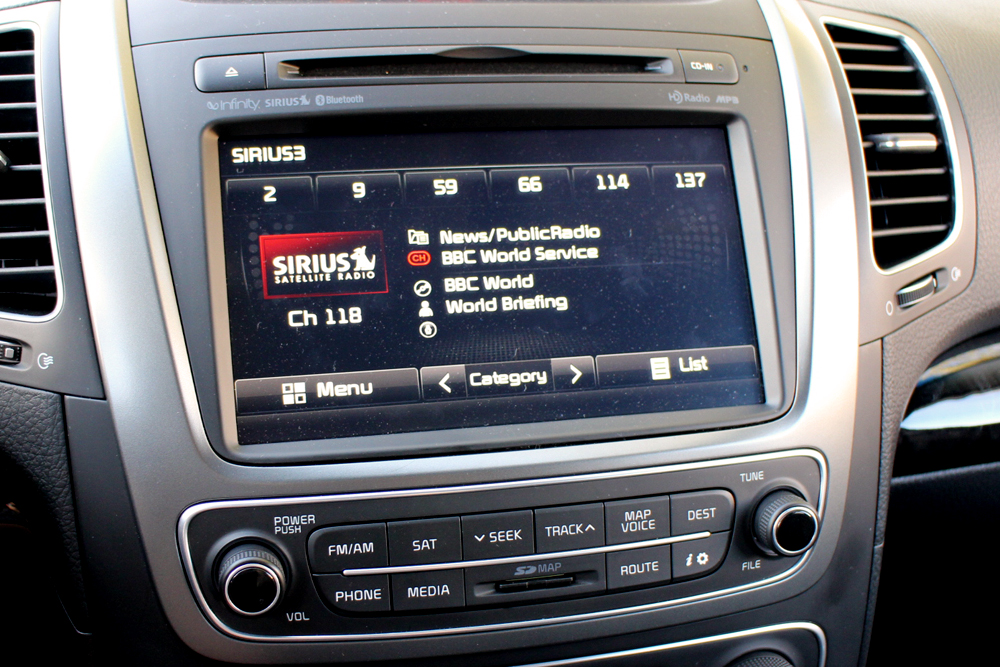 Voice recognition is generally a struggle for most nav systems, and Kia’s doesn’t escape this trap. It’s not so much that it has a difficult time understanding commands, rather the multiple steps one has to go through to enter an address or even find a local restaurant is painstaking. At this point in the game users should be able to search for a restaurant by speaking the city and restaurant name alone, instead of shouting out long strings of information starting with state, city, name, zip code, and…well you get the idea.. Using the integrated Google Services and UVO smartphone app before you get in the car is much easier, but that’s only if you have the app installed on your iPhone. Clearly Kia seems to be gunning for a younger crowd and when you do that you have to packing a tech arsenal that isn’t bloated or half-assed. That’s not to say UVO eServices feels unfinished, but little things here and there, like searching for a business by name (instead of category) would be a welcome addition.
The road ahead
Like its lineup of vehicles, which keep looking and getting better and better, Kia’s focus on in-car tech is admirable. It’s partnership with Google, and the continued refinement of its tech interface does a lot to drag the brand out of its bargain bin beginnings and intro a true competitive space. It doesn’t take the same sort of risks that the company has by penning evocative designs across its fleet, but UVO eServices does show Kia is committed to in-car tech and in today’s market that is essential. Bottom line, it’s nowhere near luxury (it’s not meant to be) or on par with brands like MyLink and UConnect, but it’s certainly on its way. More importantly, though, UVO eServices sports a few nifty features, like Parking Minder and 911 Connect, that aren’t featured in other cars, and if they are (as is the case with 911 Connect) would cost a monthly subscription. And in today’s tough financial climate, it’s hard to argue with free.


