Asus used its 30th anniversary to celebrate the release of a number of innovative computing products at Computex, a few of which come with the company’s own take on dual-screen computing. Asus refreshed a few popular notebooks lines, like the VivoBook and Zenbook, but the star of the show was the new ZenBook Pro Duo, which takes the ScreenPad concept on last year’s ZenBook Pro 15 even further.
And our recent Asus ZenBook Pro Duo review found dual-screen laptops are more than an oddball experiment.
Cloaked in a durable aluminum shell with a near bezel-less 15.6-inch touch-enabled 4K OLED HDR NanoEdge display, the ZenBook Pro Duo is designed with content creators in mind. The display can reproduce 100 percent of the DCI-P3 color space, making it an excellent alternative for professionals looking to switch over from Apple’s larger MacBook Pro, and the panel is rated with a 100,000:1 contrast ratio.
ScreenPad Plus
The highlight of the ZenBook Pro Duo is the secondary 14-inch ScreenPad Plus, which works in conjunction with the primary display to display apps, tools, and utilities. Unlike the original ScreenPad on the earlier ZenBook Pro 15, which integrates the touchscreen onto the trackpad, the ScreenPad Plus is a full-width, high-resolution 32:9 aspect ratio 4K display that sits right above the keyboard with a 14-inch screen size.
“ScreenPad Plus can be used just like any standard second display in Windows to display visual content, or users can take advantage of many time-saving features and functions built into the ScreenXpert control software to simplify multiscreen window and app management,” Asus said in a statement. “These include handy quick controls such as App Switcher, ViewMax and App Navigator that enable intuitive interactions and easy cross-screen referencing between the main display and ScreenPad Plus. Task Group lets users lock instantly into work mode by opening multiple tasks with a single touch.”
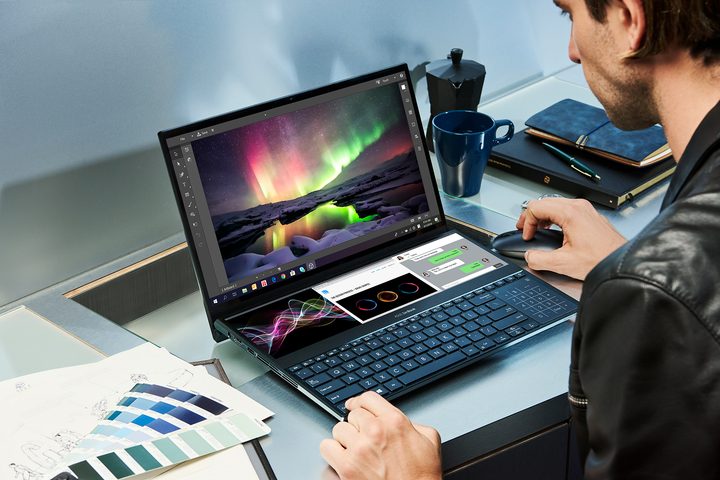
Apps can be also be dragged from the main display into ScreenPad Plus to reduce desktop clutter, and creatives can even use a digital pen to draw or ink on the ScreenPad Plus. And like the ZenBook 14 from last year, there is a NumberPad with LED-illuminated numeric keys integrated into the trackpad.
This laptop boasts the power of Intel’s ninth-generation Core i9 processors and Nvidia’s GeForce RTX 2060 for graphics. It also comes with support for Intel’s implementation of Wi-Fi 6 Gig Plus standard. The notebook features up to 32GB of RAM and up to 1TB of PCIe solid-state storage. Thunderbolt 3 over USB-C is also supported on this laptop, so more demanding users can even connect an eGPU for better graphics.
For users who want a more compact design, Asus also has a 14-inch version of the ZenBook Duo that supports the same ScreenPlus functionality. The smaller variant tops out with an Intel Core i7 processor and GeForce MX250 graphics. This notebook has an FHD NanoEdge screen and a secondary FHD ScreenPad Plus panel. Pricing and availability for both models were not immediately available.
ScreenPad 2.0
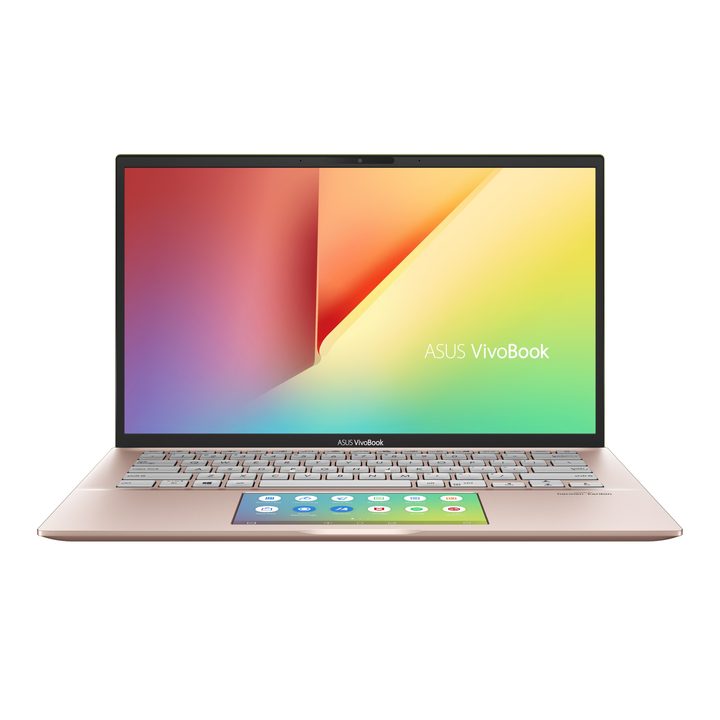
If you don’t need a massive ScreenPad Plus-enabled notebook, Asus also updated its VivoBook S14 and S15 laptops and its ZenBook series with an updated version of the more “traditional” ScreenPad concept. Like the original ScreenPad, the new ScreenPad 2.0 integrates the secondary display into these notebooks’ trackpads, giving you more flexibility in your workflow.
ScreenPad 2.0 now occupies a larger 5.65-inch footprint on the notebook and can also be used for handwriting input or to display a number pad. This year, Asus claims that the hardware is even more efficient, delivering 2.5 times longer battery life.
The VivoBook series features a metal design and ERgoLifty hinge that elevates the rear of the laptop when opened for a more ergonomic typing experience. Like the premium ZenBook Duo Pro, these models feature a nearly bezel-free NanoEdge display, and they top out with Intel’s Core i7 processor and Nvidia’s GeForce MX250 discrete graphics with up to 1TB of solid-state PCIe storage, 16GB RAM, IR camera, and Wi-Fi 6. The metal-clad VivoBook will be available in moss green, punk pink, cobalt blue, transparent silver, or gun metal tones.
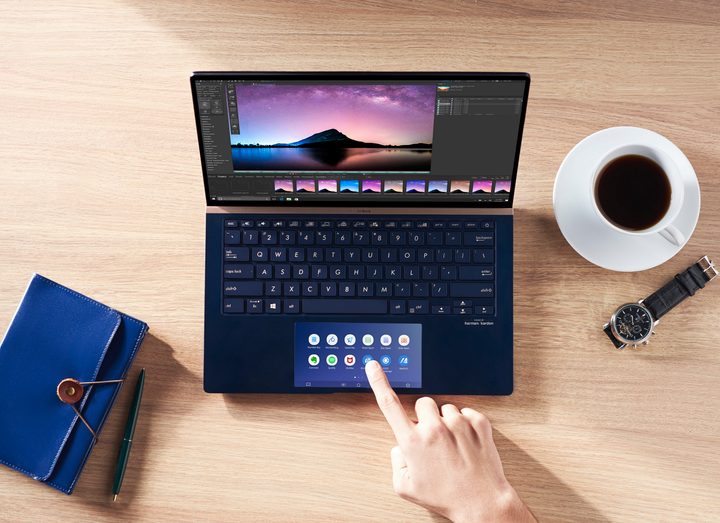
In addition to the VivoBook, Asus also updates its ZenBook lineup to include a new ZenBook 13, ZenBook 14, and ZenBook 15 models. There’s also a special edition ZenBook Edition 30 to commemorate the company’s 30th anniversary, which features a hand-crafted genuine Italian leather lid. With NanoEdge displays, Asus boasts that these are among the world’s most compact laptops, featuring up to 95% screen-to-body ratios.
Like the VivoBook, the ZenBook models feature up to Intel’s eighth-generation Core i7 processors and Nvidia’s GeForce MX250 graphics. The special edition model ups the graphics to GeForce GTX 1650, however. There are some differences with the VivoBook line. These laptops feature gigabit-class Wi-Fi 5, rather than the emerging Wi-Fi 6 protocol. Bluetooth 5 is also on board, and Asus claims up to 14 hours of battery life for the smaller models, and up to 17 hours of battery life on the ZenBook 15.
To complete its premium design, the ZenBook Edition 30 also comes with rose gold anodized diamond-cut edges, an 18-karat rose gold-plated logo on the lid, and special premium accessories, including a pearl white mouse, a faux leather box and mouse pad, and genuine leather sleeve.
Mobile displays

Asus also unveiled a portable 15.6-inch ZenScreen Touch portable display that comes with its own built-in 7,800 mAh battery and can connect to laptops, phones, or other tablets through its USB-C or micro-HDMI port. Weighing just under 1kg, the laptop features a 10-point multitouch display that supports gestures.
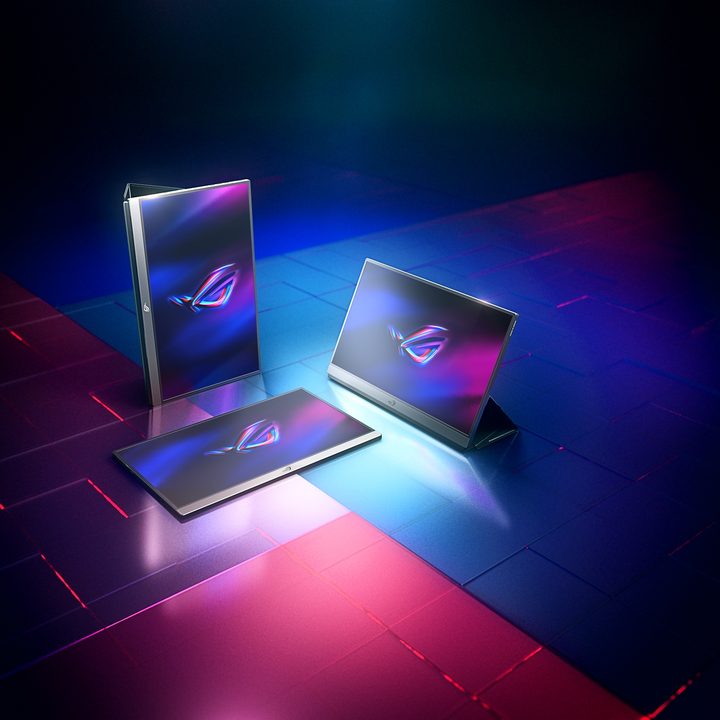
Gamers looking for a mobile display solution can also turn to the ROG Strix XG17, which features a similar design, including a folio that can serve as a stand when the mobile display is in use. Asus also unveiled the ROG Swift PG27UQX desktop display and new monitors as part of its TUF line.