


Gaming or working on one of the best keyboards can be a real upgrade for your day-to-day. They're more comfortable, more accurate, and come with a range of exciting features, including mechanical switches, RGB lighting, media keys, and OLED displays. Whatever you're looking for, the latest and greatest keyboards have it.
Whether you need a wired keyboard, a wireless keyboard, or a mechanical keyboard, or even just a basic work keyboard, our complete list of the best keyboards has the ideal choice for everyone.




The best wireless keyboard
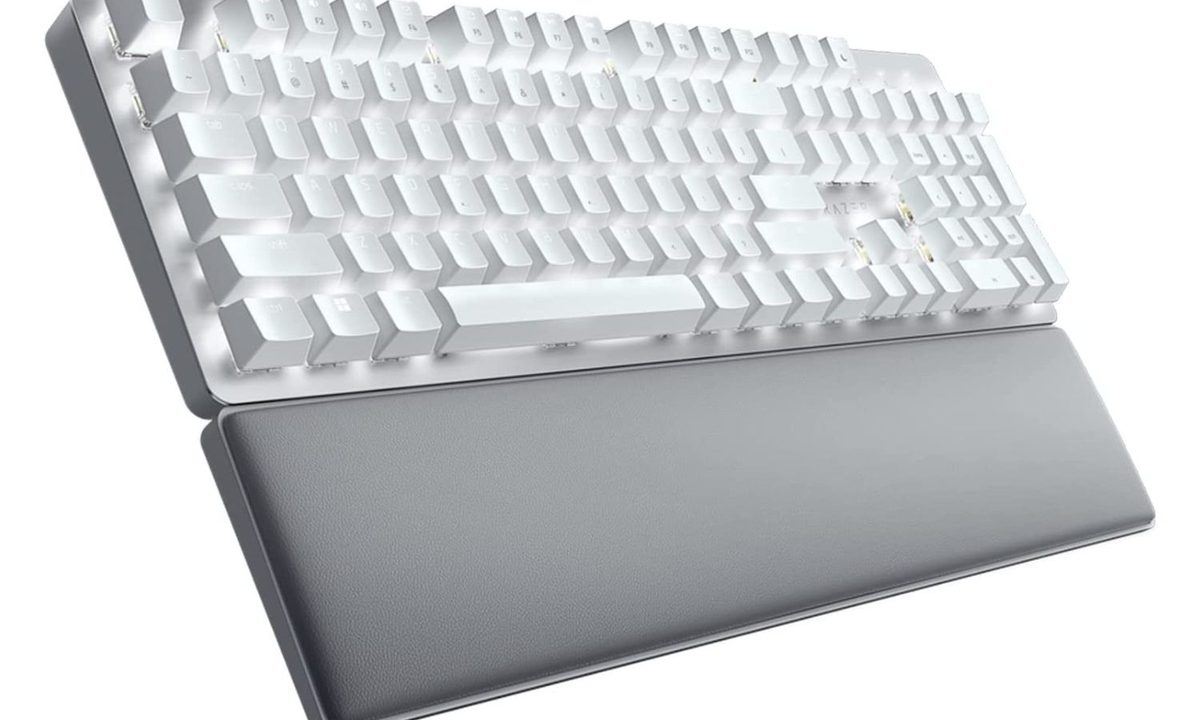
Razer Pro Type Ultra Wireless Mechanical Keyboard
- Much improved battery life
- Professional look and feel
- Responsive switches
- Tasteful lighting
- Battery still doesn't last as long as other wireless keyboards
The best wireless keyboards are natural companions to more flexible computing arrangements and more casual positions, but people sometimes worry about performance issues or lack of quality when going wireless. That's no concern with Razer's Pro Type Ultra, which combines excellent design choices, with fantastically responsive switches and an understated aesthetic that will look great in a gamer's bedroom or on an office desk.
There's a super comfortable wrist rest, and Razer massively improved the battery with this model over the standard Pro Type, extending it to well over 200 hours in Bluetooth mode. Unlike most black keyboards, the white design resists fingerprints more readily, helping the keyboard stay clean looking for a little longer.

The best cheap mechanical keyboard
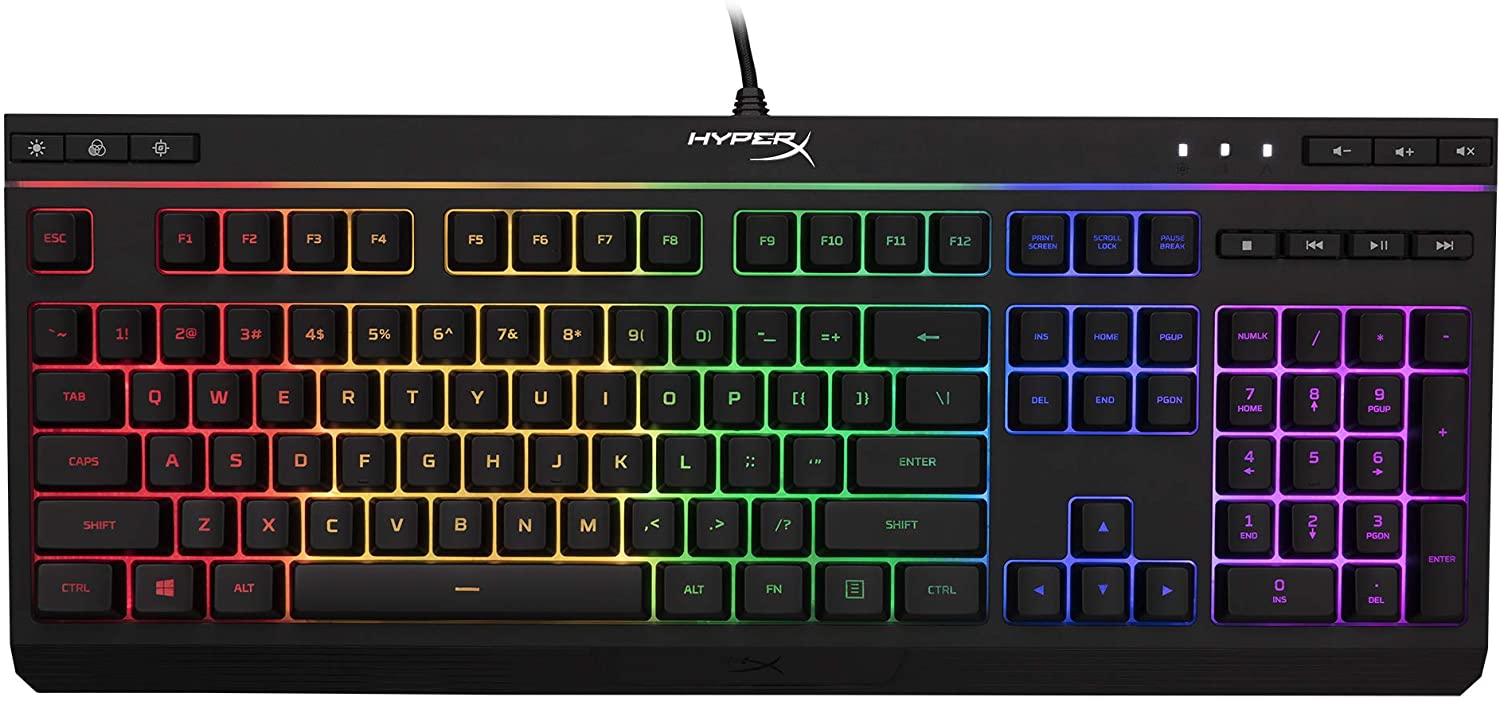
HyperX Alloy Origins Core
- Inexpensive
- Aluminum frame and body
- Bright, vibrant RGB lighting
- True mechanical switches
- Full-sized option is more expensive
- No wrist rest
Mechanical keyboards are all the rage these days, and that's meant that as well as pushing boundaries of capabilities at the top end, they're also becoming more affordable at the entry level. The best of those right now is the HyperX Alloy Origins Core. It's a full RGB mechanical keyboard with incredible longevity, strong build quality, and a great typing and gaming experience, all for less than $70.
You can choose between the classic clicky, linear, or tactile switches, it has per-key lighting that's fully customizable in the HyperX software, and it even has a detachable USB-C cable. You do have to sacrifice dedicated media keys, and there's no wrist rest, but for what you do get for your money, it's a steal.

The best ergonomic keyboard
Logitech Ergo K860
- Adjustable palm lift
- Comfortable keycaps
- Lots of wrist support
- Appealing design
- Can connect to multiple devices
- Not backlit
- Not rechargable
Ergonomic keyboards can come in a bewildering number of shapes and sizes, but Logitech hit gold with this Ergo model, which provides important wrist support without being intimidating to use. The angled key sections, plus the cushioned rest, help keep carpal tunnel at bay, while the sloped design and scooped keys ensure your fingers won’t easily get tired even during long sessions of work.
The slope and rest are also adjustable to three different levels, so you can change them to find which works best (for sitting versus standing, for example). But the Logitech Ergo keyboard isn’t just comfortable — it also has several features ideal for professionals, including FN keys that can be customized with macros and a full number pad. It can also go wireless up to more than 30 feet. Oh, and it’s fully compatible with Windows or MacOS. Pair it with a Logitech ergonomic mouse for the best results — you can often order them both together in a bundle to save money if you prefer.

The best wired gaming keyboard
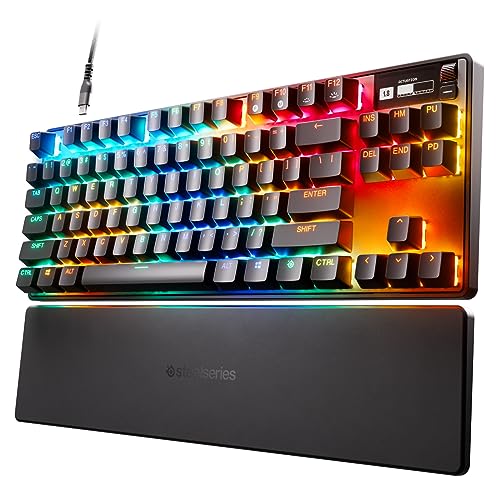
SteelSeries Apex Pro TKL
- Fantastic adjustable magnetic switches
- In-depth per-key RGB lighting
- Built-in OLED display
- Comfortable wrist rest
- Expensive
Don't want to worry about wireless battery life? We don't blame you. You can get an equally fast, and more reliable gaming keyboard with the SteelSeries Apex Pro TKL, featuring some of the most advanced switches in the world. These magnetic switches have customizable actuation distances, and you can tweak them individually using the backend software — or just look to the handy OLED display built into the keyboard itself.
There are dedicated media controls with a small volume wheel, excellent RGB lighting, and a comfortable wrist rest round out the package. Its USB-C cable is detachable, making it easy to replace and transporting it a bit more convenient. The tenkeyless design is compact but versatile, too.

Best affordable office keyboard
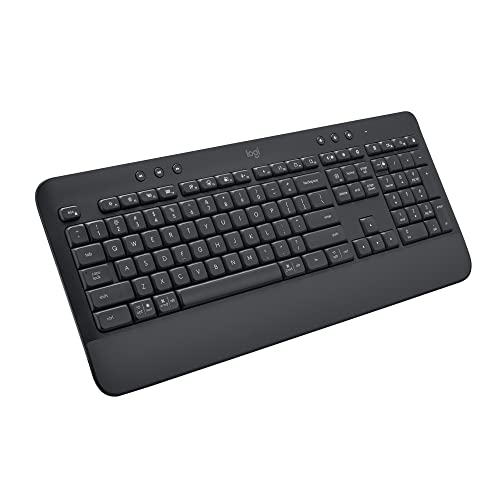
Logitech Signature K650
- Works with Bluetooth and wireless dongle
- Understated design
- Supports Windows, macOS, Linux, Chrome OS, iOS, and Android
- Extensive battery life with two AA
- Not rechargeable
- Lacks precision of mechanical keyboards
You don't need to spend $100+ to get a great office keyboard. The Logitech K650 might not have the mechanical switches of its more-expensive contemporaries, but it offers an excellent, ergonomic office keyboard experience with comfortable typing and extensive battery life. Powered by just two AAs, this keyboard will run for up to 36 months (!) without needing a recharge, and works over Bluetooth or the Logitech wireless dongle for added convenience.
It has a comfortable wrist rest, standalone media controls, and useful time-saving shortcuts. It's compatible with all major desktop and mobile operating systems, too, so you can connect it to just about anything and enjoy a smooth typing experience.
Frequently Asked Questions
Underneath each key, there is an electrical switch, and the full array of switches is called a key matrix. These switches come in many different designs, but they all serve the same purpose: When you press down on a key, the key presses down on the switch and completes a circuit.
Traditionally, wireless keyboards were easier to move around but somewhat slower to activate due to sending a wireless signal, while wired keyboards were faster but can’t be repositioned as easily. With wireless keyboards you do have to consider battery life, though, which ranges anywhere from just a few hours, to months at a time depending on the keyboard and how you use it (often, whether you have the backlight on or not makes the biggest difference).
Mechanical keyboards use full switches with metal contacts and a small spring and avoid digital contact designs. This makes them far more responsive than traditional membrane keyboards, cutting down the input lag to just fractions of a millisecond at the top end, where membrane boards could take many times that and can slow you down during competitive gaming.
They're more comfortable and accurate for typing, too, with tactile keyboards giving you a little bump when the key actuates, which can help improve your typing speed and accuracy. Mechanical keyboards are more expensive, though, especially the high-end ones that use new infrared or magnetic switch technology.
A scissor keyboard uses plastic cross switches shaped a little like a pair of scissors. When pressed, the two pieces close together and activate.
A butterfly keyboard looks like an inverted scissor keyboard: Two cross switches meet in the middle and are pushed down to activate (like a butterfly’s wings flapping down).
Start with the most important considerations. If you struggle with finger or wrist pain, look for an ergonomic keyboard or one with wrist support. If you are a competitive gamer, make sure you choose a keyboard that has key remapping and fast switches. If you need a numeric keypad, make sure it’s included.
You also want to consider mechanical switches, whatever kind of keyboard you're after. They are more accurate, more durable, and more comfortable to type on than traditional membrane designs. They can even make you respond faster if you're playing high-paced games, which can make all the difference.
Look for RGB lighting or at least some kind of backlighting if you plan to use the keyboard in the dark, and media controls can be handy, too. You'll also need to decide between wired and wireless. The latter is more convenient, but will need recharging or powering up with new batteries now and again.
As with many electronics, it’s always a good idea to watch for deals on holiday weekends and similar occasions (Amazon Prime Day, etc.) to spot the latest offerings with the best prices.
This is debatable as everyone has their favorites. We love the ASUS ROG Strix Scope II 96 for its impressive performance, comfort during use, and battery life, but there are many excellent gaming keyboards out there. The HyperX Alloy Core is affordable but impressive, while the SteelSeries Apex Pro TKL has some of the most advanced switches in the world.
For more help, check out our guide to the best gaming keyboards.


