
A constantly overheating laptop can lead to hardware component failure, low performance, and a shorter lifespan. A cooling pad is arguably the simplest solution to your laptop’s overheating problem, especially if there’s nothing wrong internally.
We’ve found that the Kootek Chill Mat 5 is the best cooling pad out there, with its dual USB hub, multiple height options, and affordable price. We also discuss other options for laptop users who value portability, low weight, and a more compact design.
The best
Kootek Chill Mat 5
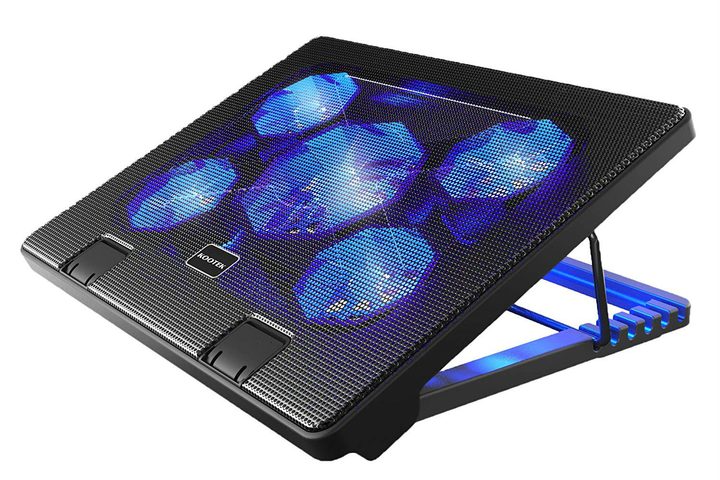
The Kootek Chill Mat 5 is designed for laptops anywhere from 12 to 17 inches, and it can handle just about anything. As you can see by the LED lights, it uses a set of five fans to supply cooling air circulation–the number of fans isn’t always indicative of cooling power, but it is usually a sign of a cooling pad that can handle some heat. You can switch between modes that activate only one fan, four fans, or all five if you please. There’s also a dual USB hub for connecting additional devices if you please. We particular fans of the two pull-up barriers in the front, which will keep your laptop from sliding off, no matter which of the six different height options you end up choosing.
The rest
Cooler Master NotePal X3
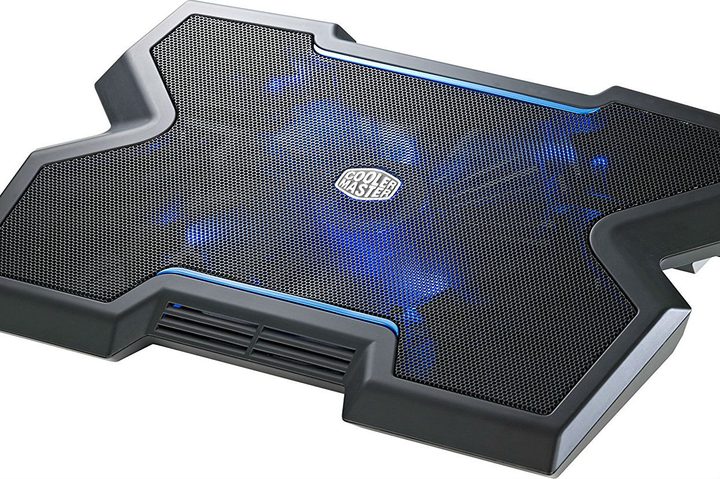
This version of the Cooler Master pad is designed specifically for gaming. It has a little more weight for extra support of larger gaming laptops, and one large 200mm fan to push out a steady stream of air fast — plus, of course, those blue LED lights for showing off a little. While the price is a bit higher on this model, it’s also more durable than many cooling pads. Considering that laptop cooling pads are somewhat notorious for breaking down sooner than people would like, the extra expense for extra durability may be well worth it for more active users.
Notably, there’s a front vent, so your hands get a breath of fresh air too, which is all the better for staying cool and dry under pressure. The Cooler Master NotePal X3 also comes with two height settings for propping up laptops and a fan speed controller, but no extra USB port. The pad is made to fit laptops up to 17 inches.
Targus Lightweight Chill Mat
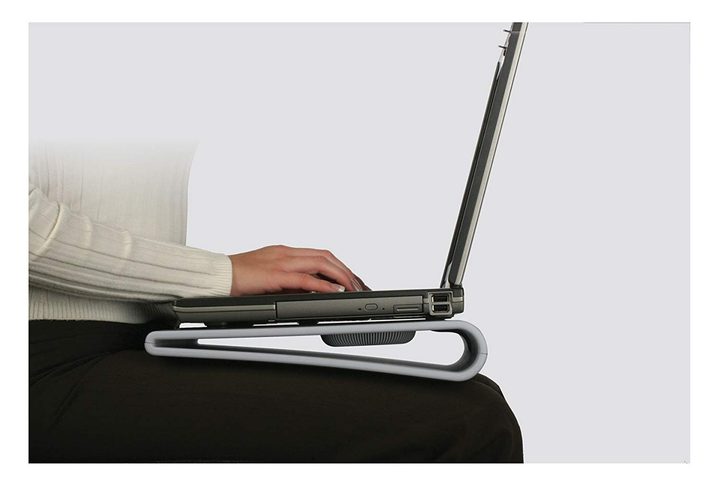
The Targus mat is, in a word, practical. You won’t find fancy shapes or LED lights here, just a basic tilted mat that props up your laptop a bit and helps cool it down. The two internal fans, powered by USB connection, also help keep laptops cool. There are four rubber stops on the surface, in addition to woven plastic padding that can help prevent slipping. The bottom side is covered in more comfortable neoprene, and velcro straps are including to help route charging cables if necessary.
All in all, the Targus Lightweight Chill Mat is made for up to 17-inch laptops, although larger versions are available. It’s particularly well-suited for those who like to use their laptop on their laps.
Tree New Bee Cooling Pad
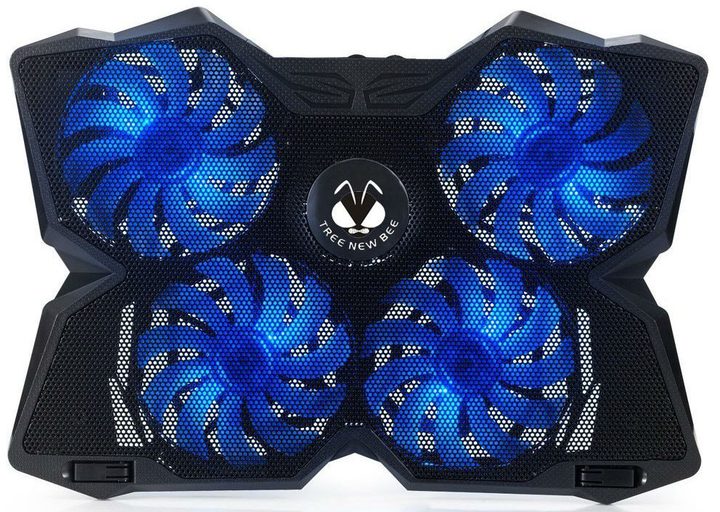
This stylish Tree New Bee pad has an interesting shape, but it’s the low weight and quad fans of this cooling pad that impress us. There are also handy features such as a built-in dual USB hub, a switch to control fan speed, and adjustable “anti-skid” flip-up arms to get the angle right.
That being said, several users have pointed out that the lightweight nature of the Tree New Bee Cooling Pad makes it difficult to support a full 17-inch laptop with the legs up, which means heavier laptops may be condemned to the flat position on this pad. The shape, while interesting, may also make it a little more difficult to store in your laptop case, so make sure to measure before buying.
Havit HV-F2056

This Havit pad is a bit simpler than some of our other top picks. It only has three fans, for example — but that underlines the minimalistic, slimmed-down design that makes this model especially portable. It’s particularly easy to slide into a bag or store next to your laptop, even in a tight case.
The stand options are a little limited, but you do have two heights to choose between, along with an extra USB port. If you don’t mind settling for a few fewer fans, the Havit HV-F2056 may be just what you had in mind. The stand fits laptops between 15.6 and 17-inches, but again be wary of using especially heavy laptops.
Opolar LC05 Laptop Cooler
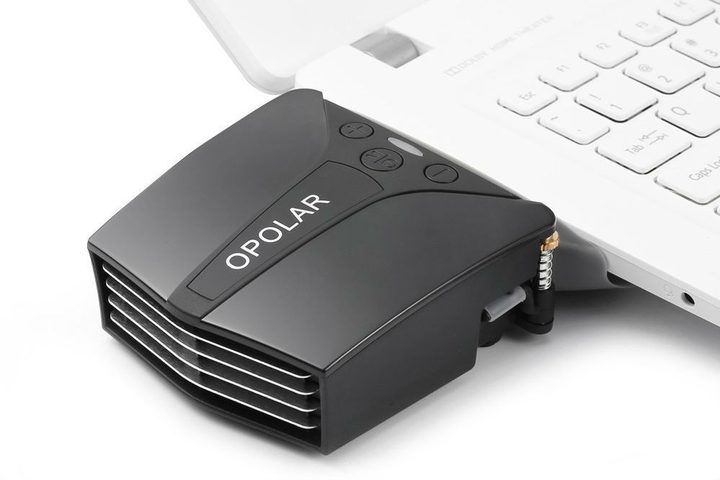
Maybe you don’t care about laptop height or the angle at all, and you’d just as soon play at your average tabletop level (or you already have a stand and don’t want to mess with it). In this case, take a look at the Opolar LC05, which is a fan attachment that you plug into the side of your laptop. It still dissipates heat and has a handy little temperature indicator as an optional add-on to keep an eye on just how hot things are.
The Opolar LC05 Laptop Cooler is specifically designed for laptops with air vents on the sides or back, especially larger gaming laptops. It is not recommended for super-compact laptops like MacBooks.



