  1. Home
  2. Computing
  3. Web
  4. News

Chromebook multitasking to improve with ‘split view’ (with one big catch)

Add as a preferred source on Google

Now that touchscreens have become more common on Chromebooks, Google will introduce a split view for improved multitasking — but only for some apps.

The update doesn’t come from an official announcement: It was discovered in the Dev Channel in the latest version of Chrome OS. The feature was spotted in version 64’s Dev Channel by Chrome evangelist François Beaufort, who said the feature was called “Split view in Tablet mode.” Similar to how Windows 10 works, Chrome OS split view works by dragging any window to the screen’s far left or right. The system then snaps it to either side, making it easier to have multiple apps open at the same time.
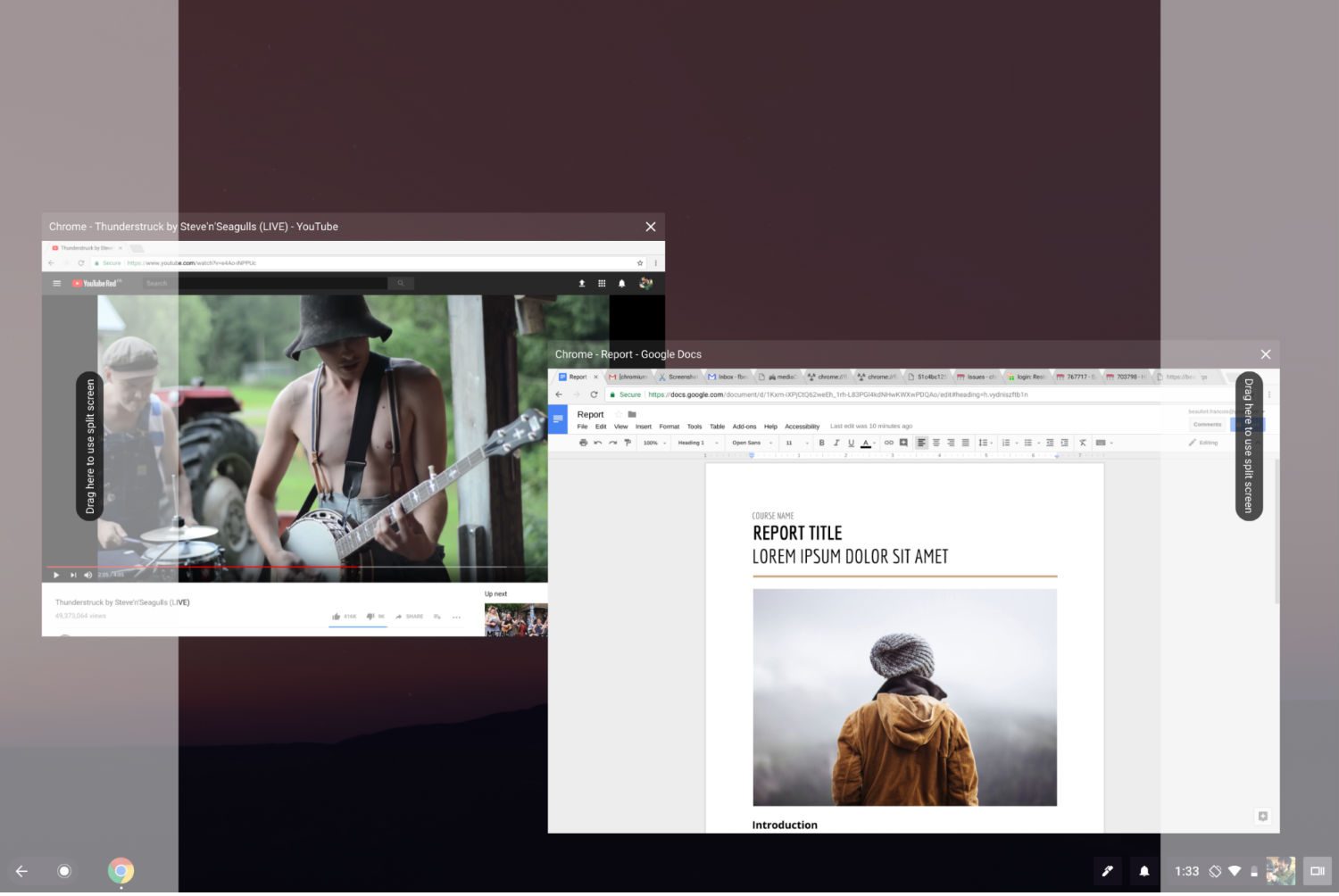
chrome OS split view
Image used with permission by copyright holder

As with many things related to Android apps in Chrome OS, however, the feature may not function correctly with apps from the Google Play Store. Beaufort claims that “some Android apps don’t support snapping and therefore won’t work with split screen.” In particular, according to comments on Beaufort’s post, Android games are refusing to split. It’s an unfortunate exception, but it nevertheless solves a key Chromebook problem. It also gives Pixelbook users an easier way to handle multiple windows in tablet mode and opens the door to additional multitasking features in future updates to Chrome OS.

Recommended Videos

9to5Google guesses that we should see the feature rolled out within version 64 in early 2018 based on the rhythm of previous releases.

Google brought split-screen multitasking to Android years ago in 2016, but as Android tablet are nearly extinct, Google is turning its attention to tablet mode in Chrome OS. In addition, Android on smartphones also have a split-screen mode that allows some multitasking. As it stands, multitasking on Chromebooks in tablet mode is fairly limited to fullscreen mode, even for larger 2-in-1s like the Pixelbook or Samsung Chromebook Pro.

Apple introduced a fairly comprehensive update to multitasking for the iPad in iOS 9 in 2016.

Luke Larsen
Former Senior Editor, Computing
Luke Larsen is the Senior Editor of Computing, managing all content covering laptops, monitors, PC hardware, Macs, and more.
How to find archived emails in Gmail and return them to your inbox
Archived emails in Gmail are easier to find than you think—once you know where Google hides them
Gmail icon on a screen.

If you’re looking to clean up your Gmail inbox, but you don’t want to delete anything permanently, then choosing the archive option is your best bet. Whenever you archive an email, it is removed from your inbox folder while still remaining accessible. Here’s how to access any emails you have archived previously, as well as how to move such messages back to your regular inbox for fast access.

Read more
Gemini Live gets a minimalist app redesign that lets you do more
Gemini Live just got easier and faster to use
google-gemini

Google is testing a new redesign for its Gemini Live experience on Android, aiming to make interactions with its AI assistant more seamless and less intrusive. According to a 9To5Google report, the update moves away from the current full-screen interface and instead integrates Gemini Live directly into the main app view, signalling a shift toward a more practical, everyday usage model.

A Shift Away From Fullscreen AI

Read more
AI’s chip hunger could keep memory prices painfully high for years
Memory shortages may haunt your next phone, laptop, and GPU for years
Crucial Memory and SSD

While recent reports claimed that memory prices may not fall till 2027, it seems like the memory chip crunch isn't a short-term headache. And that's bad news for anyone hoping phone, laptop, and GPU prices will get cheaper again soon.

Reuters reports that SK Group chairman Chey Tae-won said the global chip wafer shortage is likely to last until 2030, with artificial intelligence demand continuing to outpace the supply. Chey said the current shortage could remain above 20%, largely because AI systems require huge amounts of high-bandwidth memory and therefore burn through a lot of wafers.

Read more