Using a VPN when you’re out and about makes a lot of sense. You want to protect your user data and important info when using public Wi-Fi to surf the web, and not many free-to-join networks provide the end-to-end encryption the best VPNs deliver. But in the safety and privacy of one’s own home, should you still be using a VPN? Our recommendation is a strong “yes,” and for more than one reason, too.
Using a VPN at home keeps you more private

Many VPNs are designed to stop nefarious users from hacking into your network. That’s something that mostly affects public connections and is unlikely to happen from home.
However, while using your own private network means you can restrict who has access to your Wi-Fi connection, it’s not 100% private. That’s because you’re still connecting directly to your ISP. By doing so, your ISP is able to see what sites you’re browsing.
This isn’t necessarily an issue to everyone but to some users, you may want to keep more secure and more private. Not everyone wants a company to know exactly what they’re doing and that’s perfectly reasonable. It’s not like you’d go into the street and shout your business, right? Nor do you want your browsing history to be able to do this for your ISP.
By using a VPN, your data is encrypted so your ISP never knows where you’re browsing or what you’re doing online. A good quality VPN doesn’t keep logs so there’s no way to trace what you’ve been doing or when.
If you want to keep as anonymous as possible online, you need to use a VPN to achieve this.
Your work is more private
With many of us working from home nowadays, it’s important to keep your work private. While having your home network hacked is fairly unlikely, if you have an important job, it’s certainly possible. By connecting to your work’s network via a VPN, you can keep things more secure. That means you can work just as securely from home as you would if you were at the office. Your employer will be grateful but you also won’t have to worry about being responsible for any security breaches.
Using a VPN gives you more streaming options at home

If you use a VPN, you can watch streaming content that’s based elsewhere. Located in the U.S. and want to watch the content that British Netflix offers? Switch your VPN location to somewhere in the U.K. and you can do exactly that with the best VPNs for Netflix (not all VPNs are suited to this).
It’s a great way of expanding your options when it comes to streaming content. It also works for sporting events and even streaming services that are not ordinarily available in your country. It can be a breach of the contract you’ve agreed to with a streaming service though so check the legalities before doing so.
A VPN at home can save you money
A VPN can actually save you money in the long term. How? Some retailers like hotels or flight companies track your data and cookies, before charging you extra for their services. For instance, if you use many luxury retailers, a flight company might detect this and charge you extra because hey, you can afford it, right?
It’s a very dubious practice but it happens. Even on a simpler level, if you regularly check flight prices, it can affect how much a ticket will cost you. Using a VPN means that your information is hidden so no data is provided to the company and you’re given the lowest price possible.
VPNs don’t cost much so just one flight could work out saving you more than the cost of the VPN.
Gamers get a better service
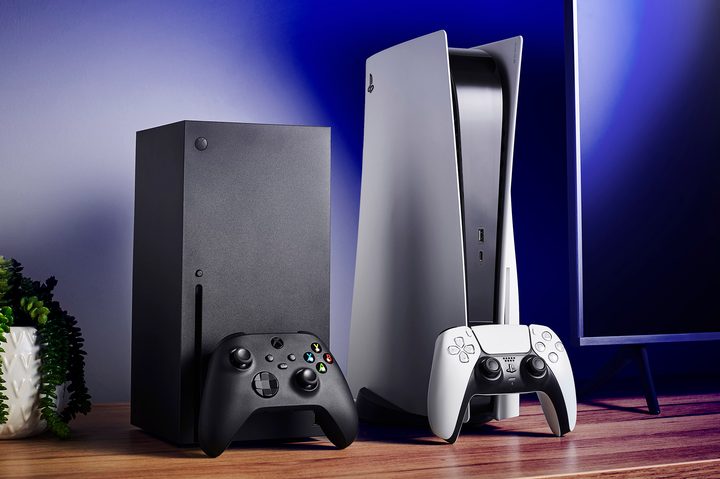
If your ISP loves to throttle your connection when you’re gaming, you need a VPN. By using a VPN, you can disguise your activity so your ISP doesn’t know you’re playing online games all day long or downloading the latest patches. ISPs typically don’t throttle browsing activities but they will limit gaming after a time.
By using a VPN, they won’t know what you’re doing, meaning you can enjoy a better quality of service at all times. In some cases, it even gives you access to other regional servers so you can team up with your international buddies easily.
Downloads just got easier
If you regularly download large files, your ISP probably isn’t a big fan. Many ISPs limit how much you can download in a day, usually by restricting your download speeds.
If you use a VPN, the ISP can’t detect how much you’re downloading in a day as your usage is coming from a different source.
This is particularly useful if you use a torrent client to download files as some ISPs are not fans of peer-to-peer sharing even though it can be used for legal files as well as more dubious content. Using a VPN means you won’t be restricted in any way here.
What are the best VPNs to use at home?
The good thing about using a VPN for your home network is there are no shortage of options to choose from. We have several articles that go over the best VPNs to use, and others that focus on specific hardware you can add your VPN service to (like the Apple TV 4K). We do have our short list of tried and true MVPs though.
Some of our favorite VPN platforms include NordVPN, ExpressVPN, SurfShark, and IPVanish.
How much does a VPN cost?
That all depends on what VPN service you’re using. There are several brands that offer free VPN services. These options are good if you’re short on cash and want some kind of web protection, even just temporarily. Once your fortunes turn though, we’d recommend upgrading to a paid VPN.
Why, you may be asking? Generally speaking, subscription-based VPN platforms tend to be better in just about every way. Advanced encryption tools, password managers, cloud storage, and the ability to use your VPN on unlimited devices may be paywalled features, but these enhanced safeguards could be worth their weight in gold.
Will a VPN work on all my devices?
Again, that depends on the product. For example, platforms like NordVPN will allow you to operate a VPN on up to 10 devices. Some other platforms may cap you at five devices, while others may offer unlimited device support.
Just how vital is a VPN at home?
Okay, so having a VPN at home isn’t as vital as if you regularly travel and browse the internet on your laptop or phone, but it is important.
While accessing a public Wi-Fi network is where the biggest dangers are, threats are still viable everywhere. By using a VPN at home, you’re much safer than before and you know you’ve covered all the bases.
Crucially, no one wants their ISP to be selling their data, and using a VPN stops that. Most VPNs are available for a very low price too, meaning there’s hardly anything to lose in using one.
Most people wouldn’t rely on one simple lock on their front door or prized possessions, and that should be the same for your internet connection. It simply makes sense to give yourself an extra layer of security, especially if you regularly browse the internet and use it for work and banking needs.
Throw in the extra benefits like avoiding bandwidth throttling and being able to circumvent geo-restrictions as and when needed, and a VPN is an essential tool. It could even save you money if you regularly buy flights or hotel rooms. Want to know more? Once you understand what a VPN is, it should all become clearer.