
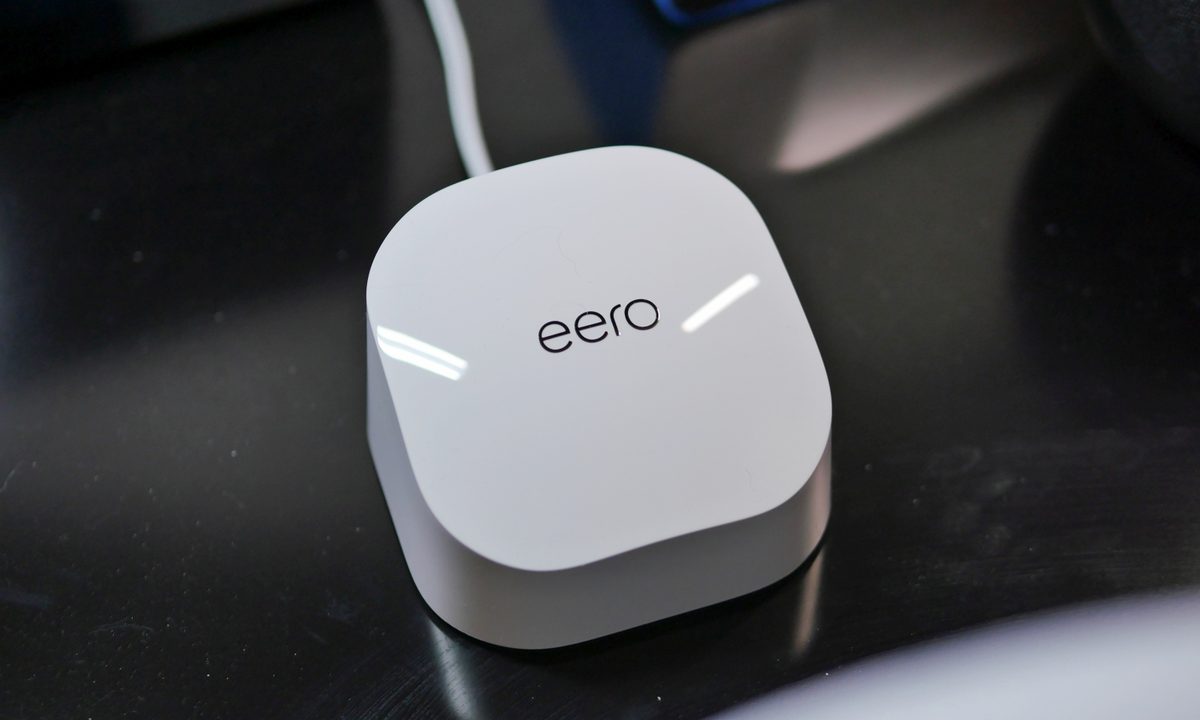

“When a growing smart home needs coverage, the Eero 6 is an affordable solution.”
- Affordable Wi-Fi 6 mesh system
- Intuitive device management through app
- Solid speeds from router
- Few Ethernet ports on router
“Why you can trust Digital Trends – We have a 20-year history of testing, reviewing, and rating products, services and apps to help you make a sound buying decision. Find out more about how we test and score products.“
Routers are probably low on the priority list for many people. It’s one of those underappreciated devices in the home that just works in the background, and the only time it ever comes to mind is when things aren’t working properly.
A growing smart home presents some challenges, with more and more devices requiring connectivity — which is why you may want to look at a router that can manage them all. With Wi-Fi 6 baked in, mesh networking at your disposal, and a system that can be controlled with Amazon’s Alexa, the Eero 6 certainly presents itself as an attractive option for the average consumer.
Whole-home coverage
Growing your smart home not only involves the gadgets, but also sufficient coverage to ensure they remain connected and not compromised in any way. The Eero 6 is a dual-band Wi-Fi 6 mesh network that allows you to deploy extender nodes to cover vast spaces. For smaller spaces like my apartment, which is a smidge over 1,000 square feet, the Eero 6 is a bit of overkill — but others will appreciate its 5,000-square-foot range for larger-sized homes and spaces.

With my setup, the system packs a router and two extender nodes. I’m using it as a secondary, complementary network that will contain my Internet of Things (IoT devices) — while my main one will serve as the primary for surfing the web with my smartphones and computers. Similar to other mesh routers I’ve checked out, the Eero router is connected to my modem gateway using one of its two gigabit ports, which doesn’t leave much if you’re in desperate need of connecting other stuff. I know how quickly it can get out of control when you introduce smart home devices that require their own hubs or bridges, so it would’ve been nice to have more ports.
It’s exactly what the growing smart home needs.
The extender nodes just serve as Wi-Fi hubs perfect to extend the network’s reach to all corners of your home. Depending on the signal strength, I like it that the Eero 6 will automatically select what node/router the devices will connect to. For example, the two smart displays in my bedroom connect to the extender node that’s in the same room — as opposed to the main router in the living room. Unlike the router, the node extenders don’t have any Ethernet ports for expansion. This isn’t all that surprising, but I still wish they had one or two.
Convenient smart home management
Today’s routers are more consumer-friendly than ever before, and the Eero 6 is no exception. Setting it up is a breeze requiring nothing more than connecting the router to my gateway and downloading the Eero app. From there, you can attach it to your Amazon account for voice control access with Alexa.
The app does a nice job of breaking down what devices are connected to the Eero 6. Since the naming conventions for some devices can be obscure, I’d recommend going back into the app as quickly as possible to change them. My smart home consists of more than 50 connected devices, so it’s useful that I’m given oversight to their activities, especially when you realize one gadget is apparently sending higher volumes of data. It’s a red flag that can help users to be more cognizant about how their devices behave.


When it comes to the smart home, turning off access to a particular device is made easy with Alexa’s help. Once you enable the Eero Alexa skill, you’ll be able to tell the voice assistant to pause Wi-Fi to a particular device — or the entire network.
It’s worth noting that the Eero 6 has a built-in Zigbee smart home hub, much like the recent Amazon Echo (4th Gen). This makes it a breeze to get Zigbee-enabled accessories and devices connected through the Alexa app, bypassing the need to use other third-party apps. This eliminates the need to manage yet another app or service, so if you’re already deep into Amazon’s ecosystem, the Eero 6’s ability to control Zigbee devices is useful.
Speed, speed, speed
The Comcast Xfinity router I’ve used for some time now delivers average download and upload speeds of 250 Mbps and 40 Mbps, respectively. Interestingly enough, switching over to the Eero 6 has upped the performance to about 350 Mbps and 41 Mbps. The faster download speed is only achieved through the main Eero 6 router.

Connected to one of the extender nodes, however, the performance dips to about the same as my Xfinity router. For most smart home devices, this shouldn’t be a problem unless it’s a security camera that’s uploading footage to the cloud for you to access. Latency response through the extender nodes is just about the same as the main Eero router, so this is useful for those real-time video conversations you may be having through a smart display, security camera, or other device.
Our take
You can’t go wrong with the Eero 6 — it’s exactly what the growing smart home needs to continue expanding. It has everything going for it: A built-in Zigbee hub, expansion through extenders, device management, Alexa controls, and an affordable price of $279 for a 3-pack system. By comparison, a similar Google Nest Wi-Fi kit will cost $349. However, Google’s offering has the added utility of its node extenders leveraging Google Assistant for voice controls — effectively allowing them to double as smart speakers.
How long will it last?
The minimalist, all-plastic construction of the Eero 6 feels decent, but since it’s unlikely that they’ll ever be moved once they’re set up, they’re in little danger of being damaged. In the event something goes bad on its own, there’s a 1-year limited warranty that would cover it.
Is there a better alternative?
Yes and no. The Google Nest Wi-Fi costs more, but the added convenience of Google Assistant integrated into its extender nodes offers useful utility for the smart home.
Should you buy it?
It’s a go-to option if you’re looking for a mesh network system that doesn’t involve a costly investment.


