  1. Home
  2. Computing
  3. Phones
  4. News

Google Drive can now batch-scan your documents and spare you a few other frustrations, too

The automated scanning experience runs entirely on your device, without sending anything to Google’s servers.

Add as a preferred source on Google
Electronics, Phone, Mobile Phone
Shikhar Mehrotra / Digital Trends

Scanning documents from a phone has always been a frustrating experience, especially on Android smartphones. You’ve to scan one page at a time, blurry captures you don’t notice until after, or accidentally hovering over the same page twice; all these issues bother users on a day-to-day basis. 

Well, Google Drive’s new document scanner redesign fixes all three problems at once. Announced by Sameer Samat, the President of Android Ecosystem at Google, the feature is now rolling out for Android users.
What’s actually new in the Google Drive scanner?

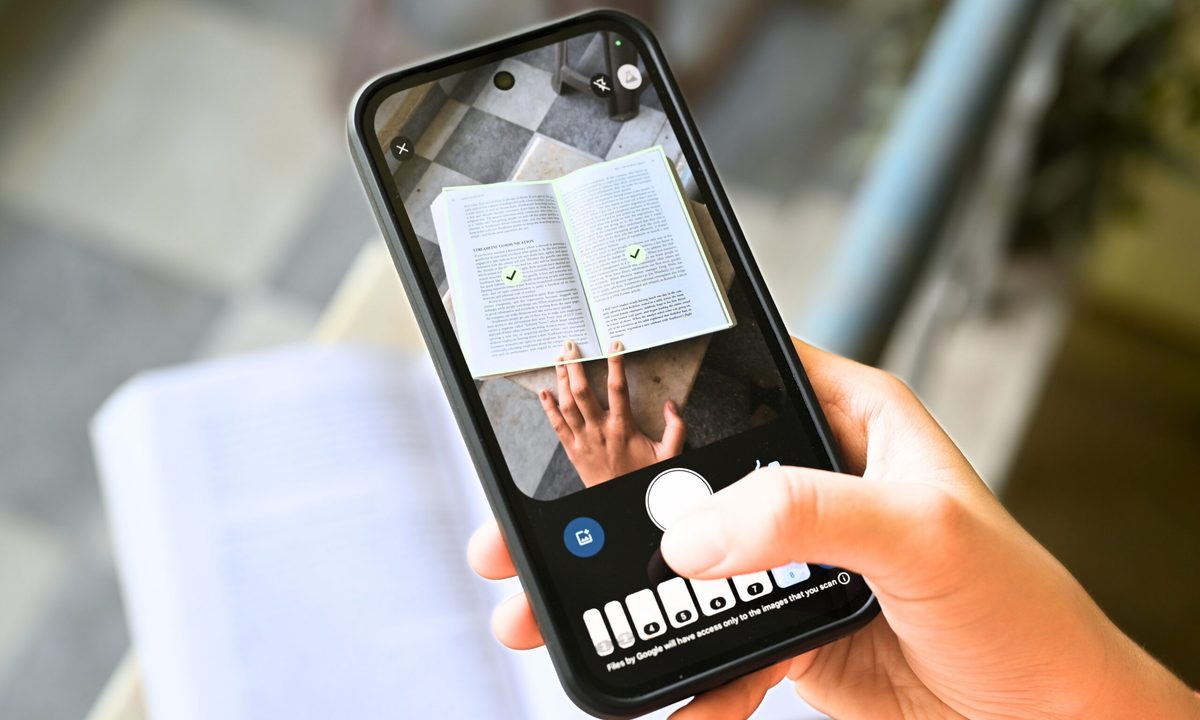
The biggest change, in my opinion, is Smart Batch Scanning. Instead of hitting the capture button for each page, you can simply hover your phone over a bunch of documents arranged on a table or your bed, as if you’re recording a video.

Recommended Videos

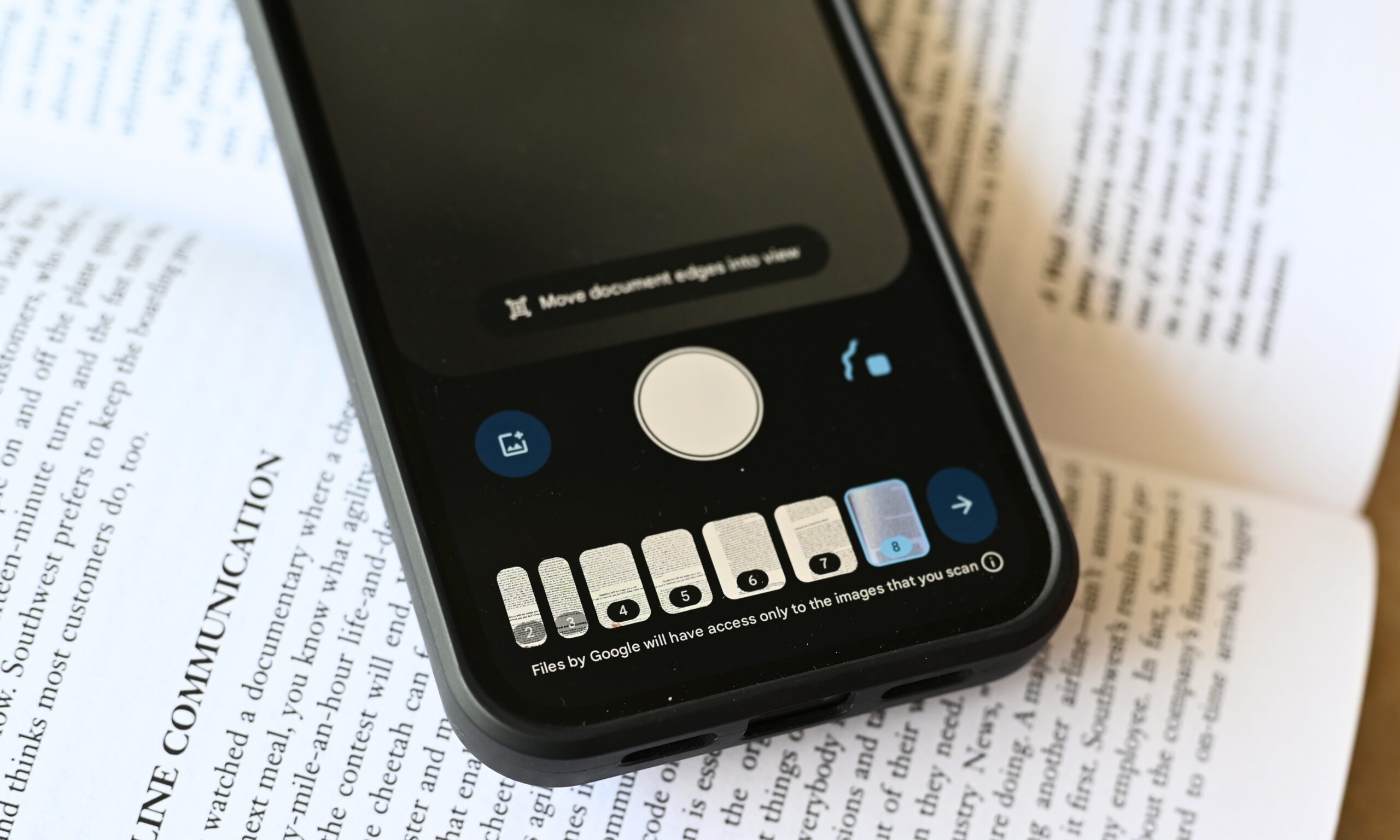
The tool identifies each one of them and separates them into individual documents. You also get a pause button to disable auto-scanning in the middle of the session, along with a system file picker that lets you add pictures you’ve already taken. 

Apart from batch scanning, you also get Auto-Best Frame and Duplicate Detection. While the former replaces blurry images with the sharpest frame available from what you capture, the latter identifies pages you’ve scanned twice and skips them automatically. 

Scanning documents from a phone is a pain!

Glad to see the new document scanning experience in Google Drive on Android is rolling out now.

📄 Smart Batch Scanning: Scan multiple pages at once, automatically splits them into separate docs.
🚫 Duplicate Detection: Hovering… pic.twitter.com/Uqh2Zf2NMY

— Sameer Samat (@ssamat) May 29, 2026

Is there a catch?

Google Drive’s scanner also gets a redesigned interface, which drops the old beaker icon in the top-right corner in favor of a cleaner Material 3 Expressive viewfinder. Since the feature is embedded within Google Play Services, it also works in the Files by Google app, and not just Google Drive. The catch, however, is slightly disappointing. 

The entire automated scanning experience runs on the device: it works offline and keeps your documents off Google’s servers. And it’s because of the on-device processing that it requires at least 8GB of RAM. So, if your Android device doesn’t meet that requirement, you won’t have access.

Shikhar Mehrotra
For more than five years, Shikhar has consistently simplified developments in the field of consumer tech and presented them…
Microsoft wants Copilot to answer all your health-related questions and store your medical records
Copilot Health is Microsoft's most personal AI feature yet. It is built with 250 physicians, and explicitly designed not to replace your doctor.
Page, Text, Business Card

Copilot Health is now in preview, and Microsoft’s ambition for it is clear, an AI assistant that knows your health history, understands your fitness data, and can help you make sense of your medical records, all in one place. 

Copilot Health is a dedicated space within the Copilot chatbot at copilot.microsoft.com/health where you can get answers to your health-related questions. 

Read more
MSI’s Triple Mode OLED monitor is a Computex showstopper and my eyes genuinely can’t wait for it
MSI's Triple Mode OLED raises the bar for gaming monitors at Computex 2026.
Computer Hardware, Electronics, Hardware

Dual-mode gaming monitors have been around long enough that the novelty has worn off. MSI has decided that two modes simply aren't enough and has unveiled the MPG OLED 322URDX36 ahead of Computex 2026.

It is the world's first Triple Mode gaming monitor, and if the execution is as good as it sounds, it could be one of the few gaming monitors that I’d be genuinely interested in. 

Read more
Dell doubles down on 5G cellular connectivity for its premium business laptops in the US
The new launch is Dell’s clearest statement that 5G cellular connectivity belongs in every premium business laptop, not just enterprise niches.
Computer, Electronics, Laptop

Dell released a wave of new laptops on May 29, 2026, just four days before Computex 2026 opens in Taipei on June 2. Amid a loaded spec sheet, nearly every flagship model in the new batch offers optional 5G cellular connectivity. 

While the capability has traditionally been reserved for ultraportable or enterprise-grade devices, Dell is signalling that always-connected laptops are no longer a niche requirement. 

Read more