  1. Home
  2. Computing
  3. News

Google just made a big change to how Chromebooks apps work

Add as a preferred source on Google

Chrome Apps on your Chromebook is finally about to be replaced by Progressive Web Apps (PWA), with the latest Chrome stable version 112 as the starting point.

It’s an initiative almost five years in the making, and this change brings a few notable benefits.
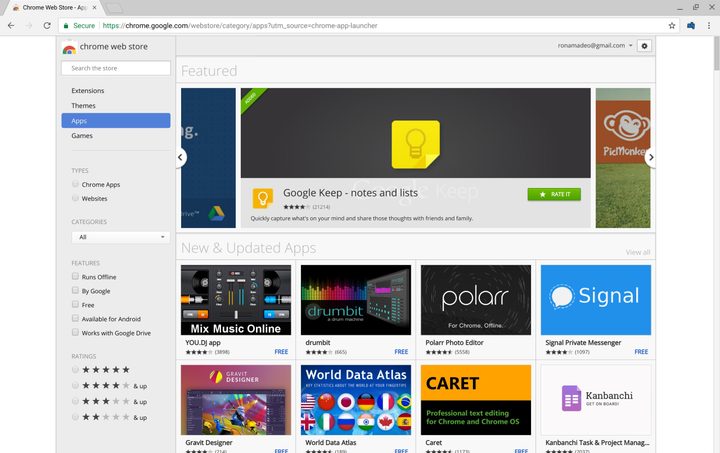
Screenshot of Chrome App Store.
Image used with permission by copyright holder

Chrome Apps (and by extension, the Chrome Web Store) had been around for more than a decade, believe it or not, installing apps, extensions, and themes for millions of users on the Google Chrome browser. Most people who used Chromebooks had a love-hate relationship with apps found on the Chrome Web Store as many of the apps (such as Zoom, Pocket, Skype, etc.) were websites that had less functionality than their mobile app counterparts and less cross-device support (where apps won’t size properly with a tablet or laptop, for example).

Recommended Videos

Chrome Apps were also notorious for not receiving little to no support from their publishers, which led to reliability and compatibility issues.
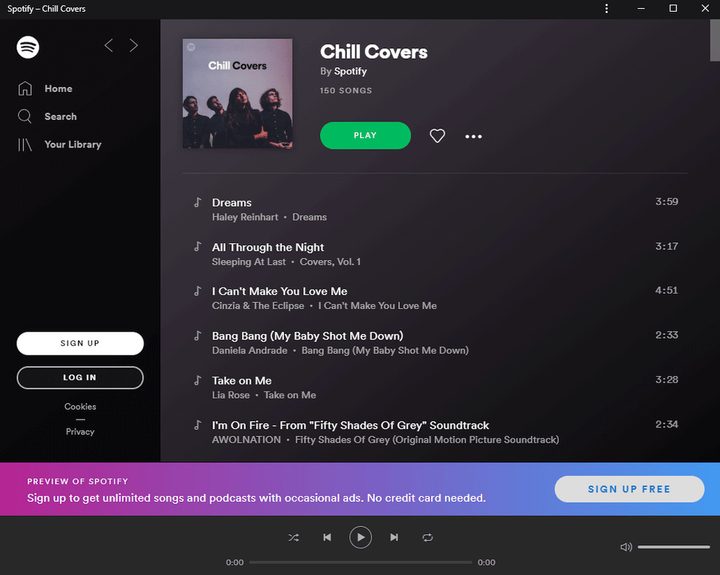
Screenshot of Chrome version of Spotify PWA.
Image used with permission by copyright holder

With PWAs — which are essentially more advanced versions of Chrome Apps — almost all the negatives of Chrome Apps are negated. PWAs run technically as a website, but mimic their native mobile application, with most, if not all, of its functionality. PWAs are more scalable for different display sizes. Another big plus is that PWAs, like your mobile apps, are maintained by the developers, so updates are automatic and don’t require users to visit the Web Store for updates.

Google began phasing out support for Chrome Apps in 2020. With Chrome 112, apps are going away for good, at least on desktop PCs, while ChromeOS users will have till January 2025 to seek out replacement apps. Look for the new versions 112.0.5615.49 (Linux and Mac) and 112.0.5615.49/50( Windows) to roll out in the coming days.

Aaron Leong
Former Computing Writer
Aaron enjoys all manner of tech - from mobile (phones/smartwear), audio (headphones/earbuds), computing (gaming/Chromebooks)…
A simple coding mistake is exposing API keys across thousands of websites
Security gaps that are easier to miss than you think
Computer, Electronics, Laptop

After analyzing 10 million webpages, researchers have found thousands of websites accidentally exposing sensitive API credentials, including keys linked to major services like Amazon Web Services, Stripe, and OpenAI.

This is a serious issue because APIs act as the backbone of the apps we use today. They allow websites to connect to services like payments, cloud storage, and AI tools, but they rely on digital keys to stay secure. Once exposed, API keys can allow anyone to interact with those services with malicious intent.

Read more
AMD’s latest Ryzen 9 9950X3D2 pushes X3D to the limit
Dual 3D V-Cache, higher power, and a focus on enthusiast performance
AMD Ryzen 9 9950X3D2 FEatured

AMD has unveiled what might be its most extreme desktop CPU yet, the Ryzen 9 9950X3D2. And it’s going all-in on one thing: cache.

https://twitter.com/jackhuynh/status/2037159705395491033?s=20

Read more
Next-gen AI breakthrough promises chatbots that can read the room better
Researchers are teaching AI chatbots to read between the lines
Generative AI

Have you ever asked a chatbot something and felt like it completely missed your point? You say something with a bit of nuance, and the AI misses the subtlety entirely. That is exactly the problem researchers are trying to solve.

Even though the emotional connection with AI can feel deeper than human conversation for many users, most AI systems today still treat a sentence as a single block of sentiment. If you mix praise and criticism, the nuance often gets lost.

Read more