Google Search has been one of the primary gateways to information on the internet, but it’s about to evolving into something more. With the latest set of features being added to AI Mode, Search will no longer be just a tool for finding links or information, but an assistant that can help you organize, understand, and act on that information.
Instead of just answering questions, AI Mode is being transformed into what seems to be a helpful workspace. It will soon support you through complex documents, explain visuals, and even help with multi-step tasks. With the addition of these new tools, Google is slowly changing how search works by helping you do more than just find information.
What’s new in AI Mode
A handful of new capabilities are being introduced that expand what AI Mode can do particularly on desktop browsers, where users often juggle multiple tabs, files, and formats during more complex workflows.
PDF and image uploads for context-aware queries
AI Mode on desktop will now support uploading PDFs and images which will allow users to ask questions about the content in those files and receive web-informed, AI-generated responses.
Imagine having a research report or technical manual in front of you. Instead of searching for terms manually, you can now upload the file, highlight a section, and ask, “Can you explain this further?” The AI will analyze the document and return contextually relevant explanations, along with links for deeper reading.
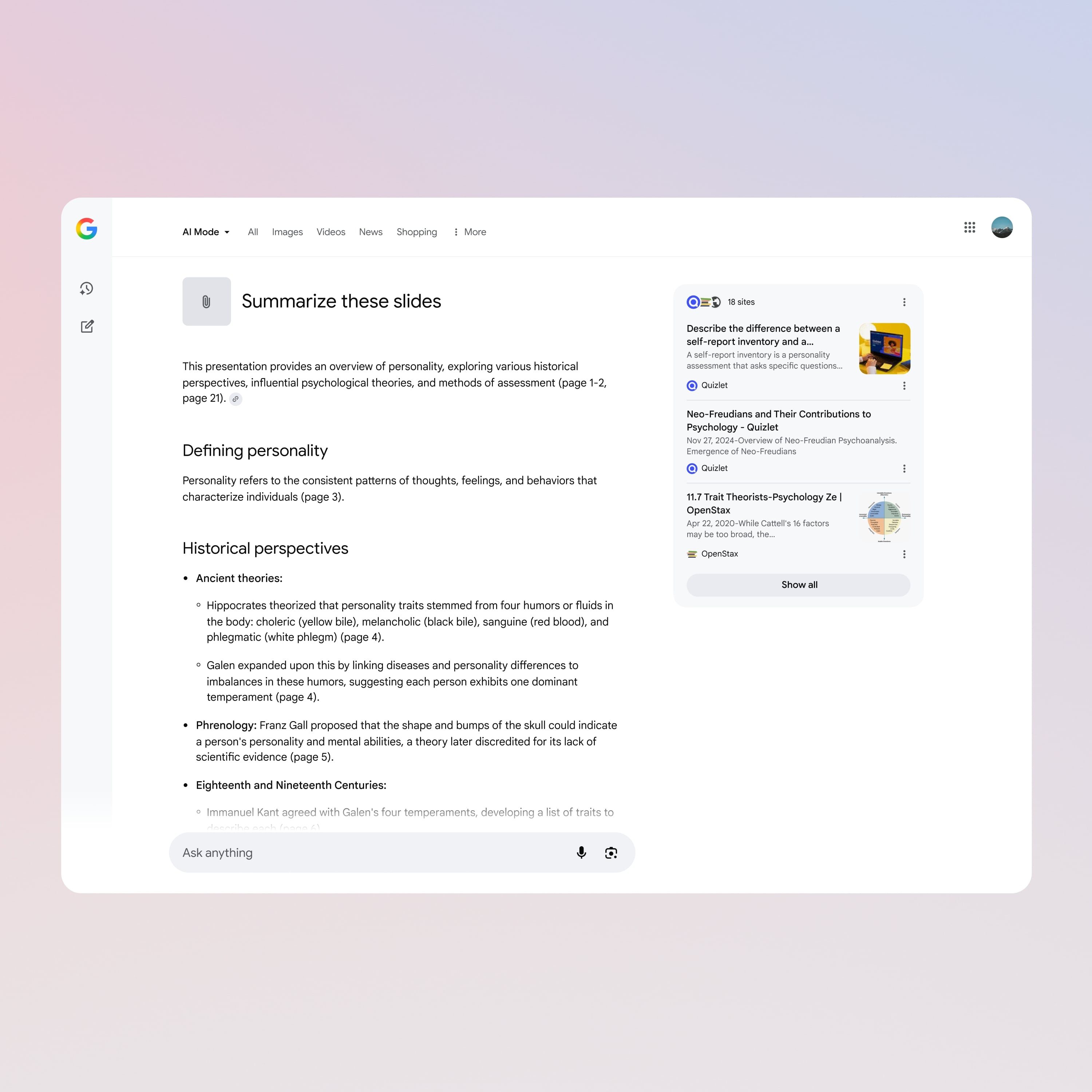
Support for additional file types, including those from Google Drive, is expected in future updates expanding this capability to more kinds of content.
Canvas for task planning and organization
Another interesting addition is Canvas, that allows users to create and refine plans in a persistent, editable side panel. It’s a tool designed for tasks that span multiple sessions like project planning, research outlines, trip itineraries, and more.

The system will let you iterate in real time, ask AI Mode to draft a plan, make changes through follow-up prompts, and organize the results visually in the side panel. Users will also be able to upload their own files, like meeting notes, to help personalize the output.
Canvas essentially helps you stay organized and make progress across sessions, documents, and devices.
Search Live: AI conversations with visual input
Perhaps the most technically ambitious update is Search Live, which integrates Google’s camera-based Lens tool with AI Mode to deliver real-time, conversational help based on what your camera sees.

Whether it’s a diagram, a schematic, or a physical object, you can point your phone’s camera at it and start a conversation. The AI interprets the visual data, offers insights, and even lets you refine questions, creating a kind of live tutoring or troubleshooting session, powered by AI and the web.
This feature is based on Google’s Project Astra work, and is being rolled out on mobile in the U.S. for users enrolled in the Labs experiment.
AI Mode in Chrome: Smarter browsing, fewer tabs
For desktop users, AI Mode is getting more closely integrated into Chrome. Soon, you will be able to click “Ask Google about this page” from the address bar, which will launch Lens and the AI assistant to help you understand whatever is on your screen, whether it is a complex chart, a technical section, or a difficult diagram.

You’ll also be able to open AI Mode from the side panel with the image you’re exploring already included, making it easy to ask follow-up questions without switching tabs or starting a new search.
A more useful, less interruptive AI?
There’s no shortage of AI tools that come with a promise to boost productivity. But where many require a full switch of platforms or behavior, AI Mode is being embedded into existing habits including Search, Chrome, and Lens.
Rather than pitching itself as a digital co-pilot or assistant with a personality, Google is trying to make AI Mode feel more like a context-aware layer for everyday digital tasks. Upload a file, ask a question, build a plan, check in later, all within the browser or the search bar.
Google says that it is gradually rolling out these features to AI Mode, with some already available in early access for users who have joined the AI Mode Labs program.