

Shortcuts is probably the most frustrating app I’ve used on macOS. Not because it’s a bad app — it’s actually one of the best Mac apps you can get — but because Apple gives next to no support on how to use such a powerful part of its operating system. It’s like being given a supercar, but the dealership forgot to include the keys.
Most of the time in macOS, the low level of official support is not a problem. But with Shortcuts, it’s detrimental.
Apple needs to do more
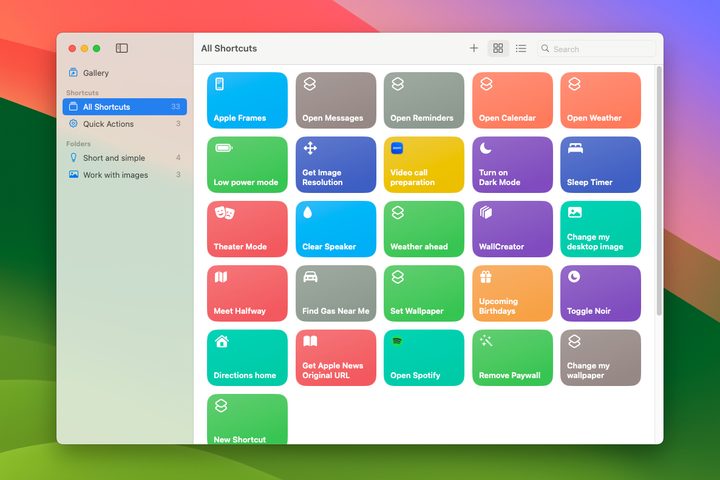
I want to use Shortcuts a lot more than I do. Sure, I’ve incorporated a few of its neat tricks into my day, but I’ve also seen some of the incredible things other users have made that are currently far beyond my abilities. If you’re just starting out on the Shortcuts path and want to learn more, your choices are stark and unappetizing.
Most of Apple’s own apps do not require a guide to use them because they’re deliberately easy to grasp. Shortcuts, though, is different, as it gives you tremendous power and flexibility over your device.
Yet there’s no built-in handbook that could show you how to use it and get the most out of it. Yes, there’s the optimistically titled “Shortcuts User Guide” on Apple’s website, but it consists of a handful of very basic tutorials that are far below the advanced capabilities you get with Shortcuts. Even the guide to creating a custom shortcut is maddeningly brief.
Instead of this, we need proper tutorials on Shortcuts, built into the app so you don’t have to go searching for them. Because without that, I suspect that most Mac users take one look at Shortcuts and decide it’s too much for them, meaning they miss out on a fantastic tool that could considerably improve their Mac usage.
Because Apple’s aid is wholly inadequate, you’re basically left with two options: you either have to fumble around yourself until you eventually work out what to do, or you can just download someone else’s work to your Mac.
The former is time-consuming and frustrating given the lack of resources available. The latter, meanwhile, is risky: If you don’t understand how shortcuts work, you don’t know what the downloaded shortcut could be doing and thus can’t ensure it’s safe. As well as that, simply installing someone else’s work doesn’t teach you anything about how to make your own shortcuts.
It’s a rough situation for beginners. There’s all this power at our fingertips, yet it’s deeply unknowable because Apple provides no guidance. There is help out there on third-party websites, but it is scattered and of varying quality. I bet many Shortcuts users don’t even know where to look for assistance.
A ‘Shortcuts academy’
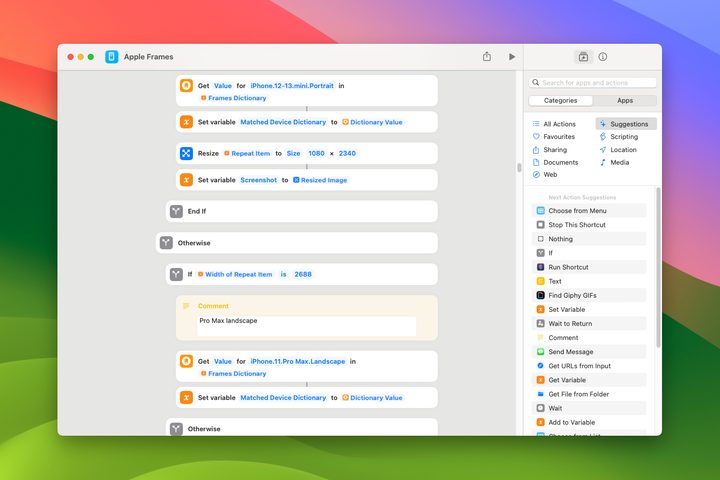
What can Apple do differently? It needs to put more effort into teaching Shortcuts users of all abilities how to get more from the app. Every time you open it, there should be a section dedicated to educating you on all sorts of ideas, with example shortcuts to build in order to learn more effectively. Novices could get started and experts could learn new concepts.
With this “Shortcuts academy” engineered right into the app, there would be no need to head off on a wild goose chase looking for reliable information and resources — it would all be right in front of you without ever requiring you to leave the app.
Apple is usually pretty good at helping its users get more out of its apps — its extensive support website has information on practically every element of macOS — but Shortcuts is sorely lacking in this regard.
It’s about time Apple put that right with a proper suite of resources for aspiring shortcut writers. With that kind of help, who knows what fantastic creations could be born?


