  1. Home
  2. Computing
  3. Evergreens

How to change the background in Windows 8 and 8.1’s Start screen

Add as a preferred source on Google

It’s no secret that Windows 8 is unpopular. The same goes for Windows 8.1, a free update for the OS that was released back in April. While you can choose to avoid the Metro UI when using Windows 8, having the ability to change the background of the Start screen could at least make the experience of interacting with Metro less of a headache.

Related: Windows 9 will eliminate the Windows 8 Charms menu

Recommended Videos

However, changing the Start screen isn’t a process that’s necessarily as straight-forward as it can be. That’s what we’re here for: to make things easier on you!

Related: Best Microsoft Office alternatives

With this guide, we’ll show you how easy it is to change the background on the Start screen. Most of you may not like poking around in there, but at least you can customize it to your liking so that it’s more pleasing to your eyes whenever you do dive into Metro.

How to change the background in the Windows 8 and 8.1 Start screen

Head over to the Start Screen, if you aren’t there already. If you’re at the classic desktop UI, just press the Windows key on your keyboard, which should take you straight there.
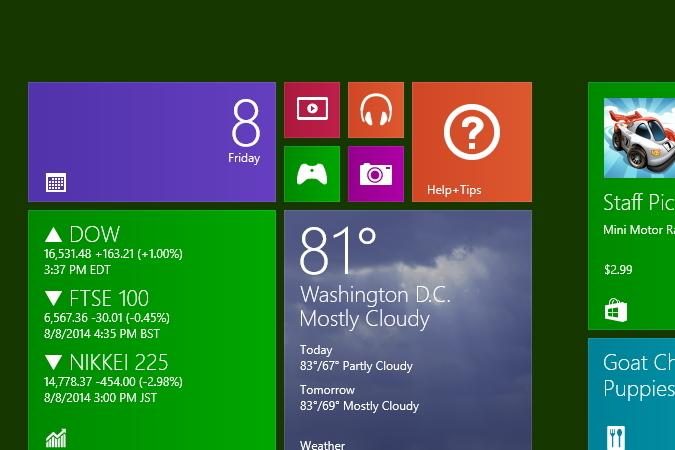
Change start step 3
Image used with permission by copyright holder

From there, type in “change start.” Click on “Change the background and colors on Start,” which should be the first result that comes up.

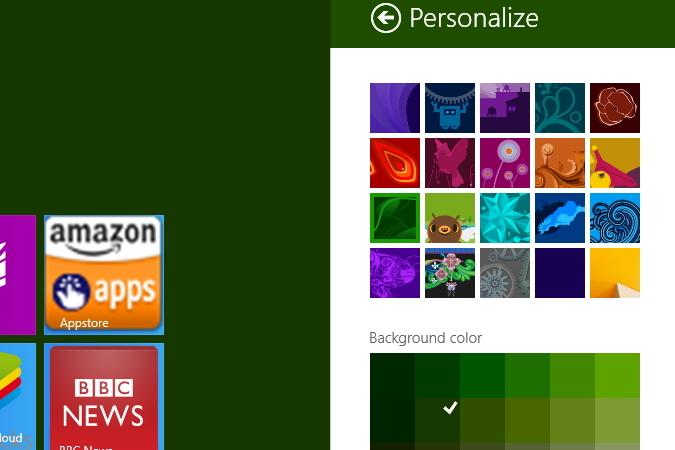
Change start step 1
Image used with permission by copyright holder
Change start step 2
Image used with permission by copyright holder

Now, a “Personalize” menu will come up in the Metro UI. Here, you can pick from a multitude of images that you can slather the Start screen with. Once you pick one, you can also tweak that image’s by messing with the “Background color” and “Accent color” settings.

Microsoft’s newest operating system has its fair share of problems, and while many issues are related to the confusing new interface, some have deeper roots. Yes, like any new operating system, Windows 8 has bugs. Gasp! Fortunately, Windows 8 shares something else in common with prior version of Windows; a trend towards maturity. Many showstoppers and annoyances now have solutions. We’ve solved many of the common problems you’ll run into: Check out our guide to common Windows 8 problems — and how to fix them.

Update: This article was updated on Sept. 24, 2014 to include an instructional video.

Konrad Krawczyk
Former Computing Editor
Konrad covers desktops, laptops, tablets, sports tech and subjects in between for Digital Trends. Prior to joining DT, he…
A simple coding mistake is exposing API keys across thousands of websites
Security gaps that are easier to miss than you think
Computer, Electronics, Laptop

After analyzing 10 million webpages, researchers have found thousands of websites accidentally exposing sensitive API credentials, including keys linked to major services like Amazon Web Services, Stripe, and OpenAI.

This is a serious issue because APIs act as the backbone of the apps we use today. They allow websites to connect to services like payments, cloud storage, and AI tools, but they rely on digital keys to stay secure. Once exposed, API keys can allow anyone to interact with those services with malicious intent.

Read more
AMD’s latest Ryzen 9 9950X3D2 pushes X3D to the limit
Dual 3D V-Cache, higher power, and a focus on enthusiast performance
AMD Ryzen 9 9950X3D2 FEatured

AMD has unveiled what might be its most extreme desktop CPU yet, the Ryzen 9 9950X3D2. And it’s going all-in on one thing: cache.

https://twitter.com/jackhuynh/status/2037159705395491033?s=20

Read more
Next-gen AI breakthrough promises chatbots that can read the room better
Researchers are teaching AI chatbots to read between the lines
Generative AI

Have you ever asked a chatbot something and felt like it completely missed your point? You say something with a bit of nuance, and the AI misses the subtlety entirely. That is exactly the problem researchers are trying to solve.

Even though the emotional connection with AI can feel deeper than human conversation for many users, most AI systems today still treat a sentence as a single block of sentiment. If you mix praise and criticism, the nuance often gets lost.

Read more