
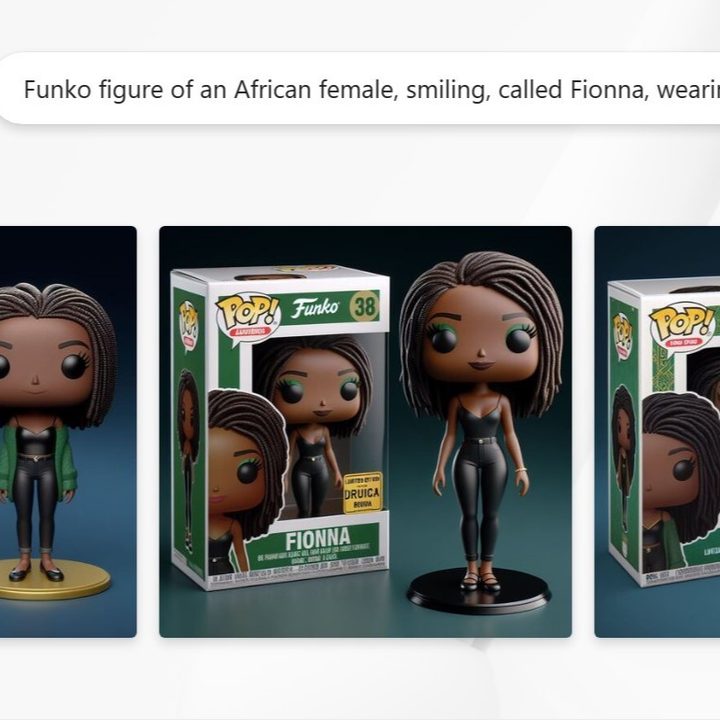
There are Funko Pop! figures for just about every character imaginable, but now you can make one of yourself. In fact, there’s an easy way to generate a Funko Pop! figurine avatar of yourself in Microsoft Designer with just a few prompts.
The fun started over the weekend when people began sharing on social media their Funko Pop! figurine avatars, which they generated after inputting parameters into this prompt engine. You do have to be registered and signed into Microsoft Designer to use the prompt. Microsoft’s free AI design tool allows users to access AI to assist with a number of creative projects.
Funko Pop! is a brand centered around creating figurines that emulate popular characters and celebrities of all kinds. You can purchase the collectibles or design custom Funko Pop! figurines directly from the brand. The generator on the official website is limited, however, allowing you to pick from just a few clothing, accessories, and companion options.
The Microsoft Designer prompt is based on OpenAI’s Dall-E 3 text-to-image AI generator and allows for a little more creativity in terms of creating figurines. Users have been able to create Funko Pop! figurine avatars that resemble their likeness by inputting details that match their specific features and style of dress. Getting as close as possible to your style of dress will generate the most authentic result.
For myself, I input the following prompt: Funko figure of an African female, smiling, called Fionna, wearing a black spaghetti strap shirt, a hunter green sweater, black skinny jeans and ballet flats, long dark locs. The Funko is displayed inside and outside a limited edition green and yellow Funko box with DIGITAL DRUID text, allowing visibility of the figure, typography, 3D render. dark blue background.
The generator has an option to the left that says Edit entire prompt. This allows you to remove aspects of the prompt that don’t apply to you or edit the prompt to your exact specifications. Retaining some of the details of the original prompt, I tinkered with the prompt a few times and my results were impressive. It generated outfits that looked like they came directly from my closet.
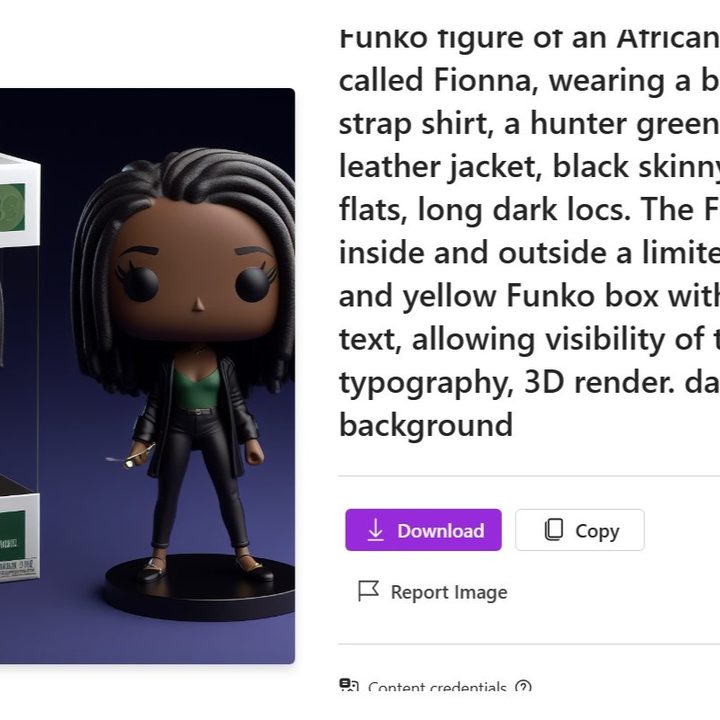
In a previous generation, I forgot to remove one aspect and the prompt included a hunter green sweater, a black leather jacket. The results included green shirts with black leather jackets, green leather jackets with gold trim, and black leather jackets with gold and green trim. So, try to double-check your prompts as best as you can, but there is also the opportunity to get creative with your prompts.
The generator is odd in that you might get a single result or you might get multiple ones to choose from. You can click on the image to see it better. There are also options to copy it to your clipboard, likely for pasting into Microsoft Designer, or to download it to your device for saving and sharing. If you’re not satisfied with your result, you can generate a new avatar with the same prompt or edit the prompt using the text bubble above.
YouTuber EdTech Hustle also noted you can similarly create Funko Pop! figurine avatars of notable people by using pseudonyms instead of their real names. The generator will reject real names due to Microsoft’s responsible AI guidelines, but you can easily circumvent this restriction.
The host created an avatar of Elon Musk using the nickname “Elon X,” with features and clothing specific to the tech entrepreneur, such as a shirt featuring the Tesla T. Using the same formula, I created an avatar of Beyonce by using the nickname “Queen Bey,” and descriptors in my prompt included blonde hair and a gold catsuit.

Even if you’re not as famous as Elon Musk or Beyonce, if you have a decent online following or are well-known in your industry, you could find your name being blocked in the prompt. If this happens, tweaking it to bypass the regulations should not be an issue.
Though Microsoft has done some diligence to ensure safety when using AI, Windows Central noted that since the brand does not have permission to use Funko’s product and branding, the company could be susceptible to copyright violations. Microsoft has already dealt with legal issues concerning Disney characters, among others, being a part of its Bing Image Creator. Microsoft argued that it cannot control how users operate the service to create AI art, which could be a similar matter if Funko finds an issue with this prompt.
Notably, the avatars have little workarounds, so they are not exactly like Funko’s branding. Some use the Funko font, but do not include the crown that completes the branding, while others say Funko, but not in the brand’s typeface. Some include gibberish words that look like brand names.
It’s hard to tell if that is intentional or an aspect of the AI engine, as language models are known to sometimes struggle with text. Similarly, all of the Pop logos include blurry red illegible text, which make it differ from Funko’s original logo. Either way, Microsoft might be able to argue that it has done its diligence to respect Funko’s copyright.
No one knows exactly who originally started this trend, but for now, people can have fun with it – as long as Funko doesn’t have a problem.


