Gmail’s option to enable experimental features gives users access to unreleased functions and tools which, though still in an unfinished state, can provide solid and convenient upgrades to email. One such feature is Smart Compose. Expected to be rolling out in the next couple of months, this is a neat tool that can eliminate the need to type common phrases and streamline email writing.
Smart Compose draws on the same technology as Gmail’s Smart Reply feature, released last year. That functionality, which offered potential messages for the user to send in an email reply, has been extended by Smart Compose to apply to new email compositions. Not only this, but the recommendations come in line, as the user is typing, allowing for a faster, modular approach to email writing.
If you’re inviting people to an event, Smart Compose might suggest phrases indicating time of day, the location of the event, or the cordial language typical of an invitation. Now implemented for simple phrases, Google’s AI Blog indicates that future iterations of the feature may be able to match the user’s specific writing style when generating suggestions.
How do I enable it?
Step 1: To access experimental features, you’ll first have to upgrade to the latest version of Gmail. You may have already received a notification like the one below.
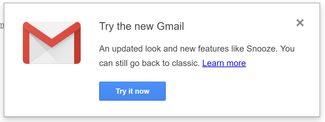
Step 2: If not, click the gear icon in the upper right corner of the page and then click on “Try the New Gmail” at the top of the drop down menu:

Step 3: Then click Settings. Under the General tab, scroll down and check the box that reads “Enable experimental access.”

Step 4: Finally, scroll to the very bottom of the page, hit Save Changes, and you’re ready to start using Smart Compose!
In Practice
Step 1: To use the feature, hit compose as you normally would.
Step 2: While typing, you’ll notice grayed out suggestions after the cursor for certain sentences.
Step 3: Hit Tab as the prompt indicates and the suggestion will fill in.
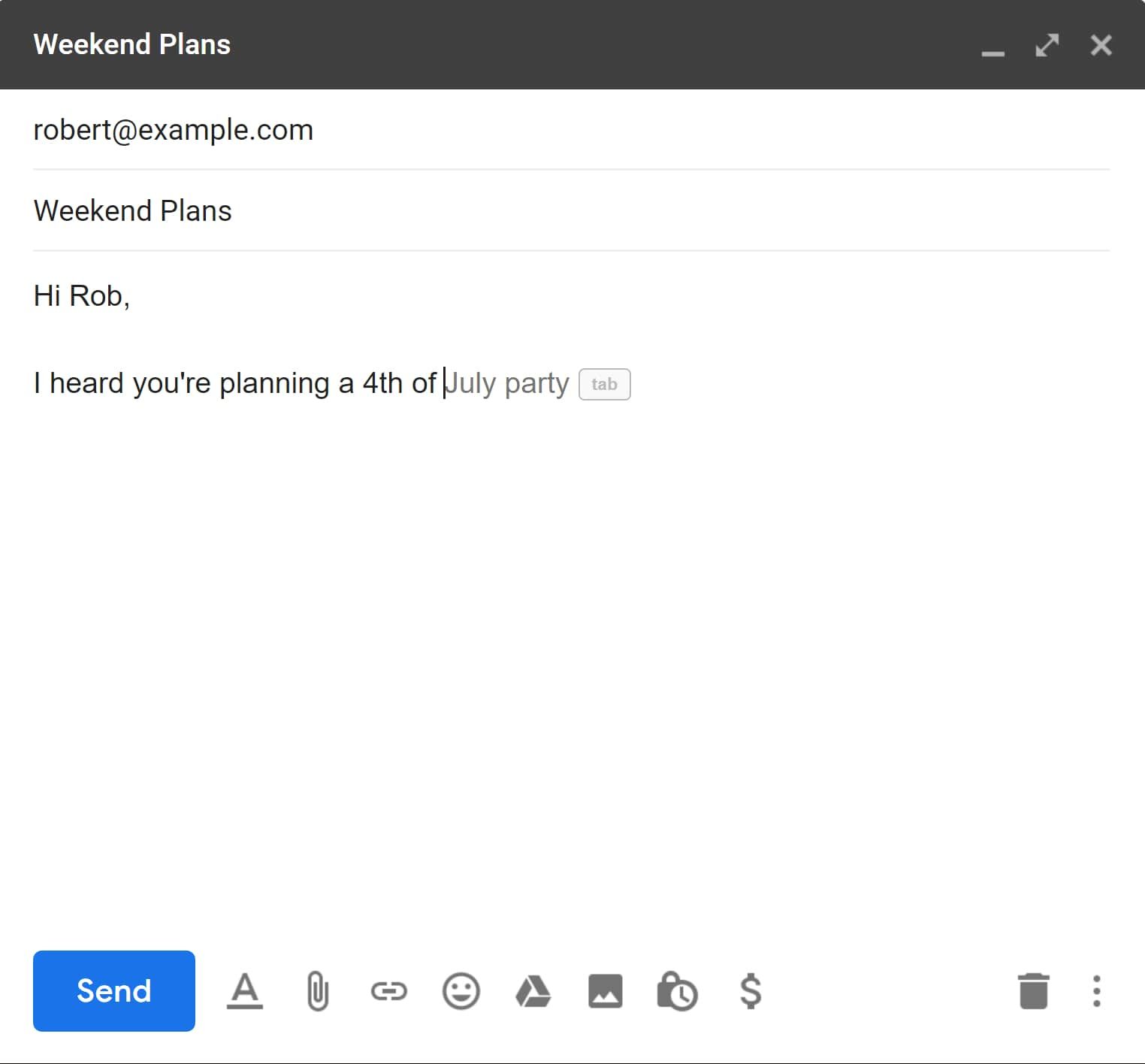
And you’re off and running with Smart Compose! To learn more about the new Gmail design you can look at our article detailing the changes and new features.
For more tips to help optimize your workflow, check out this article on Gmail shortcuts and tricks.