
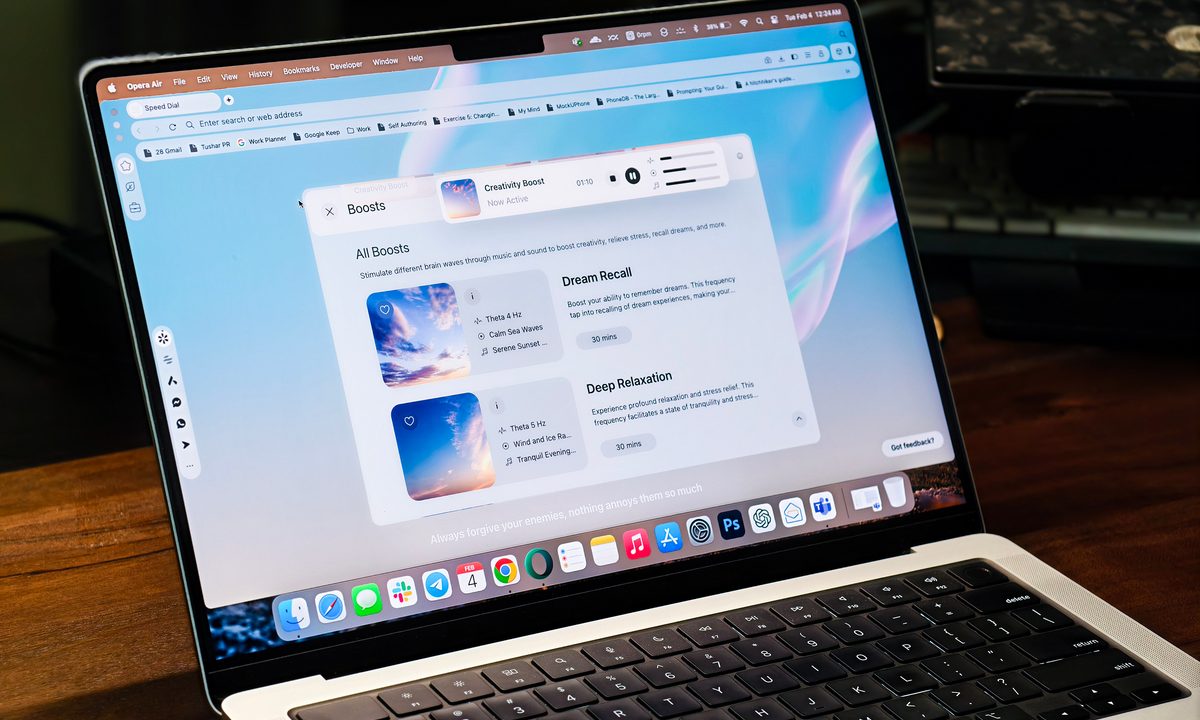
Opera, the company behind one of the best web browsers we know, has released a new browser designed to escape the overwhelm of the limitless web. Called “Opera Air,” the browser arrives as another option from the company instead of replacing the primary Opera browser or the gaming-centric Opera GX.
The browser, Opera says, is built around the principles of minimalism and will aid in managing stress, enhancing focus, and maintaining emotional clarity through tools built into the browser. I spent a couple of days, including a few stressful work days with tight deadlines, and here’s how Opera Air helped — or didn’t help — me bound back to a calmer and more productive state of mind.
Opera Air’s tools for mental relaxation
Opera sent me a pre-release build of Opera Air a few days before launch. So, I wouldn’t judge the browser for its stability or visual perfectness — though there weren’t any significant glitches to call out.
Audio tracks for enhanced thinking
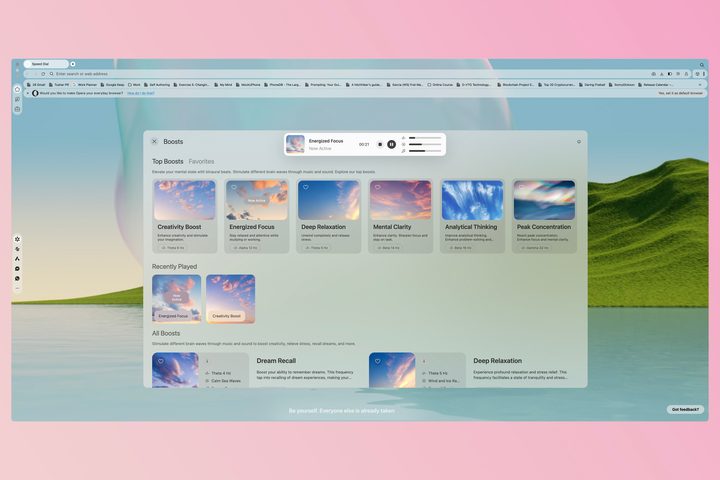
There are primarily four striking bits of Opera Air compared to the standard Opera browser. The first one is called Boosts, which offers a collection of soundscapes to elevate your mood or help improve focus. There are 19 such soundscapes with different intended objectives, and each of them has three facets — essentially three differently purposed tracks layered together.
Each “Boost” comprises three elements. The first one is an ambient soundtrack, such as the sounds of rain, forest, or city noise. The second is music, mostly from a synthesizer or electronic lo-fi. And the third is a set of binaural beats segmented into alpha, beta, gamma, and delta frequencies to stimulate the brain. All of these are stacked to create one audio track, with a total of 19 defaults for better mood, more focus, relaxation, and overall better cognitive functioning.
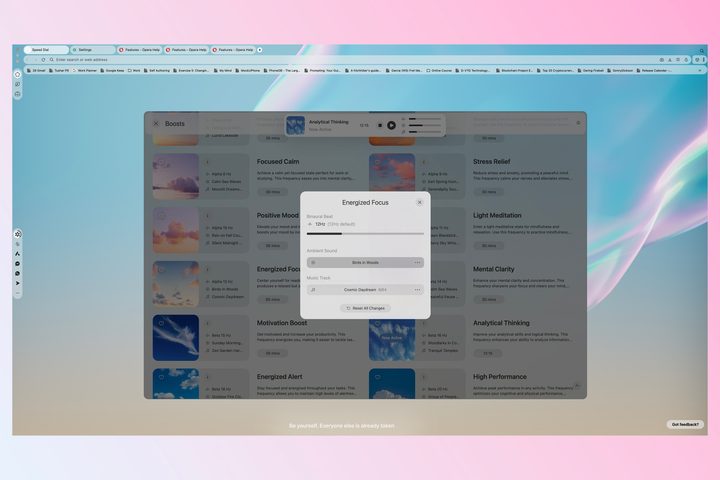
In addition to the defaults, the browser lets you choose the ambient and the music tracks from a bigger domain or change the frequency of the binaural beats. You can also individually adjust the volumes of each of the three elements based on your liking, and each of these tracks can be played for variable durations from 15 to 60 minutes or set to infinity for non-stop playback.
Before being introduced to Opera Air, I would typically spend several minutes each trying to find new binaural beats, lo-fi tracks, or different white or brown noise on YouTube. I need to do so because anything with vocals distracts me, impeding my train of thought. Although Opera Air does not provide a unique solution, having easy access within a browser makes the scenario slightly more convenient.
Guided meditation and breathing exercises
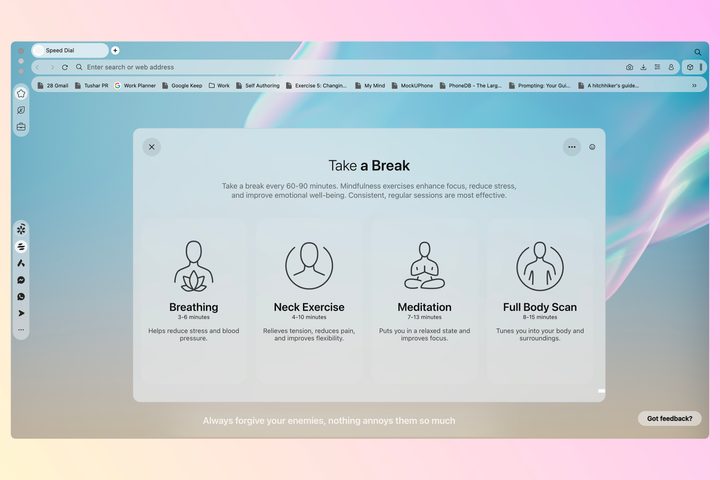
Besides soundscapes, Opera Air makes guided experiences such as breathing exercises, body scans, or meditations more accessible. These practices are clubbed under the browser’s “take a break” section, available on the sidebar.
Each practice gets a designated time and comes with audio cues, letting you close your eyes while instructions are spoken to you. Besides choosing the length of the practices, you can choose between two narrators. When it comes to breathing exercises, for instance, the browser offers common de-stressing techniques, such as 4-7-8 or the popular box breathing technique used by the U.S. Navy SEALs.
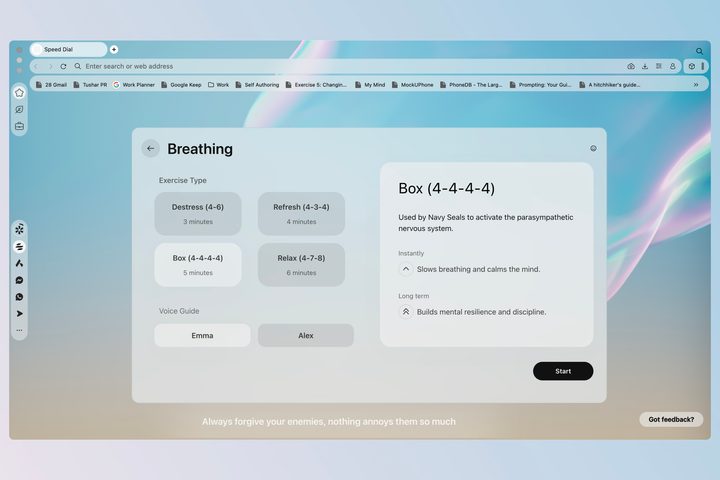
Likewise, guided meditations and different body scans have variable durations and can be useful for decompressing after or even during work to help you be more present. Besides reducing stress, regular meditation is also known to improve our emotional awareness, reduce compulsive behaviors, and improve our attention span. Even if the other benefits sound too witchy-woo, the last one is certainly worth seeking, especially as vertical scrolling is impairing our attention.
Neck exercises
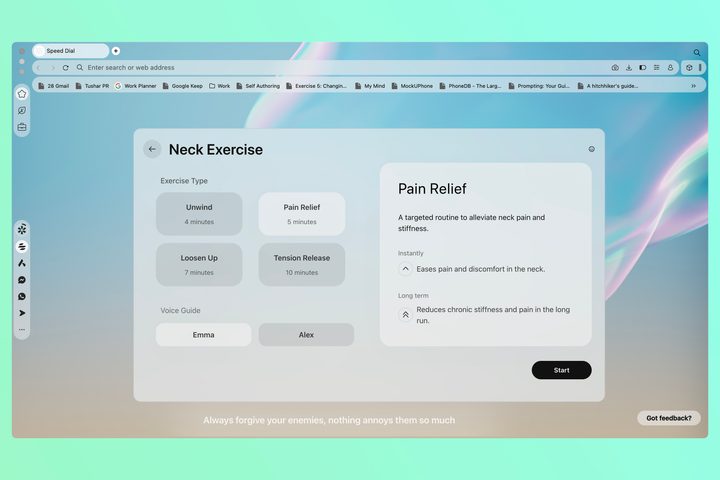
In addition to nourishing the mind, Opera Air also claims to keep your neck healthy. Constantly looking down at our phones or laptop screens, being fixated on desktop screens, slouching while sitting continuously, and not taking breaks can all contribute to stiffness or sprain in the neck.
Opera Air offers exercises of varying lengths based on how much you feel your neck is mobile or conversely needs attention. Along with audio cues, the browser also prompts you to turn on your camera so it can detect your face and ensure you do those stretches properly.
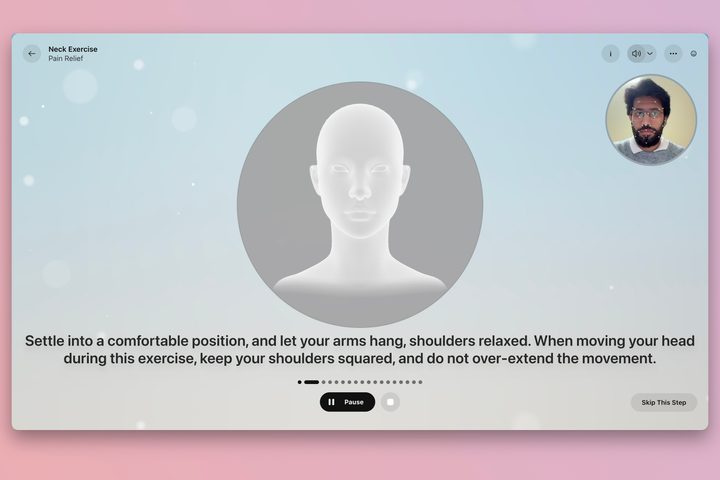
While I did notice the stiffness in my shoulder muscles recede with these neck exercises, I did not find the camera scanning any useful apart from the browser continuously reminding me that my face wasn’t fully visible. Perhaps Opera plans to improve it in the future. Thankfully, the face data is processed locally, eliminating concerns about privacy.
Did Opera Air truly ease my stressful day?
The short answer is yes. As someone who is easily distracted, I found Opera Air’s mindfulness features convenient and easy to figure out, primarily because I didn’t have to poke around too much or spend too much time finding the perfect soundtrack or guided meditation.
With these features, I believe Opera Air qualifies to be a good backup browser. It may even be your primary browser if you are willing to embark on the cumbersome journey to migrate all your browsing history, saved passwords, bookmarks, etc. and get you to log in to all saved accounts again. I may need a few more days — or weeks — of frequent breathing exercises and guided meditations before I can brace for that change.
The more compelling part is that the browser is available for free — at least for now. In addition, it gets all the benefits of Opera, including a built-in ad blocker that also works on YouTube videos, a VPN, multiple workspaces for your different personas, and quick access to AI chatbots, such as ChatGPT, and messaging apps such WhatsApp and Facebook Messenger, directly accessible from the sidebar.
If you want to give Opera Air a spin yourself, it is available for desktops. There’s no word on the availability of mobile apps yet.


