
IPS and VA displays are two of the most common and enduring LCD display types, with years of use in cutting-edge monitors and televisions, and they’re still competing with the likes of modern OLED displays today. They’ve been enhanced over the years, with the latest generations of Mini-LED backlighting helping LCDs remain competitive and outputting incredible brightness and contrast, with faster refresh rates and response times than ever before.
But if you’re looking to buy one of these more-traditional display types, with an In-plane switching (or IPS) or Vertical Alignment (or VA) TV or monitor, which should you pick? There are advantages and disadvantages to each, so let’s take a closer look at them both to see which might be right for you.
Color accuracy and coverage
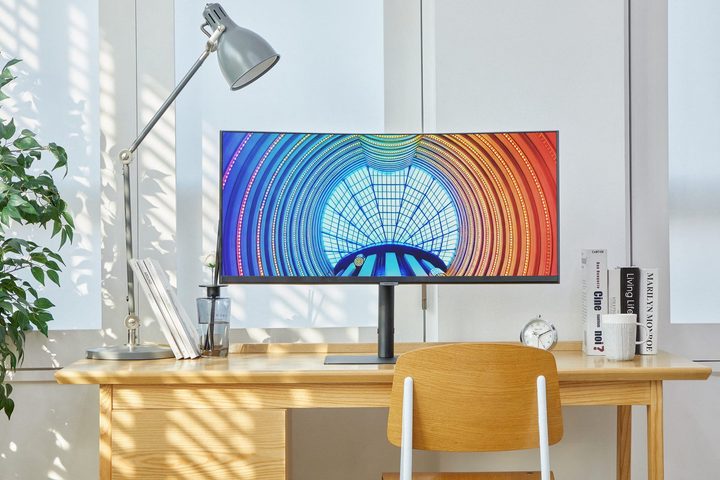
IPS panels have traditionally been used for making displays that have high color accuracy and large coverage of wide color gamuts like DCI-P3 or Adobe sRGB. Not only do IPS displays usually look good, but they also look good from wider angles, so you don’t need to look exactly head on at an IPS monitor to get accurate colors.
Color accuracy and coverage can be good on VA displays (even at wide angles), but colors across VA displays aren’t always uniform. Depending on the viewing angle and the distance between the viewer and the display, the center of VA monitors often have more gamma than the edges of the screen, making colors less accurate.
Although IPS is generally better than VA when it comes to color accuracy and coverage, VA panels have perfectly fine color accuracy and coverage for the vast majority of users. Only professional photo and video editors could really be disappointed with a VA monitor that only covers 90% of the DCI-P3 color space, which is actually a very good amount of coverage for gamers and content consumers.
Contrast ratio
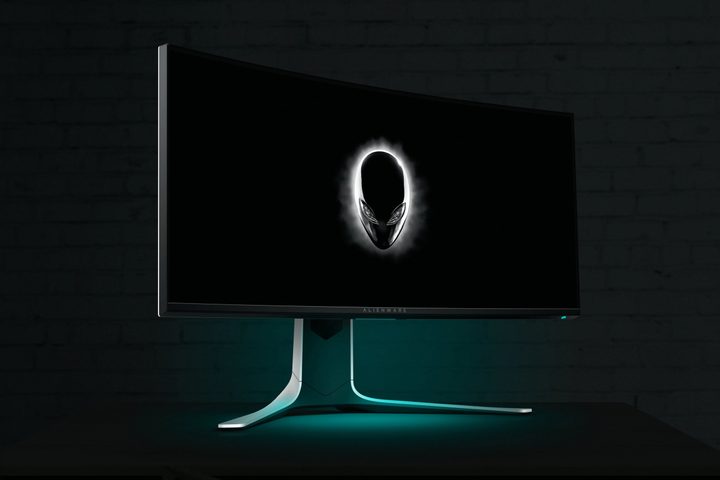
Contrast ratio measures how dark the color black is depicted on a display, measured as a ratio of x:1. The higher x is, the better. Although IPS is very good with color accuracy in general, it really struggles with making the color black, and even the best IPS monitors and TVs can only show a very dark grey rather than true black. Most IPS monitors are rated at a 1000:1 contrast ratio, which isn’t terrible but isn’t great either. Some monitors can get up to around 2000:1 however.
Despite VA’s general color accuracy issues, it’s actually amazing at depicting black as truly black. Even the worst VA displays can easily muster a 2000:1 contrast ratio, and some can even achieve higher than 5000:1. In fact, VA is second only to OLED when it comes to contrast ratio, and OLED actually delivers perfect contrast ratios of ∞:1. Because of this, a VA display can look better than an IPS counterpart in darker scenes.
Some displays can boost contrast ratio by using local dimming and HDR. By using a more complex backlight with multiple LEDs that can be turned on or off, local dimming helps IPS and VA displays look even darker when it matters. On the other end of the spectrum, HDR boosts brightness for colors that need it. With these two factors combined, some displays can boost the contrast ratio significantly. However, these features aren’t going to make an IPS display’s contrast ratio as good as the average VA display’s, and poorly implemented local dimming can backfire by creating more visual problems than it solves.
Response time

Response time is the amount of time it takes to fully refresh the display and show a new image. This is an area where both IPS and VA struggle, but nowadays very good IPS displays have overcome traditional issues with response times, and VA displays have not shown the same amount of progress. There is no standard that display manufacturers adhere to when it comes to measuring response time, but according to BenQ, which makes both IPS and VA monitors and TVs, IPS can have a response time of 1-2ms whereas VA can only achieve 4-5ms. The specific values here aren’t important because this is a best-case scenario. What’s really important is that VA is much slower.
Very high response times can result in very animated scenes looking blurry and smeared. This issue is called ghosting, and it’s particularly annoying for discerning gamers playing fast-paced games like Counter-Strike: Global Offensive. Both IPS and VA displays have solutions and workarounds to avoid ghosting, the most important being overdrive. Overdrive that’s too aggressive can cause reverse ghosting, which is when the display tries to change a pixel’s color so quickly that it accidentally overshoots and ends up with the wrong color for a few frames. Ghosting and reverse ghosting both cause smearing, so if overdrive is too weak or too strong, the end result is similar: It looks bad.
Although the best IPS panels beat the best VA panels when it comes to response time, there are plenty of IPS displays that have very bad response times. It’s also worth noting that response time only needs to be equal to the refresh rate of the monitor for there to be no smearing. On a 60Hz display, for instance, it takes 16.66ms to show a new image, so a response time of 1ms doesn’t really do much. Response time matters much more at higher refresh rates, and even at 144Hz a response time of around 7ms is sufficient to avoid ghosting.
Refresh rate
IPS is capable of significantly higher refresh rates than VA. IPS is capable of hitting 500Hz while VA caps out at 240Hz. However, the vast majority of VA displays are only capable of 144Hz or 165Hz; there are only a few VA monitors that can do 240Hz. For those wanting extremely high refresh rates, IPS is the clear winner.
Even if VA was capable of 360Hz however, it probably wouldn’t be very good because of its weakness in response times. A 360Hz display refreshes every 2.7ms, which is well below what VA is generally capable of.
Which is better?
While IPS displays are usually a safe recommendation for most people, sometimes there are very good reasons to buy VA monitors and TVs. VA has found its home in midrange gaming monitors, gaming TVs, and ultrawide displays, and many of the best gaming monitors use VA. If you’re shopping outside of these categories, however, you probably won’t have to worry about choosing between IPS and VA because VA is not very often used elsewhere.
If you do have the choice between VA and IPS, you’re going to have to evaluate what you prefer in a display, and you should definitely read some monitor reviews just to make sure if VA or IPS is going to deliver what you want in your next display purchase. After all, even an IPS display can have bad color accuracy or bad response time, so don’t assume IPS means quality and that VA means budget.
It’s worth considering OLED, too. While IPS and VA LCD panels are likely to be brighter than their OLED counterparts, the latest generations of QD-OLED displays from the likes of Samsung and Alienware are stellar. Interested in just seeing what the best displays are right now? Here are our favorite monitors, and top TVs of the year so far.


