
Apple announced the new M1 Max chip at its Apple Unleashed event on October 18. The updated system on a chip (SoC) features some big improvements — the most impressive of which is a staggering 32 GPU cores. That’s four times as many as the Apple M1, the notion of which pushed my rotted PC gamer brain to one place: Portable MacBook gaming.
With a much higher core count, the M1 Max MacBook Pro should offer a big boost to gaming performance compared to the M1. That doesn’t mean the MacBook Pro is a gaming laptop, though. It was never designed that way, and a lacking library of Mac titles means that most games won’t be able to take advantage of the extra horsepower.
32 graphics cores
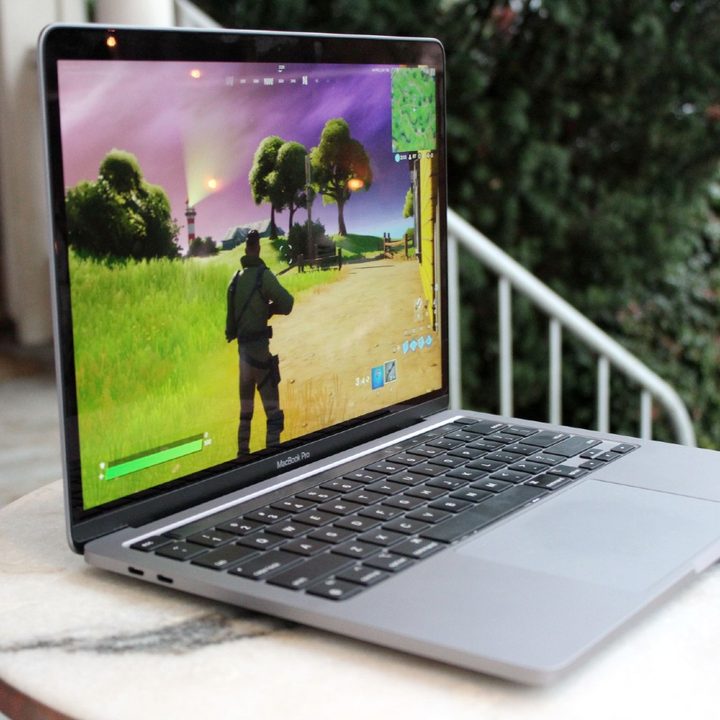
Thirty-two graphics cores. That’s why the M1 Max is so impressive. It’s a much more powerful chip than the M1 overall, sporting a balance of performant and efficient cores that leans heavier on the performant side of things. But when Apple announced the M1 Max, I wanted to know how I could put four times as many GPU cores to work.
Unsurprisingly, Apple didn’t talk about gaming, but we still have some reference points for what 32 GPU cores could offer. With eight cores on the M1 MacBook Pro, we were able to hit above 60 frames per second (fps) in Fortnite at Medium settings. With four times as many cores, plus 64GB of unified memory, you could probably push the frame rate and settings much higher.
The most concrete information we have right now is a comparison to AMD’s 5600M. Apple says the M1 Pro with 16 GPU cores offers 2.5x the performance, while the M1 Max with 32 cores offers 4x the performance. In 3DMark Time Spy, machines with a 5600M average a combined score of 6,027, taking into account CPU and GPU performance.
Unfortunately, 3DMark isn’t available on Mac, and four times as many cores doesn’t mean four times the performance. However, if the M1 Max could double the result of the 5600M, it would be on the level of a mobile RTX 3070 discrete GPU. That’s really impressive.
It’s possible, too. YouTuber Dave2D estimated the 16-core M1 Pro could be on the level of AMD’s 5500M that’s in MacBook Pros now, while saying the M1 Max could reach frame rates similar to a mobile RTX 3070. Even if that’s too high, there’s no doubting that the M1 Max will offer a huge boost to the already respectable gaming performance on the M1.
Add in the 120Hz ProMotion refresh rate, and you have the makings of a decent gaming laptop. With 32 GPU cores on tap, you could run some demanding games with high frame rates. That’s the main problem with a gaming MacBook Pro, though — the games.
A lot of power and nowhere to use it

Our list of the best Mac games has some fantastic options. Disco Elysium is one of the best RPGs of the decade, Hades is a breakout roguelike that’s damned addicting, and Fortnite is one of the most popular games in the world for a reason. Still, the library of Mac games is small, and new releases seldom show up on Apple devices.
Gaming is clearly important to Apple. Just look at Apple Arcade, which not only features a stellar roster of games, but also exclusives like the excellent Grindstone. You get a very different view of Apple’s gaming prowess on Steam, though.
I scrolled through the first 10 pages of upcoming MacOS releases — 150 games in total — and didn’t recognize a single one. And I’m on Steam multiple times every day. For the most part, Macs get standout evergreen games like Stardew Valley and Counter-Strike: Global Offensive — titles that a massive audience wants to play for years to come.
That’s where the M1 Max can most improve MacBook Pros when it comes to gaming. Titles like The Elder Scrolls Online and Fortnite are possible at respectable settings, resolutions, and frame rates. It’s clear Apple cares about gaming, but it cares more about casual, mobile-focused titles, not AAA blockbusters that can bring high-end gaming PCs to their knees.
Don’t buy a MacBook for gaming

You shouldn’t buy a new MacBook Pro for gaming. You should get one of the best thin and light gaming laptops instead. The M1 Max will certainly boost gaming performance, and it could even rival discrete GPU options from AMD and Nvidia. But the lackluster library of Mac games means you’ll run out of games to play before you get your money’s worth.
The extra GPU cores and unified memory architecture are better for intensive creative workloads like 3D modeling and rendering. Adobe apps are available natively on M1 machines now, and with four times as many GPU cores available, you can expect accelerated rendering and workflow with the M1 Max. Apple has made some concrete claims here — four times the performance in DaVinci Resolve and eight times as fast rendering ProRes files.
This type of work is where the M1 Max should shine. Gaming is possible, and based on what we know now, the M1 Max should offer some competitive gaming performance. But the library of software just isn’t up to snuff. If you want the M1 Max MacBook Pro, buy it for creative work, not for gaming.


