Come fall time — or July if you’re the type that likes trying early beta software — there’s a lot that you’re going to enjoy with MacOS Ventura.
Announced at WWDC 2022, Apple is finally improving multitasking on Macs, bringing your iPhone even closer to your Mac device, and tweaking everyday apps like Mail. Here are some of those best features coming to your Mac later this year.
Stage Manager

Multitasking has always been a struggle on MacOS, and with Ventura, Apple is making big improvements. The OS comes with a new feature known as Stage Manager. It lives on the left side of your Mac’s screen and can organize open windows and apps, so you’ll be able to focus on what you’re working on.
It is a big change from the current system, where if you minimize an app or send it to the background, you might end up losing focus on it. The app gets buried behind what you’re working on or stuck in the dock, out of focus.
The new Stage Manager works similar to Windows 11’s Snap Groups feature in the Windows Taskbar. You can group your windows together in this area when working on projects and bring them up as needed from the left side of your screen. You also can switch between other windows with Stage Manager, too, and send content from your desktop to an app with that app’s Stage Manager shortcut.
Continuity Camera
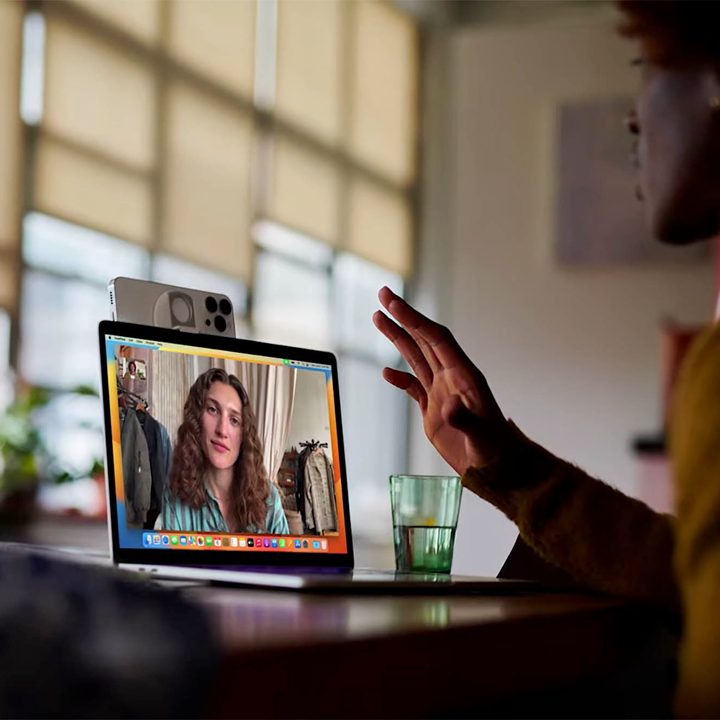
There’s a chance your Mac doesn’t have the best webcam — unless it’s one of the newer models. Well, with Continuity Camera, Apple wants to boost your video calling experience. That’s why it lands as number two on our list of top MacOS Ventura features.
With this one, your Mac will be able to recognize and use the camera on your iPhone when it is nearby. The phone can even connect to Mac wirelessly, without the need to wake or select it.
Best of all? The great camera features you have on your iPhone will end up working on your Mac, too. Portrait mode and the ultrawide angle lens will be unlocked by your Mac so you can look better on your calls and even showcase more of your desk. You’ll even be able to use the new Studio Light feature, which can light up your face while dimming your background.
Continuity Camera works with iPhone XR or later, according to Apple. Continuity Camera also wirelessly requires a Mac and an iPhone or iPad with Wi-Fi and Bluetooth turned on, and both devices must be signed in to the same Apple ID with two-factor authentication.
Updated Mail app
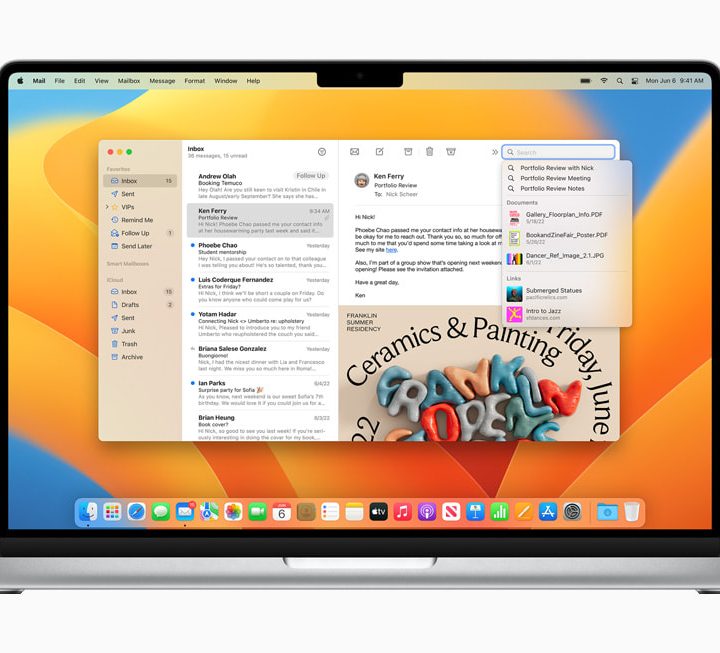
You’ve probably spent more time emailing on your Mac due to the pandemic. Third-party apps like Outlook have long been known to be more fully featured than Apple’s own Mail app, but Apple is finally updating the native MacOS Mail experience with several useful new features.
Search has been improved to be faster and smarter, now fixing your typos and misspellings. It’ll also give you quicker access to recent emails and documents. In addition, you’ll be able to both schedule emails and cancel a message after you hit the send button. That’s not to forget other things like settings reminders to come back to a message, automatic suggestions to follow up, and intelligent reminders about missing CC’s and attachments.
Other features
Stage Manager, Continuity Camera, and Mail app are the top three features for MacOS Ventura features, but there are still a lot more. Apple has also optimized the Weather and Clock apps to match the iOS ones and introduced a new System Preferences app to match that of the iPhone and iPad.
Other than that, there’s improved Spotlight, which has cleaner navigation, faster performance, and the ability to hand off FaceTime calls from Mac to iPhone. Not to forget the new digital keys password management system and gaming experiences. There’s even a new color grading feature that ensures your Mac and iPad stay perfectly matched for those whose work depends on that accuracy.
Last year’s big Mac update, MacOS Monterey launched on October 25. If Apple keeps to the same timeframe, everyone should get all these MacOS Ventura features on their Macs by the same date in 2022.