  1. Home
  2. Computing
  3. News

8K VR comes to the Quest 3

Add as a preferred source on Google
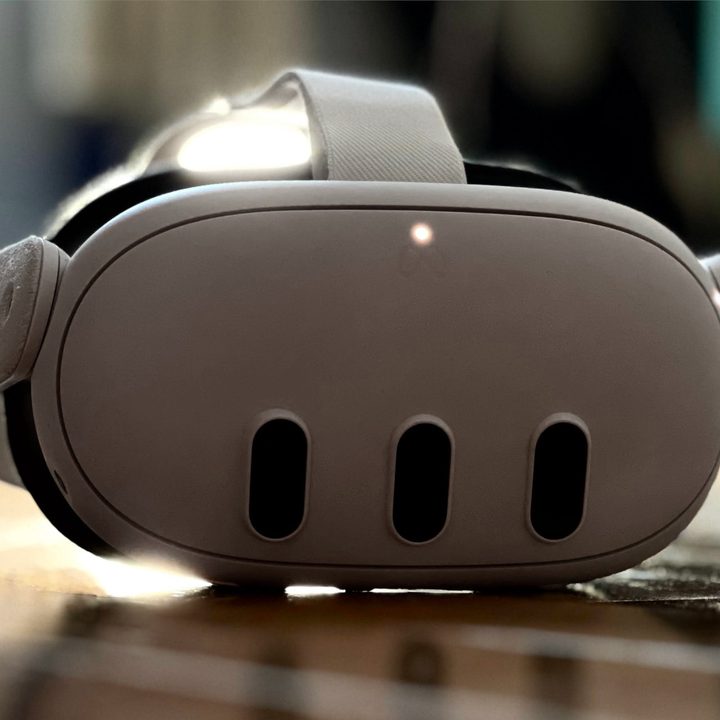
A Meta Quest 3 sits on a wooden floor in moody backlighting.
Alan Truly / Digital Trends

The best place to watch 360-degree videos is in VR, and the Meta Quest 3 just got a big upgrade in quality that makes the experience even better after Google updated its YouTube VR app to support 8K resolution.

8K might sound excessive since even the best VR headsets, like the Apple Vision Pro and the recently announced Pimax Crystal Super, have resolutions closer to 4K-per-eye. However, you can only see a third or less of a 360-degree video at once.
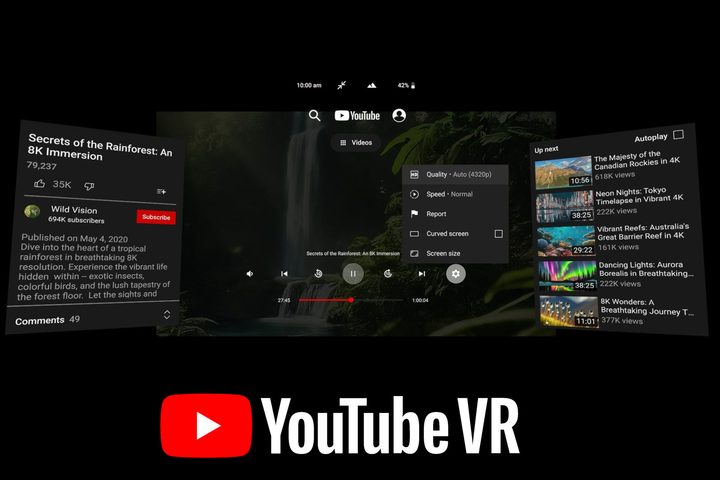
Google posted an example of an 8K video as it appears in YouTube VR.
Google

That means the best quality previously available for 360-degree videos — 4K resolution — looked like 1080p in the YouTube VR app. Any VR headset made in the last four years can display sharper images, and the Quest 3’s crisp displays offer better than 2K-per-eye quality.

Recommended Videos

News of the YouTube VR update appeared on Meta’s Quest app store, noting that you need version 1.54 or higher and a Meta Quest 3 to enable 8K resolution. The Meta Quest Pro and Quest 2 have older Qualcomm Snapdragon chips that might not be fast enough to decode video at this quality.

When viewing videos uploaded in sufficient quality, you should see an option for 4320p or 4320p60 in playback settings, which equates to 8K resolution at 30 and 60 frames per second.

Iceland Volcano Eruption in 8K 360° VR | Meta Quest 3

You’ll also see a difference in the quality of VR180 videos, which are particularly nice in a VR headset since all videos in this format are 3D. You only get 180 degrees of movement, but the most interesting parts of a 360-degree video are usually in the front anyway.

Hugh Hou is one of the most prolific and vocal VR video creators on YouTube, so if you don’t know where to start, check out this amazing 8K 360-degree VR video of a volcanic eruption. You can drag the video to change the viewing angle when watching on a computer, but in a Quest 3, you just look around as if you’re flying with the drone.

If you’re a fan of 360 or 3D videos, the latest YouTube VR update is a significant upgrade for Meta Quest 3 owners. If you own a Quest 2 or a Quest Pro, Meta Quest TV is your best bet for high-resolution video.

Alan Truly
Alan Truly is a Writer at Digital Trends, covering computers, laptops, hardware, software, and accessories that stand out as…
Macbook Neo stress test shows Apple could’ve made it run cooler with a simple fix
This simple mod makes the MacBook Neo faster.
Apple MacBook Neo with users hands on it

Apple's MacBook Neo arrived as a shock to the industry. It is the new cheap MacBook that is designed to be silent, efficient, and affordable. But a new stress test suggests that it could have been noticeably better with a very simple change.

As per a recent test, the addition of a basic copper plate to the cooling setup can improve both thermals and performance by a meaningful margin. And the frustrating part? It isn't some complex engineering overhaul and is relatively straightforward.

Read more
The Mac Pro is dead at Apple, and I’ll miss the cheese-grater powerhouse
RIP Mac Pro. The Mac Studio is taking the throne, and we're okay with that.
Electronics, Computer, Pc

Apple has officially discontinued the Mac Pro. It’s been removed from Apple’s website, and Apple has confirmed to 9to5Mac that there are no plans to release a future version. The buy page now redirects to Apple’s Mac homepage, where the Mac Pro no longer exists.

Why did Apple kill the Mac Pro?

Read more
March Madness, Revisited: The AI Model Did Well. But Mad Things Still Happen
Stills from NCAA games.

(NOTE: This article is part of an ongoing series documenting an experiment with using AI to fill the NCAA brackets and see how it fares against years of human experience. The original article is as follows.)

A week ago, I wrote about entering an NCAA tournament pool with a more disciplined process than I usually use.

Read more