
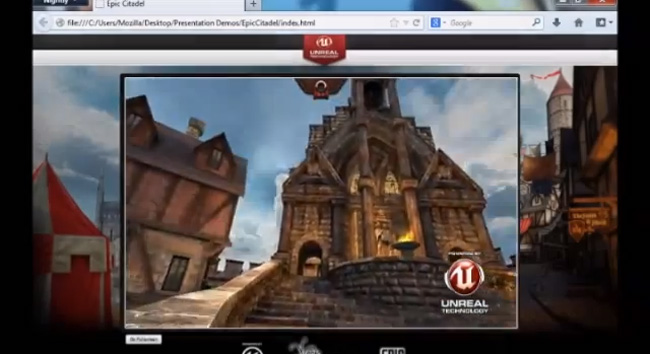
 3D gaming on a browser? Count us in. At this year’s Game Developers Conference, Mozilla revealed that it’s working on a technology that could have us playing high-end, console-quality games on the Firefox browser without the need for any plugins and installations. Making this possible is OdinMonkey – an optimized version of JavaScript currently found on Firefox Nightly that are browser builds for testing purposes.
A blog post from Mozilla announcing the project describes the highly optimized JavaScript as something that “supercharges a developer’s gaming code in the browser to enable visually compelling, fast, 3D gaming experiences on the Web.” The project is being developed along with game developer Epic, so it’s no surprise that Mozilla ported Epic’s Unreal Engine on Firefox to demo a game called Citadel (shown in the video below). It took Epic a total of four days to tweak the gaming engine to work on Firefox. The demo will be available for download online, but the company didn’t mention whether it will commercially release the Unreal Engine for Firefox browsers in the future.
Mozilla hasn’t only been building this for its desktop version of Firefox, it’s also planning to bring the technology over to the browser’s mobile version for iOS, Android, and of course, Firefox OS. That means you may soon be able to play Web-based 3D games – along with your arsenal of app games – on your phones and tablets. Good luck getting any work done!
In addition to Epic Games, Mozilla has also been working with EA, Disney, and ZeptoLab to port games to Firefox browsers. The features are expected to roll out bundled with a stable build sometime in June, so we’ll probably hear more about what games will be available from the get-go as the launch date approaches.


