  1. Home
  2. Computing
  3. News

OpenAI’s Codex just moved into Chrome, where the useful work and the risks live

The new extension lets Codex move beyond coding and handle real browser tasks across signed-in sites

Add as a preferred source on Google
Page, Text, File
OpenAI

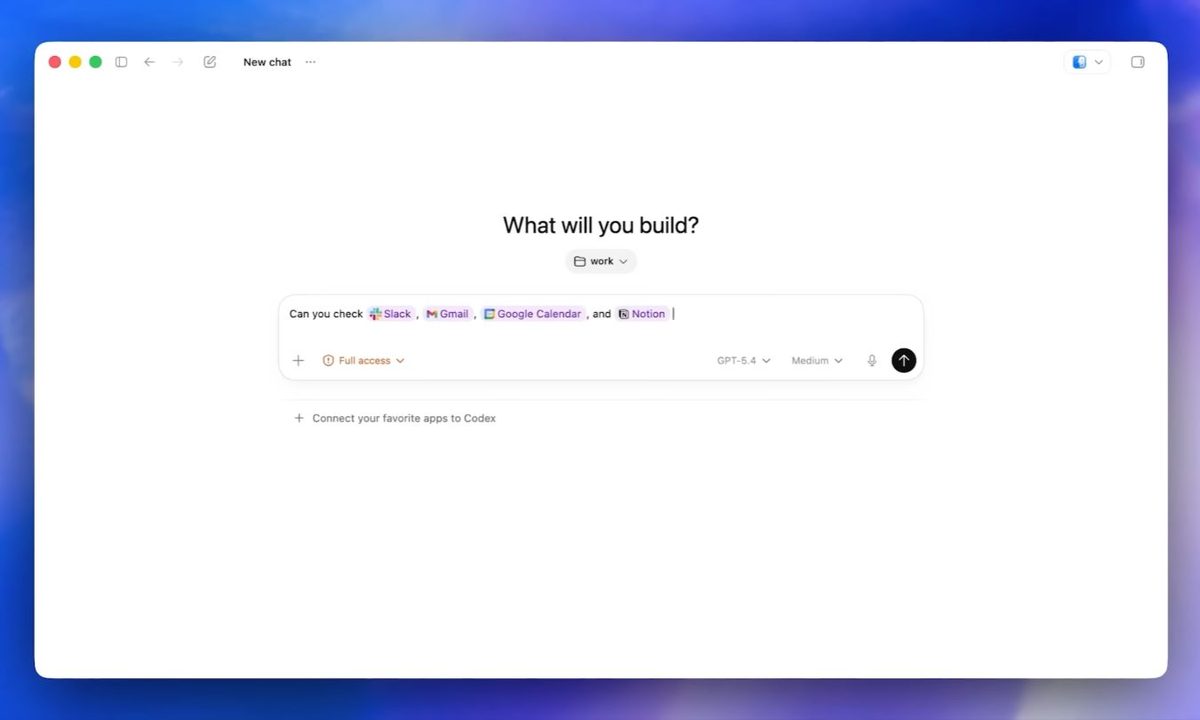
OpenAI is giving Codex a larger stage than the coding window. Its new Chrome extension lets the agent use an authenticated web session, so it can help with work that already lives inside Gmail, Salesforce, LinkedIn, dashboards, and internal apps.

That pushes Codex out of the developer sandbox and into the web apps where daily work already happens. With Chrome access, it can step into research, CRM updates, dashboard checks, and browser-based debugging, which is where plenty of work gets stuck across tabs.

Recommended Videos

The Codex Chrome extension is available through the Codex app in all regions except the EU and UK, where support is still coming. The rollout matters because the most useful version of an AI agent is also the one that needs the clearest boundaries.

The Chrome extension expands what Codex can do for coding and work.

From debugging browser flows to checking dashboards, conducting research, or updating CRMs, Codex can take on more of the tasks that already happen in your browser.

Available today in the Codex app in all…

— OpenAI (@OpenAI) May 7, 2026

What Chrome access unlocks

The impressive part is the state Codex can carry into web apps. Instead of starting from a blank prompt, it can operate where someone is already logged in, which makes it more practical for private dashboards, forms, and account-based tools.

That access also makes this more sensitive than a routine product update. Agentic AI raises security concerns when autonomy, tool use, and external access come together, because each added capability gives the system more room to make a bad call or follow a bad instruction.

So the clever trick is also the stress test. Codex in Chrome is useful because it can reach real services. It needs narrow permissions for the same reason.

How much access is too much?

Codex can now follow a task through the web, use browser context, and return results for review. OpenAI says it doesn’t take over the active browsing session, which keeps the user closer to the work rather than handing over the whole tab.
The risk comes from what that autonomy can touch. A system that can read a dashboard, fill out a form, or interact with an internal tool needs stronger review habits than a chatbot answering questions in a separate window.

Where caution pays off

The next test is whether OpenAI can make Codex’s browser work feel controlled rather than merely impressive. Site approvals, permission settings, and review steps will decide whether the extension feels like a productivity boost or a shortcut with too much reach.

For early users, the practical move is to start small. Give Codex access to the few sites where the benefit is obvious, avoid sensitive accounts until the workflow proves itself, and review what it does before letting the agent handle higher-stakes work.


Paulo Vargas
Paulo Vargas is an English major turned reporter turned technical writer, with a career that has always circled back to…
Claude’s Sonnet 5 is built to do more on its own and cost you less
Better than its predecessor, nearly as good as the flagship, and meaningfully cheaper than both.
Art, Floral Design, Graphics

Every major AI lab is racing to prove its models can work autonomously with minimal hand-holding; we’re now seeing pricing emerge as the next battleground. 

Anthropic just fired its latest shot, Claude Sonnet 5, a model the company says performs nearly as well as its flagship Opus 4.8 at a fraction of the cost.

Read more
Apple Creator Studio adds AI tools across Final Cut Pro, Logic Pro and Pixelmator Pro
Final Cut Pro gets AI captions, Auto Mask and better Pixelmator Pro workflows in Creator Studio update
Computer Hardware, Electronics, Hardware

Apple has introduced a major update to Apple Creator Studio, adding new AI features, deeper Pixelmator Pro integration, and workflow upgrades across Final Cut Pro, Logic Pro, Keynote, Pages, Numbers, Motion, Compressor, Freeform, and Final Cut Camera.

The update makes Creator Studio more useful across Mac, iPad, and iPhone, especially for people who move between video editing, image editing, presentations, documents, spreadsheets, and music production.

Read more
AI browsers like Perplexity Comet can be tricked into spilling your password through BioShocking exploit
Six AI browsers were found leaking saved passwords and many of them haven't fixed it yet.
MacBook Air in hand, Comet browser loaded—let’s see what Perplexity’s AI can really do

Security researchers just found a strange way to trick AI browsers into handing over your passwords. They managed to trick AI browser agents into exposing sensitive data like saved passwords, session cookies, and private tokens by disguising the theft as part of a harmless "game."

The technique is called BioShocking, named after the popular video game BioShock, where a brainwashed character is manipulated into believing a false reality. Once an AI browser falls for the same trick, it stops following its own safety rules entirely.

Read more