  1. Home
  2. Computing
  3. News

Opera web browser targets enhanced accessibility with major redesign

Add as a preferred source on Google
Image used with permission by copyright holder

Google Chrome is one of the best and most popular web browsers, but Opera has always been one of the best alternatives. In the latest move for Opera, a new development release pushes it even closer to Chrome with a redesign and the overall goal of redefining the modern web browser.

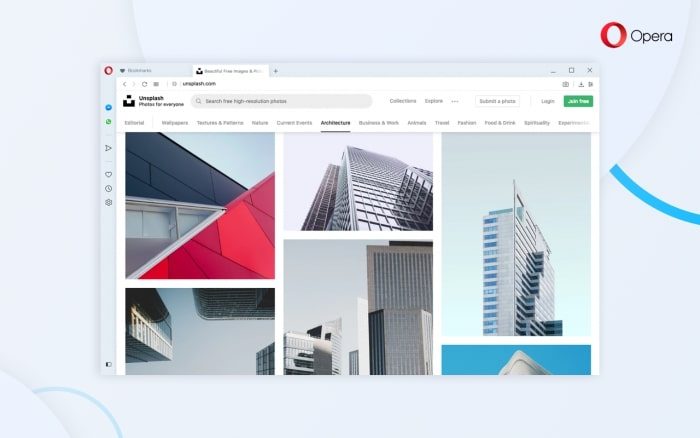
Currently code-named Reborn 3 (R3) the latest development version of the web browser comes with a major user interface redesign which aims to put web content center stage. Among the biggest changes is the support for both light and dark themes. The themes were inspired by photography and make it so that the sidebar and tab areas are a brighter and cleaner color, now flowing better with the rest of the browser. Another new element is the mechanism for new tabs, which now pick up more shadows and create a “design to elicit a visceral response”

Recommended Videos

That is meant to tie in with changes to the Easy Setup and Snapshot tools, which now have been moved to the access bar on the top for more convenient accessibility. These both can be found next to Bookmarks and the “Send to Flow” button. Additionally, Opera moved the EasySetup panel in this development release. It now moves from the start page to the toolbar area and can keep basic settings like the ability to adjust the theme at hand.

“There is no other browser that comes close to Opera in terms of features and functionality, and we didn’t intend to make any compromises,” explains the Opera development team. “What we’ve done with R3 is to refine our features and place them in a way that they are fully accessible without getting in your way.”

The last but not the least of the new features in the R3 release is an integrated Crypto Wallet. This lets you browse the web while conducting crypto-transactions with your phone, but you’ll need to pair it up with Opera on your Android browser first.  The official non-beta version of Opera R3 is expected to launch in March, but you can download the preview right now in MacOS, Windows, or Linux by clicking the links on the bottom of this webpage.

Arif Bacchus
Arif Bacchus is a native New Yorker and a fan of all things technology. Arif works as a freelance writer at Digital Trends…
Claude’s Sonnet 5 is built to do more on its own and cost you less
Better than its predecessor, nearly as good as the flagship, and meaningfully cheaper than both.
Art, Floral Design, Graphics

Every major AI lab is racing to prove its models can work autonomously with minimal hand-holding; we’re now seeing pricing emerge as the next battleground. 

Anthropic just fired its latest shot, Claude Sonnet 5, a model the company says performs nearly as well as its flagship Opus 4.8 at a fraction of the cost.

Read more
Apple Creator Studio adds AI tools across Final Cut Pro, Logic Pro and Pixelmator Pro
Final Cut Pro gets AI captions, Auto Mask and better Pixelmator Pro workflows in Creator Studio update
Computer Hardware, Electronics, Hardware

Apple has introduced a major update to Apple Creator Studio, adding new AI features, deeper Pixelmator Pro integration, and workflow upgrades across Final Cut Pro, Logic Pro, Keynote, Pages, Numbers, Motion, Compressor, Freeform, and Final Cut Camera.

The update makes Creator Studio more useful across Mac, iPad, and iPhone, especially for people who move between video editing, image editing, presentations, documents, spreadsheets, and music production.

Read more
AI browsers like Perplexity Comet can be tricked into spilling your password through BioShocking exploit
Six AI browsers were found leaking saved passwords and many of them haven't fixed it yet.
MacBook Air in hand, Comet browser loaded—let’s see what Perplexity’s AI can really do

Security researchers just found a strange way to trick AI browsers into handing over your passwords. They managed to trick AI browser agents into exposing sensitive data like saved passwords, session cookies, and private tokens by disguising the theft as part of a harmless "game."

The technique is called BioShocking, named after the popular video game BioShock, where a brainwashed character is manipulated into believing a false reality. Once an AI browser falls for the same trick, it stops following its own safety rules entirely.

Read more