  1. Home
  2. Computing
  3. News

Outlook typing lag will finally get a fix from Microsoft

Add as a preferred source on Google
A Dell laptop connected to a hard drive on a couch.
Dell

If you use classic Outlook to handle your emails, then you’re most likely familiar with the annoying bug that causes huge CPU spikes while typing. It can be difficult to finish emails when your system resources jump by as much as 50 percent (and increase power usage with it), but Microsoft has finally announced that a fix is on the way. The downside? It won’t arrive until late May for most users, although some might see it in early or mid May if they’re part of the beta program. Until then, there is a workaround.

Rolling classic Outlook back to version 2405 seems to fix the issue, but it comes with a not-insignificant tradeoff. Updates since version 2405 have patched several security flaws, so if you opt to go this route, be aware that it opens your system to vulnerabilities.

Microsoft warned of the bug earlier this month, but issued an update yesterday announcing that a fix was on the way. While the company cautions against rolling back the current version, it provides the following instructions if you want to do so:

  1. Locate the build of Version 2405 for the respective channel you are on from Update history for Microsoft 365 Apps (listed by date) – Office release notes.
  2. Open a Command Prompt (Run as Administrator).
  3. Type or past the command below and put the build from Step 1 and then press Enter:

    “%programfiles%Common FilesMicrosoft SharedClickToRunofficec2rclient.exe” /update user updatetoversion=16.0.17628.20144
Recommended Videos

It’s best to only do this if the glitch is causing serious problems while trying to work; if it only happens every so often, it might be better to deal with the lag spikes until a fix arrives. Microsoft has yet to reveal the exact cause of the problem. If you aren’t sure whether you’re affected or not, just open Task Manager and keep an eye on your CPU resource usage while working in Outlook.

Patrick Hearn
Former Technology Writer
Patrick has written about tech for more than 15 years and isn't slowing down anytime soon. With previous clients ranging from…
Google just announced a new kind of laptop, and it puts Gemini everywhere
Google's new Googlebook platform puts Gemini at the center of every laptop interaction, from the cursor to the desktop, with devices from major PC makers arriving this fall.
Googlebook

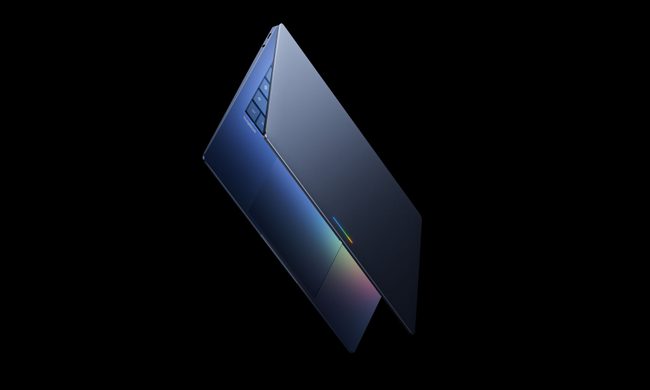
Google wants Gemini to be the brain of your next laptop, and the company has announced a whole new category to make that happen. Dubbed Googlebook, the new laptop platform puts Gemini at the center of the experience, with devices from Acer, Asus, Dell, HP, and Lenovo expected this fall.

What makes it different

Read more
Google just made Gemini for Home a lot better at running your smart home
Google just updated Gemini for Home with smarter features and faster controls.
Google-gemini-for-home-updates

If you have a Google smart display or speaker at home, there are new updates you should know about. Google has rolled out a fresh batch of improvements to Gemini for Home, making the assistant noticeably smarter and faster across smart speakers and displays.

Gemini for Home is getting smarter and more personal

Read more
AI voice chats still feel awkward because assistants don’t know when to talk
Thinking Machines Lab is testing faster full duplex AI that can listen and respond at the same time
Electronics, Mobile Phone, Phone

Thinking Machines Lab says it’s building full duplex AI, which means an AI system can take in what someone is saying while generating a response. In plain English, it’s closer to a phone call than a walkie-talkie.

The startup, founded last year by former OpenAI CTO Mira Murati, announced interaction models, starting with TML-Interaction-Small. It says the system can respond in 0.40 seconds, a pace that puts it near ordinary human back-and-forth.

Read more