

“No one at Google reads your Gmail,” wrote Suzanne Frey, the director of Security, Trust, and Privacy at Google in a recent blog post. That’s been Google’s stance on the matter of email privacy — at least since its reversal of the practice of reading your email and serving you up a steaming, hot portion of personalized ads.
But as a Wall Street Journal report recently indicated, third-party apps are actually doing just that, right within Gmail itself. Rather than refuting the access third-party apps have, Google’s blog post defends the practice, and puts the responsibility of keeping an emails private on the individual.
Here’s how to do just that — to know exactly who might be reading your email, and deny them the privilege.
How to change your privacy settings
Numerous apps could be spying on your email, depending on what you’ve given consent to. Follow these instructions to
Step 1

First, open up Gmail and click on your profile picture in the top right corner.
Step 2

Click on “My Account,” which will send you to the Settings page.
Step 3

Once you’re in the Settings page, look under the “Sign-in & security” column on the left side. Then, click on “Apps with account access.”
Step 4

Here, you’ll find a small list of some of the apps that have access to some portion of your Google account. At some point, you consented to all of these apps, though they may or may not apply to your actual Gmail account. Click the “Manage Apps” link to gain access to the actual permissions these apps have.
Step 5
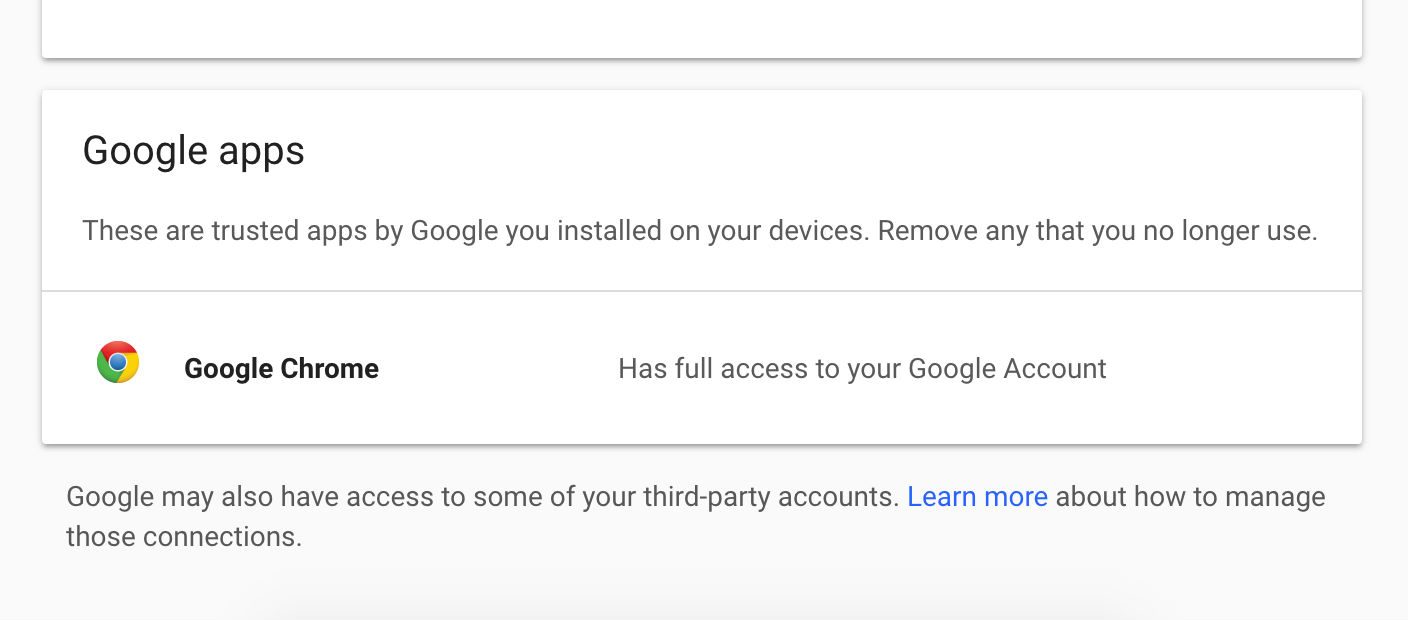
Next to each app in the list, it’ll indicate what part of your Google account it has access to. If you use an Android device, you might see a variety of games and apps that only have access to your Google Play Account.
However, if says it “Has full access to your Google Account,” that includes your email in Gmail. According to Google’s own statements, that means the apps may be able to scan your emails and take any information they receive.
Step 6
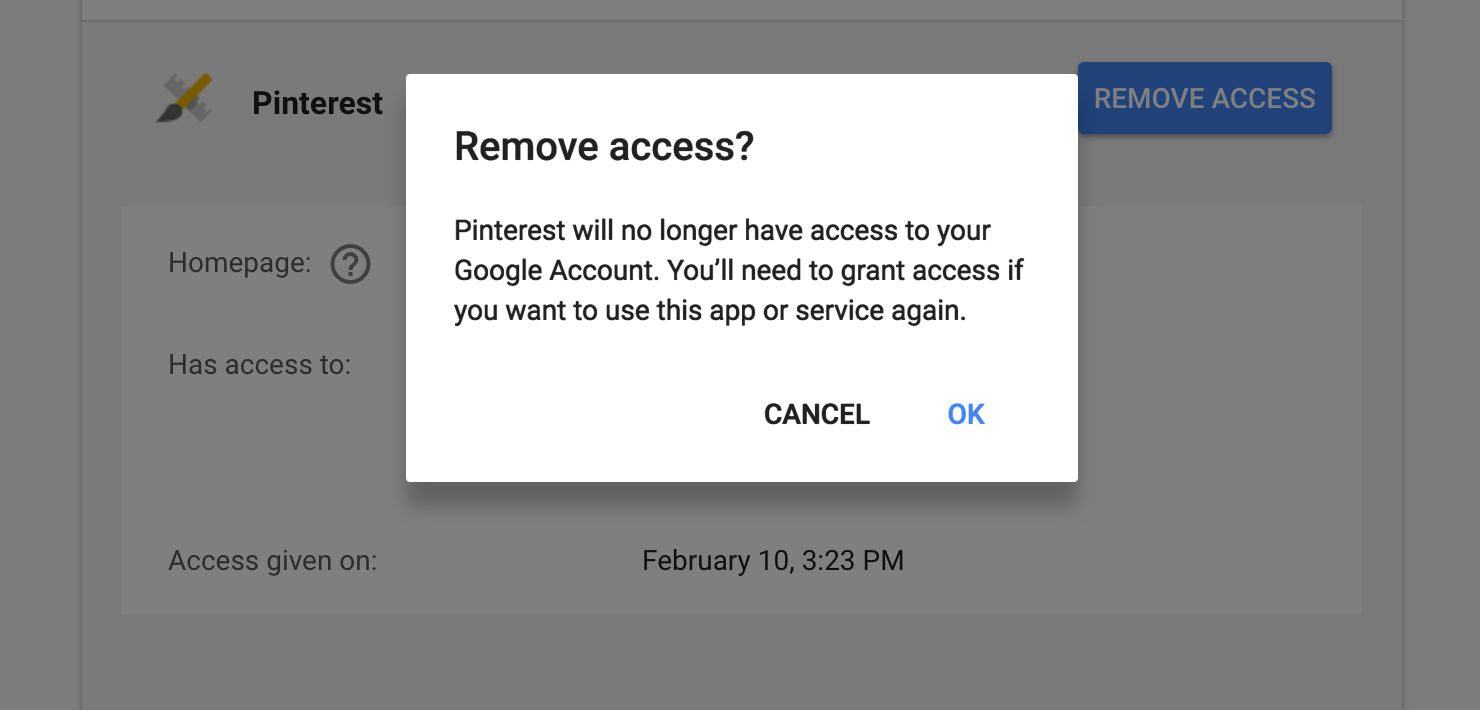
Once you’ve found the culprit of the email spying, just click on the name of the app. This will open up an extended dialog box which gives some more details on what exactly the app can see. To kill the permissions once and for all, click “Remove Access,” and then “OK” in the next prompt.
Before doing so, it should be noted that some applications rely on these permissions to function properly.
Before a scandal breaks
When we have the Cambridge Analytica data scandal hanging over our heads, it’s hard to not worry about Google’s policies. Even if the similarities are only surface-deep, none of us want to put our trust in an organization that plays fast and loose with the way it sells data. Google doesn’t seem ready to back down from how it handles third-party apps just yet, but enough public pressure could change its mind on the issue.
In the meantime, there are plenty of other email clients out there aren’t part of a larger platform like Gmail is. These tend to be a bit safer — though in the end, having a strong password will always be the best way to protect your private emails.


