
The developers behind Shadow of the Tomb Raider responded to concerns about the game running poorly on Nvidia’s just-revealed GeForce RTX 2080 Ti graphics card with ray tracing enabled. While we were dazzled by the ray tracing support in the upcoming game during a demo showcased on Monday, August 20, the developers say it’s still a work in progress and the feature will be made available in a post-launch update.
“The Nvidia Ray Tracing technology currently being shown in Shadow of the Tomb Raider is an early work in progress version,” the developers state via Twitter. “As a result, different areas of the game have received different levels of polish while we work toward complete implementation of this new technology.”
During Nvidia’s big GeForce RTX 20 Series reveal, we viewed one specific crowded environment pulled from the game to show how ray tracing effects the way Nvidia’s hardware handles the area. The developers merely toggled the feature on and off to illustrate how ray tracing renders shadows, reflections and area illumination in real time differently than current rendering techniques.
Naturally, Nvidia and Eidos provided demos for the press to view after the presentation. The machine running the Tomb Raider demo included the just-revealed RTX 2080 TI while the game itself was only set to a 1,920 x 1,080 resolution. With FRAPS running in the background, ray tracing turned on and the game set to its highest detail settings, the framerate would fluctuate between 30 and 70 frames per second. You can view an off-screen video capture of the gameplay right here.
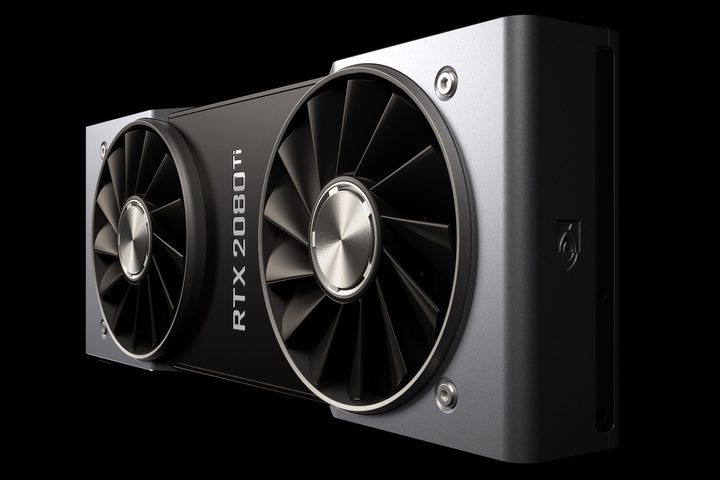
That fluctuating framerate for a game running in Full HD apparently generated concern. After all, the RTX 2080 Ti will have a starting price of $1,000 when it arrives later this month. It packs 4,352 CUDA cores with a maximum speed of 1,545MHz and 11GB of onboard GDDR6 memory clocked at 14Gbps. The framerate should be way higher than that, right?
In this case, no. As the developer points out, there is still work that needs to be done to get the ray tracing portion running on all cylinders. Despite the underlying hardware support from the card’s dedicated RT Cores and AI-focused Tensor Cores, optimizations still need to be made on the software side, hence the demo’s current framerate.
The big selling point with Nvidia’s new RTX 20 Series cards is the real-time ray tracing aspect. Typically, this rendering process takes high amounts of computing power and long wait times to render each frame, but the resulting scene can be photo-realistic. While a single graphics card still can’t produce that level of output in real time, Nvidia provides a “cheat” that involves artificial intelligence so we’re not waiting another 10 years.
Given real-time ray tracing is new to PC gaming, it’s a work in progress. The cards aren’t available nor is the content to support their ray tracing aspect. The best way to gauge performance is to wait and see both in action when they’re actually available rather than jump to conclusions based on pre-release demos.


