

Make sure to check out our full Toshiba Kirabook Review.
Earlier this week, Toshiba announced its premium Kirabook, a superslim 13-inch Ultrabook crafted with a magnesium alloy chassis and featuring a 2560-by-1440 PixelPure display. This sleek new machine is Toshiba’s stab at the luxury notebook market and, by all accounts, the Kirabook’s design certainly fits the bill. In fact, it looks awfully similar to another premium notebook, the 13-inch Apple MacBook Pro with Retina display. Both machines sport third-generation Intel Core i5 or i7 processors and both feature solid-state hard drives, which are much faster than traditional spinning hard drives but can also drive a laptop’s price northward.
Toshiba told us to think of the Kirabook like a MacBook Air with Retina MacBook Pro specs. Pitting the Kirabook against the Retina MacBook Pro made us wonder: how do these two systems compare? We breakdown the highest configurations of both notebooks below.
|
Toshiba Kirabook  |
Retina MacBook Pro 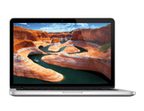 |
|
| Dimensions | 12.44” x 8.15” x 0.70” | 12.35″ x 8.62″ x 0.75″ |
| Weight | 2.9 pounds | 3.57 pounds |
| Chassis | AZ91 pressed magnesium alloy | Aluminum |
| Keyboard | Backlit | Backlit w/ ambient light sensor |
| Processor | 3.1 GHz Intel Core i7-3537U | 3.0 GHz Core i7 |
| RAM | 8GB | 8GB |
| Screen Size | 13.3″ touchscreen | 13.3″ (non touch) |
| Resolution | 2560 x 1440 | 2560 x 1600 |
| Storage | 256GB SSD | 256GB SSD |
| Networking | Wi-Fi, Bluetooth 4.0 | Wi-Fi, Bluetooth 4.0 |
| Ports | HDMI, 3 USB 3.0, memory card reader | HDMI, 2 Thunderbolt, 2 USB 3.0, SDXC card reader |
| Webcam | HD webcam | 720p HD webcam |
| Operating System | Windows 8 | Mac OS X 10.8 |
| Battery Life | 6 hours | 7 hours |
| Price | $1,999 | $1,899 |
As you can see, both notebooks are about the same size, but you’ll definitely notice a difference when you pick them up. The Kirabook is nearly half a pound lighter – with a touchscreen – than the Retina MacBook Pro. If you opt-out of the Kirabook’s touchscreen, the weight drops to 2.6 pounds. Toshiba says the Kirabook’s magnesium alloy chassis is 10 percent stronger than the aluminum used in the MacBook Pro. Plus, on the inside of the notebook, the chassis has a honeycomb pattern for additional strength and rigidity.
In terms of specs, the Retina MacBook Pro and the Kirabook are closely matched. We compared the top-of-the-line processors available, which is an Intel Core i7. Both feature the same amount of RAM, a 256GB solid-state drive, and both have an integrated graphics chip. When it comes to ports, the Kirabook wins with three USB 3.0 ports, but the Retina MacBook Pro has two Thunderbolt ports in addition to two USB 3.0s. While we haven’t had a chance to fully review the Kirabook yet, we suspect its six-hour battery life rating may be its Achilles’ heel. If that time drops considerably when using the touchscreen, the Kirabook’s lightweight portability will be dampened by having to tote around a charger on long days.
Neither the Kirabook nor the Retina MacBook Pro are what you would call “budget buys.” At close to $2,000 for the most powerful configurations, these notebooks are aimed at the luxury and power-user market. We already know that the Retina MacBook Pro can hold its own on benchmarks and real world tests. Unfortunately, we won’t know how powerful the Kirabook is until we’re able to fully review it and put it through its paces.
As the first Windows 8 Ultrabook with a 2560 x 144o touchscreen display, the spec’d out Kirabook is certainly intriguing, though at $100 more than the top-of-the-line 13-inch Retina MacBook Pro, being first doesn’t come cheap. Do you think the luxury-minded Kirabook is worth the premium?


